
From Purchase to Delivery 🚀
The moment a customer clicks "place order" marks the beginning of a critical journey. How you handle that order—from confirmation through fulfillment to delivery—defines your customer's experience and determines whether they'll return. Trinavo's order processing system transforms this complex workflow into a smooth, efficient operation that keeps customers happy and your business running seamlessly.
Every online store, regardless of size, needs a reliable system to manage orders. Manual spreadsheets and scattered notes don't scale. Trinavo provides a centralized order management hub where you can view, track, update, and fulfill every order with confidence. Whether you're processing ten orders a day or a thousand, the same powerful tools keep your operations organized.
Complete Order Lifecycle Management
Orders don't exist in a single state—they evolve through multiple stages from placement to completion. Understanding and managing this lifecycle is essential for operational efficiency and customer satisfaction.
Order Status Flow
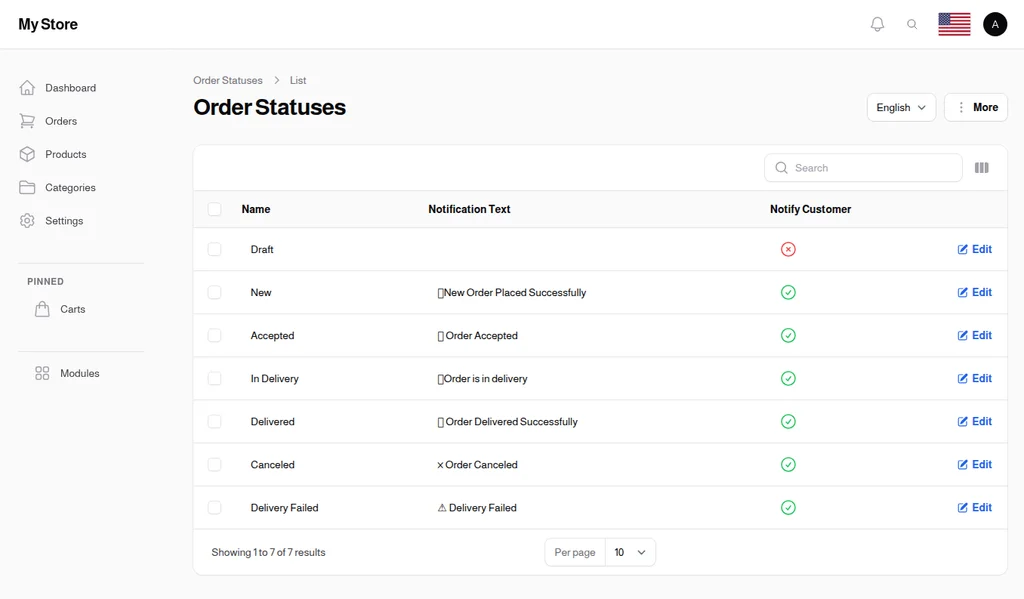
Trinavo provides a flexible order status system that tracks orders through their entire journey:
Draft: Orders in progress, possibly abandoned carts or incomplete checkouts. These represent potential sales that haven't yet completed.
New: Fresh orders awaiting processing. This is your action queue—orders that need attention and confirmation.
Accepted: Orders you've confirmed and begun preparing. This status tells customers their order is being handled.
In Delivery: Orders that have left your hands and are en route to customers. The exciting final stretch before delivery.
Delivered: Successfully completed orders. These represent satisfied customers and revenue earned.
Cancelled: Orders that didn't proceed, whether by customer request or inventory issues.
Delivery Failed: Orders where delivery wasn't successful—customer unavailable, wrong address, or other delivery complications.
Custom Status Configuration
Every business has unique workflow needs. Trinavo allows you to customize order statuses with:
- Multi-language Names: Status names display in your customers' preferred language
- Notification Messages: Custom messages sent when status changes
- Customer Notification Toggle: Choose which status changes trigger customer notifications
Create statuses like "Preparing," "Quality Check," "Out for Delivery," or any workflow stage that matches your operations.
Order Details at Your Fingertips
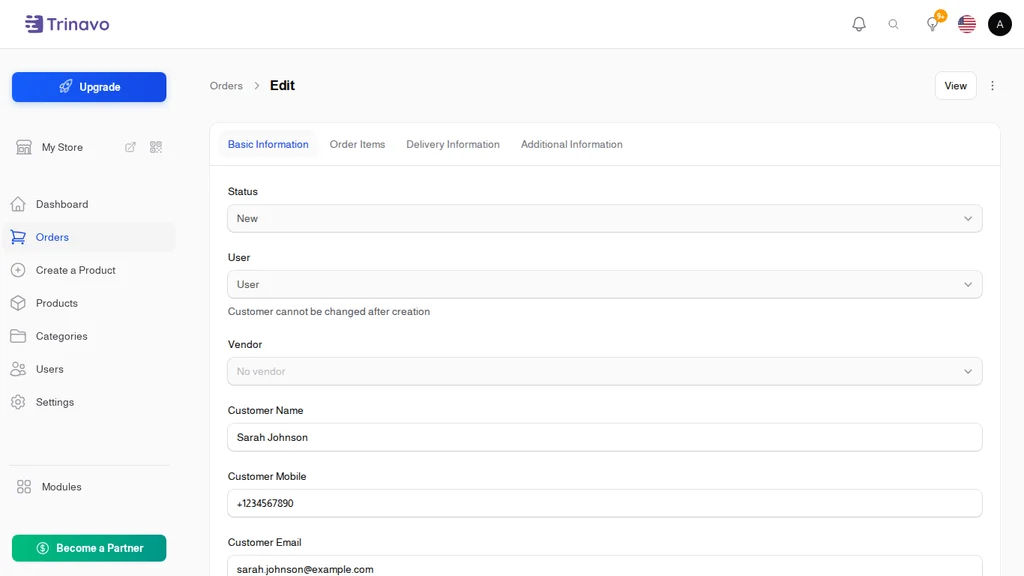
When an order comes in, you need all relevant information immediately accessible. Trinavo's order management interface provides a complete view of every order.
Customer Information
Every order captures essential customer details:
- Customer name and contact information
- Email address for order communications
- Mobile number for delivery coordination
- Complete delivery address with structured fields
- Geographic coordinates for location-based services
- City and location selection for delivery routing
Order Breakdown
Understand exactly what was ordered and the financial breakdown:
- Items Ordered: Each product with quantity, selected variants, and pricing
- Product Total: Combined value of all items
- Tax: Automatically calculated based on your tax settings
- Delivery Cost: Shipping fees based on delivery method and location
- Discounts: Any coupon codes or promotional discounts applied
- Loyalty Discounts: Savings from customer loyalty levels
- Additional Fees: Any extra charges specific to the order
- Final Total: The complete amount the customer pays
Payment Information
Track the financial status of every order:
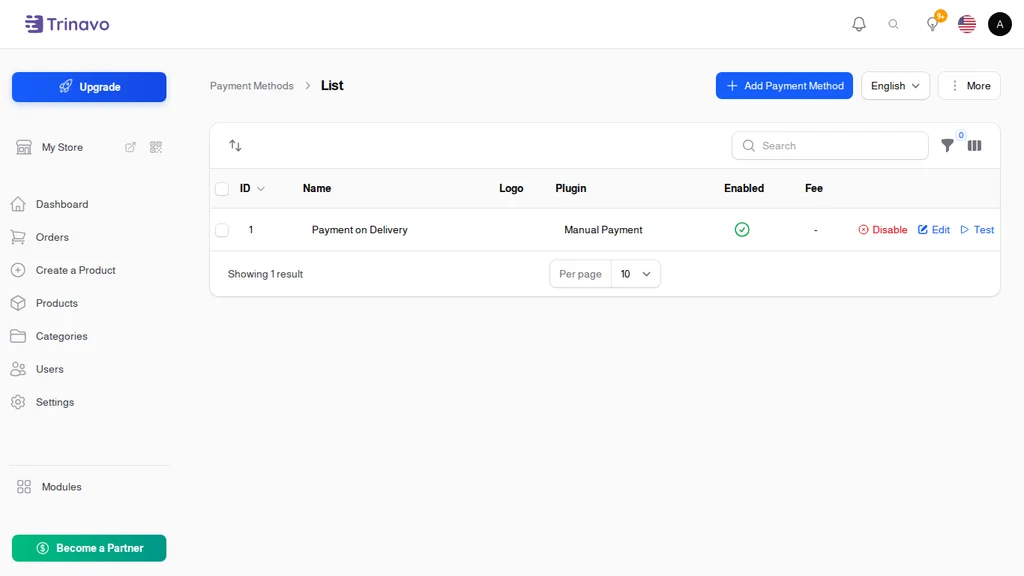
- Payment method selected (card, wallet, cash on delivery, etc.)
- Payment status (paid or pending)
- Associated coupon codes and their discount values
- Cost tracking for profit margin analysis
Automated Customer Notifications 📧
Communication builds trust. Customers want to know their order status without having to check repeatedly. Trinavo's automated notification system keeps customers informed at every stage.
Status Change Notifications
Configure automatic notifications whenever an order moves to a new status. When you mark an order as "Shipped," the customer immediately receives a notification with your custom message. Options include:
- Email notifications with detailed order information
- SMS alerts for time-sensitive updates
- Customizable message templates for each status
Notification Customization
Each order status can have its own notification message, translated into multiple languages. Personalize communications with details like:
- Order number and summary
- Current status and what it means
- Expected next steps
- Contact information for questions
Selective Notifications
Not every status change needs customer notification. Internal statuses like "Quality Check" or "Preparing" might be operational stages customers don't need to know about. The notification toggle per status gives you control over what customers see.
Delivery Management 🚚
Getting products to customers reliably is the final and crucial step in order fulfillment. Trinavo provides comprehensive delivery management tools.
Multiple Delivery Methods
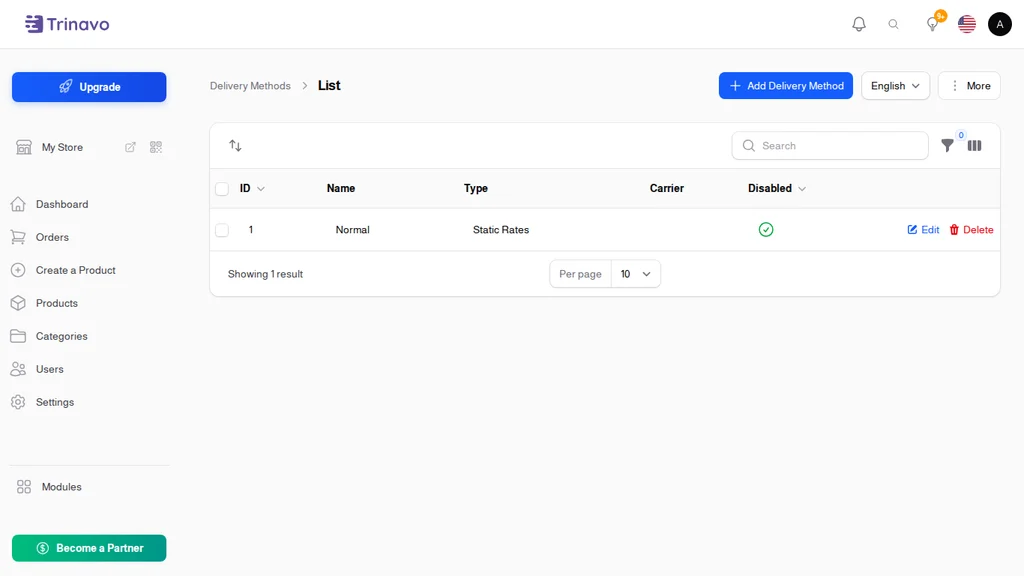
Configure different delivery options for your store:
- Standard delivery with varying timeframes
- Express or same-day delivery options
- Store pickup for local customers
- Custom delivery methods for your specific needs
Each method can have its own pricing, availability rules, and operational settings.
Address Management
Capture complete delivery information with structured address fields:
- Street name and building number
- Floor number for multi-story buildings
- Geographic coordinates for precise location
- City and location selection from your configured areas
Delivery Cost Calculation
Flexible delivery pricing options include:
- Fixed rates per delivery method
- Location-based pricing by city or zone
- Weight-based calculations for heavy items
- Automatic calculation or manual override per order
Delivery Tracking
Keep tabs on orders in transit:
- Mark orders as "In Delivery" when they ship
- Track delivery attempts and outcomes
- Record delivery failures with reasons
- Confirm successful deliveries
Order Dashboard and Management 📊
Your order management dashboard is the command center for all fulfillment operations.
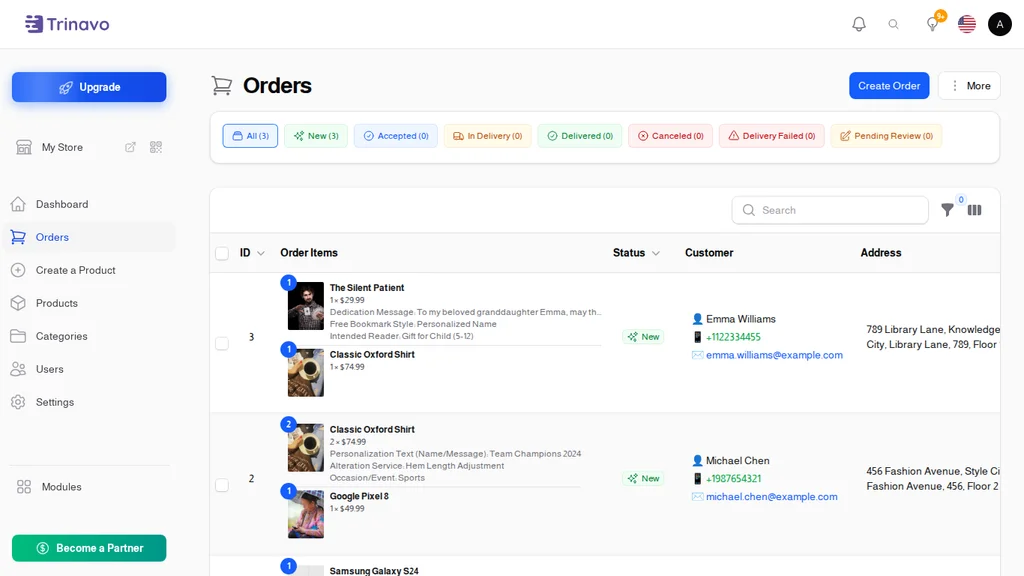
Order Overview
At a glance, see:
- Today's new orders requiring attention
- Orders currently being processed
- Shipments in transit
- Recent deliveries and their outcomes
- Revenue summaries and trends
Search and Filtering
Find any order instantly with powerful search and filter options:
- Search by order ID, customer name, or email
- Filter by order status (new, processing, delivered, etc.)
- Filter by date range (today, this week, custom dates)
- Filter by payment status (paid, pending)
- Filter by payment method
- Filter by delivery method
Bulk Operations
Handle multiple orders efficiently:
- Update status for multiple orders simultaneously
- Generate reports for selected orders
- Export order data for accounting or analysis
Quick Actions
Process orders faster with streamlined workflows:
- One-click status updates
- Quick access to customer contact information
- Direct links to order items and products
- Notes and internal comments per order
Order Items and Variants
Orders often contain multiple items with various configurations. Trinavo tracks every detail.
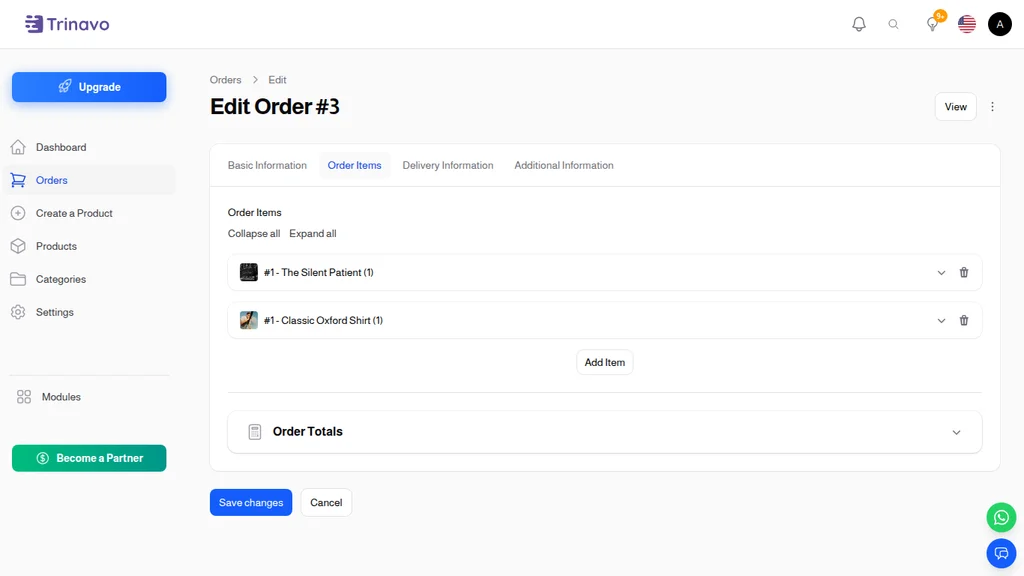
Item-Level Details
Each order item captures:
- Product reference with current and historical pricing
- Selected variant (size, color, configuration)
- Quantity ordered
- Individual item total
- Cost price for profit tracking
Custom Field Values
If your products use custom fields (measurements, personalization, special requests), these values are captured and stored with each order item, ensuring fulfillment staff have all necessary information.
Digital Product Delivery
For orders containing digital products, the system manages:
- File access permissions after purchase
- Download links for customers
- Delivery tracking for virtual items
Multi-Vendor Support
Running a marketplace with multiple sellers? Order management adapts to multi-vendor operations.
Vendor Assignment
Orders can be associated with specific vendors, allowing:
- Vendor-specific order views and management
- Split fulfillment for multi-vendor orders
- Vendor performance tracking
- Commission calculation per order
Item-Level Vendor Tracking
In marketplace scenarios where a single order might contain items from different vendors, Trinavo tracks vendor information at the item level, enabling proper routing and fulfillment.
Guest Checkout Support
Not every customer wants to create an account. Trinavo supports guest checkout while still capturing all necessary order information:
- Complete order processing without user registration
- Customer contact information for delivery coordination
- Email for order updates and receipts
- Optional account creation after purchase
Financial Tracking
Beyond fulfillment, orders represent financial transactions. Trinavo provides tools for financial management:
Profit Margins
With cost prices tracked alongside selling prices, calculate profit margins per order and across your business.
Tax Management
Automatic tax calculation based on your configured rates, with tax amounts clearly displayed on orders and receipts.
Coupon and Discount Tracking
See which coupons were applied, their discount values, and their impact on order totals.
Loyalty Program Integration
Track loyalty discounts applied to orders and their effect on customer lifetime value.
Start Streamlining Your Operations
Order processing doesn't have to be stressful. With Trinavo's comprehensive order management system, you have everything needed to receive, process, and fulfill orders efficiently.
From the moment an order arrives to the satisfaction of a successful delivery, every step is tracked, manageable, and optimized for your workflow. Automated notifications keep customers happy without extra effort from you. Flexible status configurations adapt to your specific business needs.
Focus on growing your business while Trinavo handles the operational complexity of order management.