
The Foundation of Your Online Store
Your products are the heart and soul of your e-commerce business. Every successful online store is built on a foundation of well-organized, beautifully presented products that customers can easily find and purchase. Trinavo's product management system gives you complete control over how you present your products to the world, from basic product details to complex variant configurations.
Whether you're selling a handful of handcrafted items or managing thousands of products across multiple categories, our intuitive product management tools scale with your business. You don't need technical expertise or a dedicated team to maintain a professional product catalog—Trinavo makes it accessible to everyone.
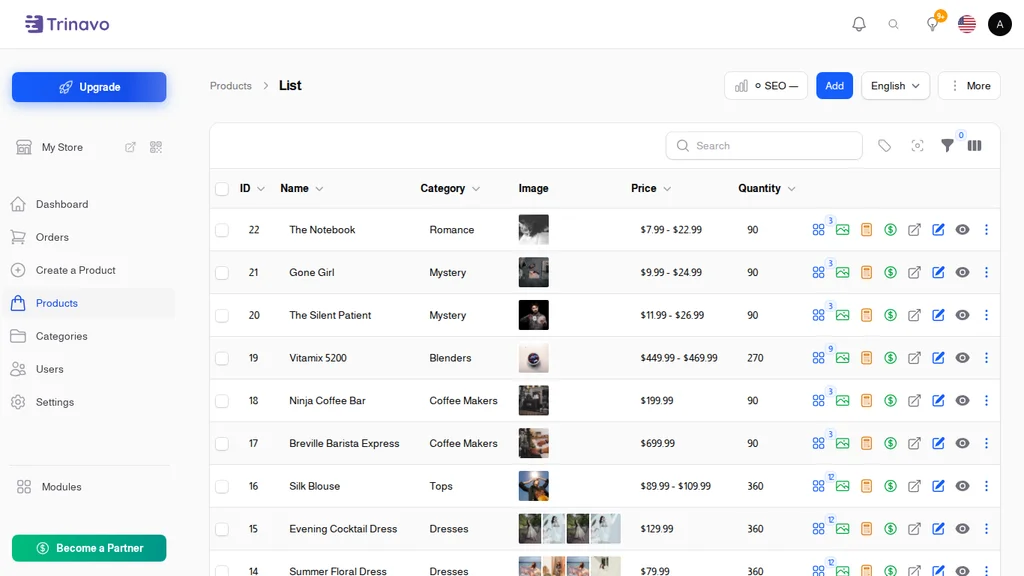
Adding Products Made Simple
Creating a new product in Trinavo is a straightforward process designed to capture all the essential information while remaining flexible enough to accommodate any product type. The product creation form is organized into logical sections, so you never feel overwhelmed by options.
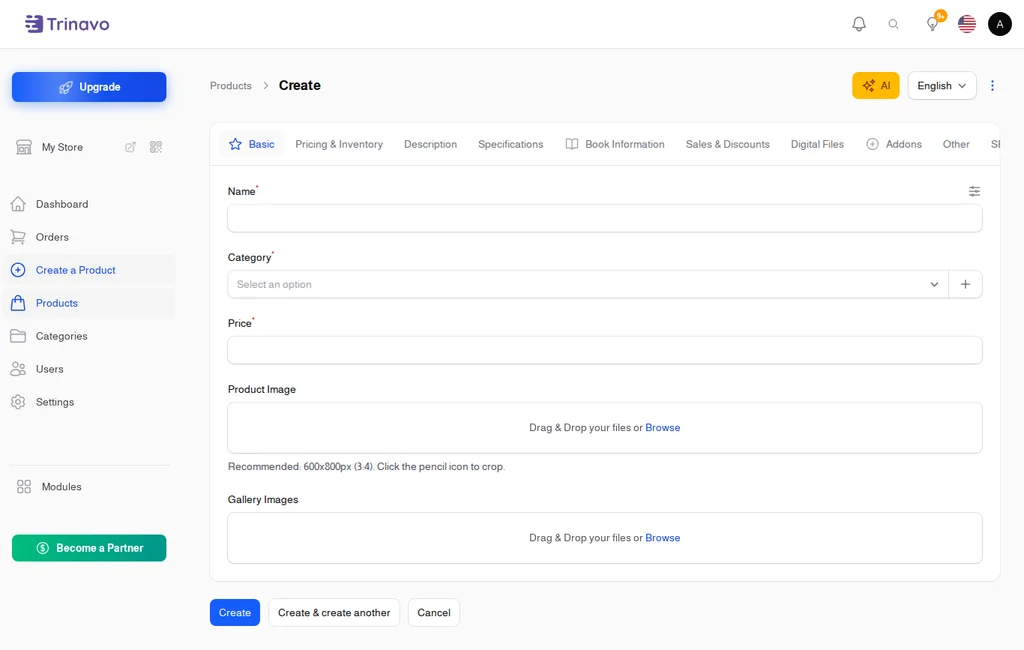
Basic Product Information
Every product starts with the fundamentals. Enter your product name, and Trinavo automatically generates a search-friendly URL (permalink) that you can customize if desired. Choose the appropriate category to help customers find your product, and upload a high-quality main image that will represent your product throughout the store.
The product name you choose matters for search visibility both within your store and on search engines. Write clear, descriptive names that include relevant keywords customers might search for. "Premium Wireless Bluetooth Headphones" is more discoverable than simply "Headphones."
Pricing Options
Trinavo supports multiple pricing configurations to suit different sales strategies:
- Regular Price: The standard selling price customers will pay
- Compare-at Price: Show the original price with a strikethrough to highlight discounts and sales
- Cost Price: Track your product costs for profit margin calculations (visible only to store administrators)
This pricing flexibility allows you to run promotions effectively while maintaining visibility into your actual profit margins. When customers see a compare-at price, they immediately understand they're getting a deal, which can significantly improve conversion rates.
Product Descriptions
Two description fields help you communicate your product's value effectively:
Short Description: A concise summary (typically 2-3 sentences) that appears in product listings and search results. This is your elevator pitch—make it compelling and informative enough to encourage clicks.
Full Description: A rich text editor allows you to create detailed product pages with formatted text, lists, and embedded content. Describe features, benefits, specifications, and anything else customers need to make a purchase decision.
Write your descriptions with both customers and search engines in mind. Include relevant keywords naturally, focus on benefits rather than just features, and answer common questions customers might have about the product.
Organize Your Catalog
A well-organized product catalog is crucial for customer experience. When shoppers can easily navigate your store and find what they're looking for, they're more likely to make a purchase and return for future shopping.
Hierarchical Categories
Trinavo supports nested categories, allowing you to create a logical structure that mirrors how customers think about your products. A clothing store might organize products as:
- Men's Clothing
- Shirts
- Casual Shirts
- Formal Shirts
- Pants
- Jackets
- Shirts
- Women's Clothing
- Dresses
- Tops
- Accessories
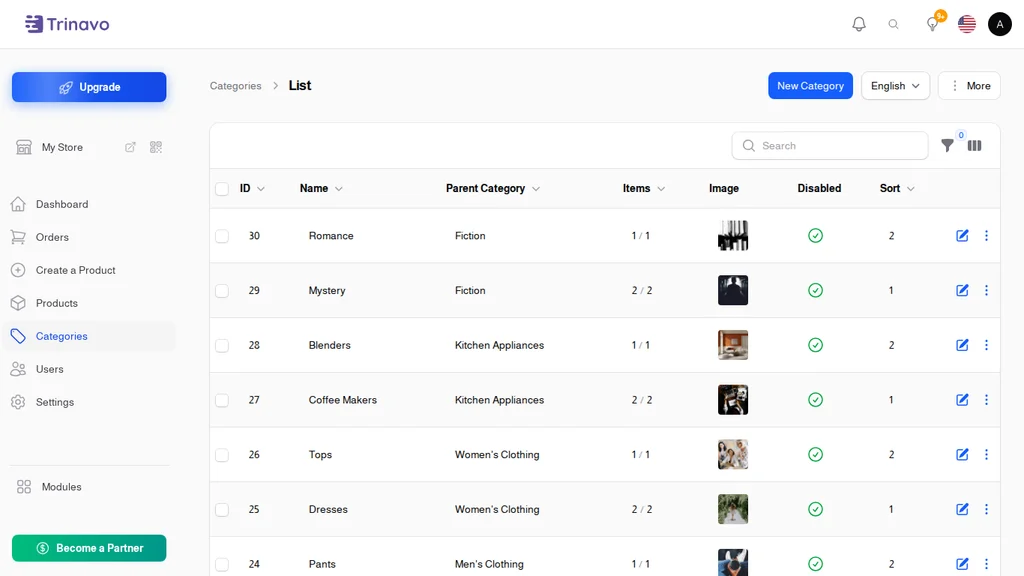
Each category can have its own image and description, helping customers understand what they'll find within. Categories can be featured on your homepage to highlight popular or seasonal sections of your store.
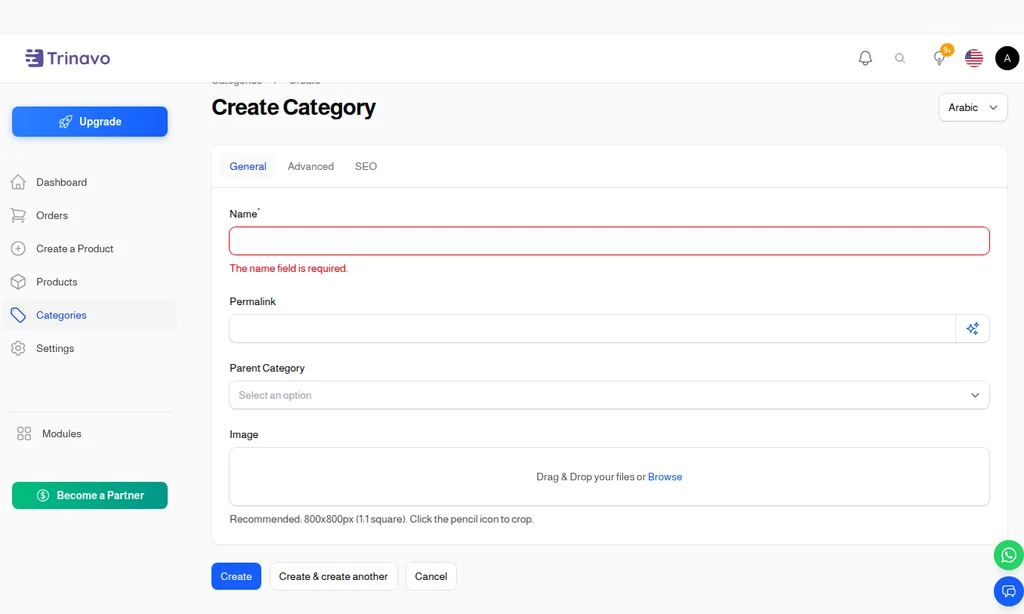
Brand Management
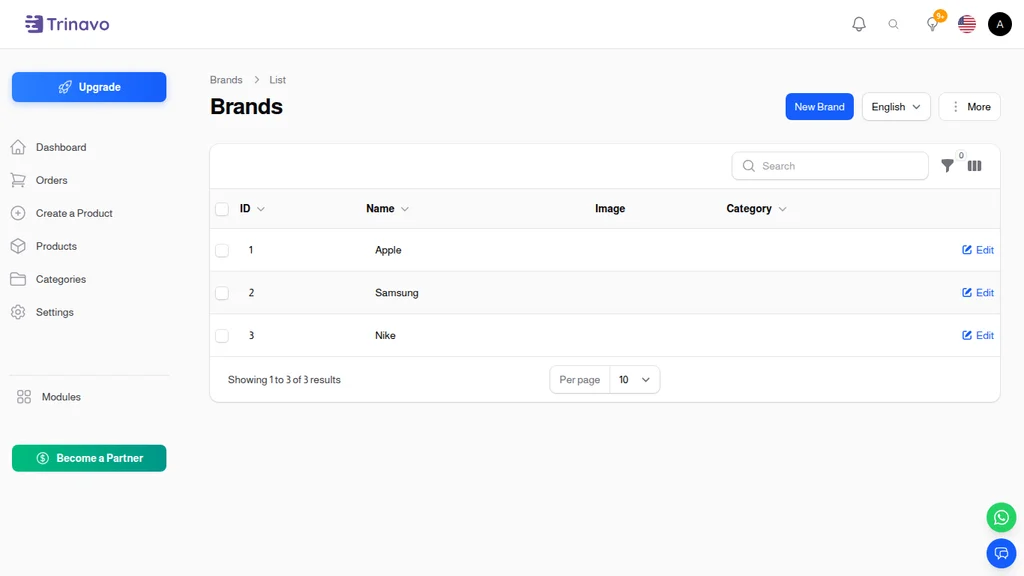
If you sell products from multiple brands, the brand management feature helps organize your catalog and lets customers filter by their favorite brands. Each brand can have its own logo and description, adding credibility and recognition to your product listings.
Custom Product Fields
Different product types require different information. A clothing store needs to capture sizes and materials, while an electronics store might need technical specifications. Trinavo's custom fields let you add any additional information fields your products require, either at the product level or inherited from categories.
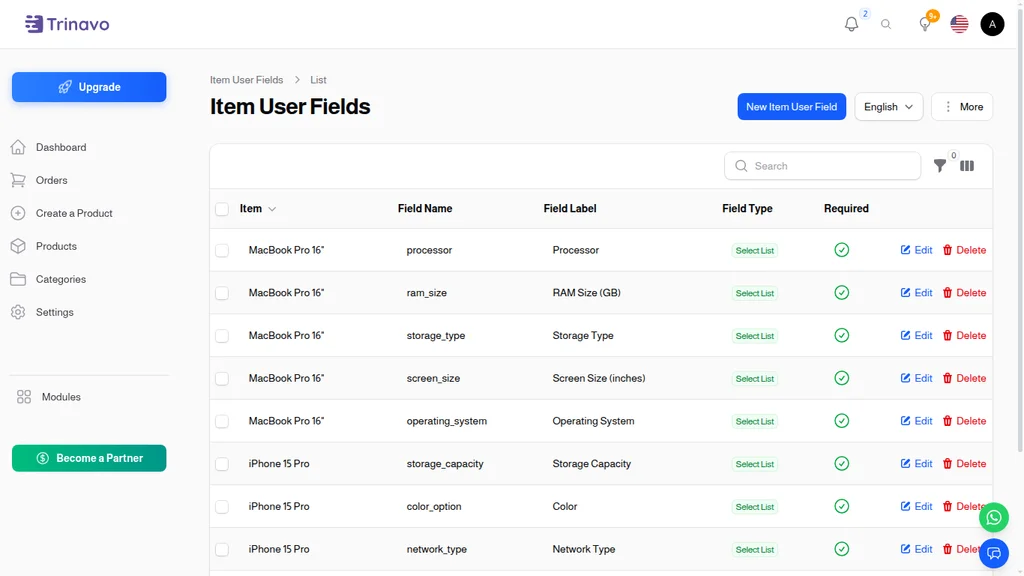
These custom fields can be used for filtering, helping customers narrow down their options to find exactly what they need.
Product Variants: Unlimited Flexibility
Many products come in multiple variations—different sizes, colors, materials, or configurations. Trinavo's variant system handles this complexity elegantly, allowing you to manage all variations of a product from a single listing.
How Variants Work
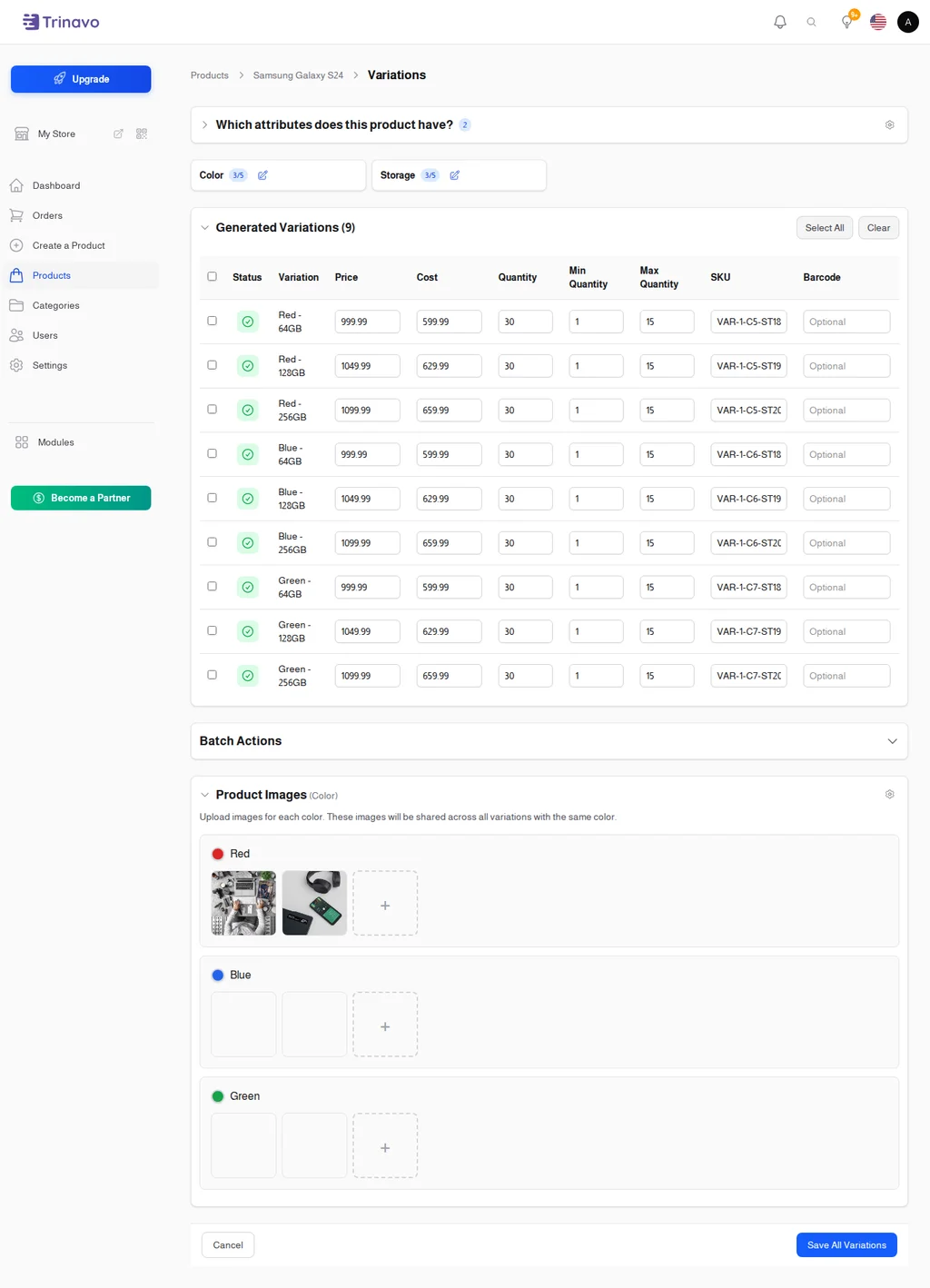
Instead of creating separate products for each size and color combination, create one product and add variations. Each variant can have its own:
- SKU: Unique identifier for inventory and fulfillment tracking
- Price: Charge more or less for different options (e.g., larger sizes)
- Compare-at Price: Individual sale pricing per variant
- Inventory Quantity: Track stock levels separately for each variant
- Image: Show variant-specific images (like different colors)
- Availability: Enable or disable individual variants
A single t-shirt product might have 15 variants (5 sizes × 3 colors), all managed from one product page. Customers see a clean interface where they select their preferred options, and the price and availability update automatically.
Variant Attributes
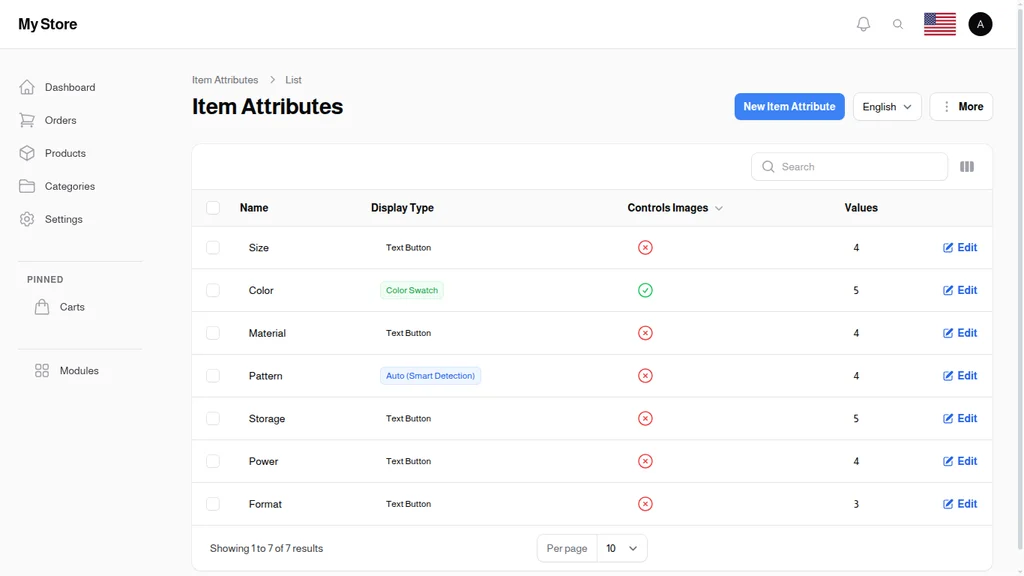
Define custom attributes for your variants based on your product needs:
- Size (S, M, L, XL, or numerical sizes)
- Color (with optional color swatches)
- Material (Cotton, Polyester, Blend)
- Style, Capacity, Length, or any custom attribute
You can combine multiple attributes, so a product can vary by both size AND color simultaneously.
Variant Images
Product photography is crucial for online sales, especially when customers can't physically examine products. Upload multiple images per variant to show exactly what customers will receive. When a customer selects "Blue" from the color options, the product images automatically update to show the blue version.
Inventory Management
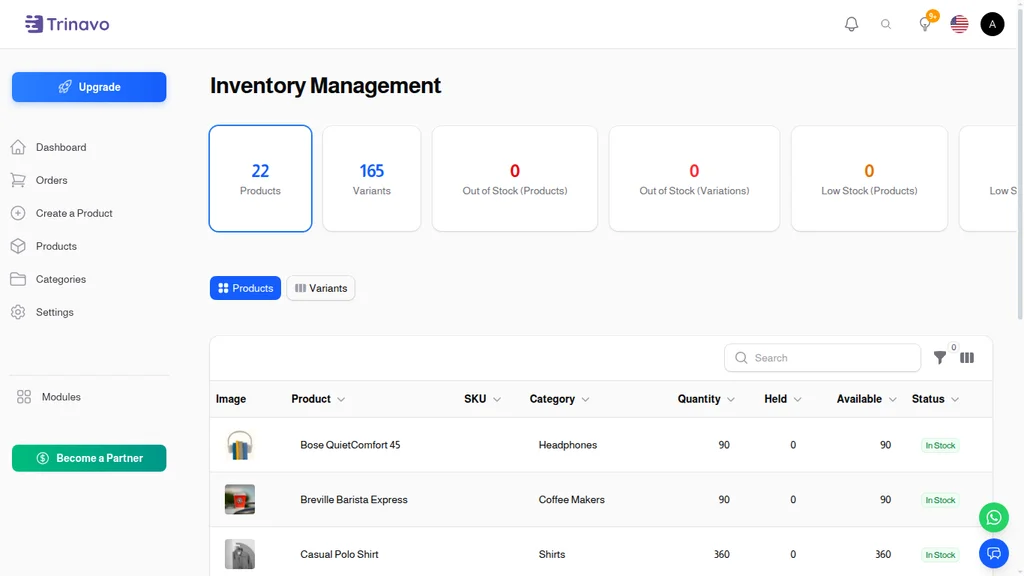
Keeping track of inventory is essential for maintaining customer trust. Nothing damages credibility more than accepting orders for products that are out of stock. Trinavo gives you the tools to manage inventory proactively.
Track Inventory Toggle
Not every product needs inventory tracking. Digital products, services, or items with unlimited supply can disable inventory tracking entirely. For physical products, enable tracking to maintain accurate stock counts.
Stock Levels at a Glance
Your product dashboard shows inventory status across all products at a glance. Quickly identify:
- Products that are in stock and selling well
- Items running low that need reordering
- Out-of-stock products that may be losing you sales
Variant-Level Inventory
When you use product variants, inventory is tracked at the variant level. This precision ensures you never oversell a specific size or color while other options remain available.
Quantity Settings
Configure how customers can purchase your products:
- Minimum Quantity: Require bulk purchases for wholesale items
- Maximum Quantity: Limit how many a single customer can buy
- Quantity Options: Offer preset quantities (e.g., 1, 5, 10, or 25 units)
These settings help you maintain inventory control and implement different selling strategies for different products.
Rich Media Support
In online shopping, customers can't touch or try products before buying. High-quality images and detailed media become your sales representatives, helping customers understand exactly what they're purchasing.
Multiple Product Images
Upload as many images as needed to showcase your product from every angle. Product galleries let customers explore:
- Front, back, and side views
- Detail shots of important features
- Products in use or context shots
- Size comparison images
Images are automatically optimized for web performance, ensuring fast page loads without sacrificing quality.
Digital Product Files
Selling digital products? Trinavo handles file delivery automatically. Upload files that customers receive after purchase—ebooks, software, music, templates, or any digital content. The system manages secure delivery and download access.
SEO Optimization Built-In
Every product you add is an opportunity to attract organic search traffic. Trinavo includes SEO features that help your products rank in search engines.
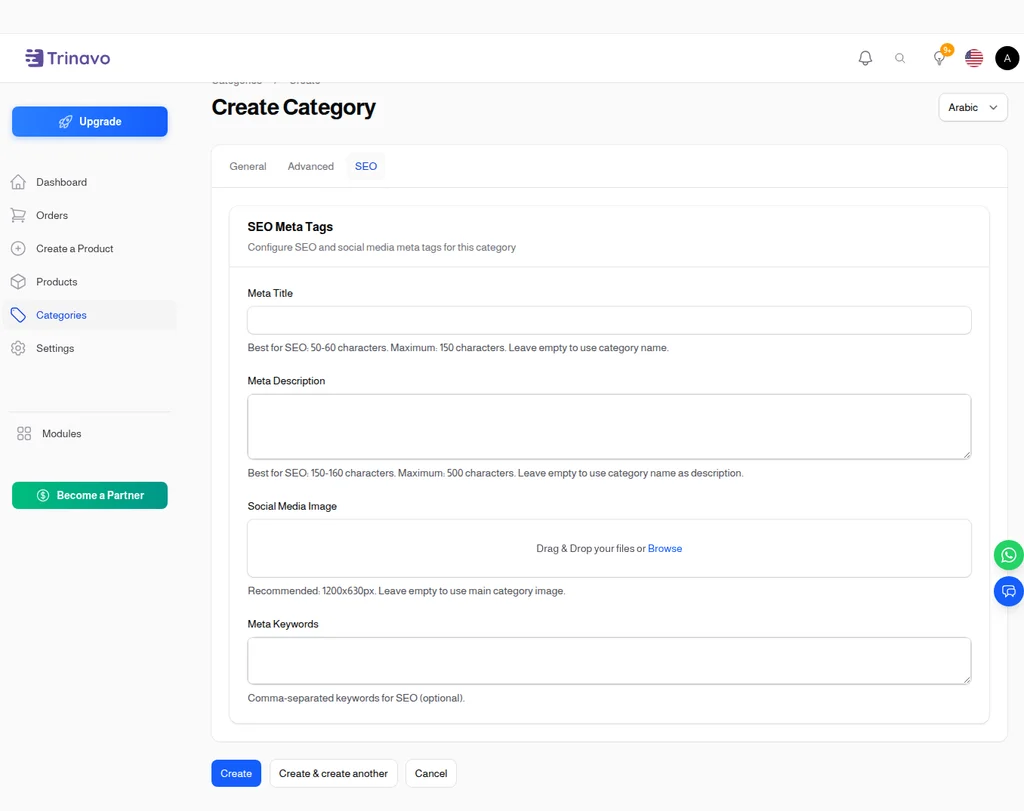
Meta Information
For each product, customize:
- Meta Title: The title that appears in search engine results
- Meta Description: The preview text shown below the title in search results
- Meta Keywords: Additional keywords for search optimization
When left blank, these fields are automatically populated from your product name and description, but customizing them gives you control over how products appear in search results.
SEO-Friendly URLs
Product URLs are automatically generated from product names and can be customized. Clean, descriptive URLs like yourstore.com/product/premium-wireless-headphones perform better in search engines than generic URLs with numbers and codes.
Search Terms
Add internal search terms that customers might use but aren't in your product title or description. If you sell "sneakers" but some customers search for "trainers" or "athletic shoes," adding these as search terms ensures they find your products.
Advanced Features
Product Visibility Controls
Control exactly when and how products appear in your store:
- Disabled: Hide products temporarily without deleting them
- Approved: Manage vendor submissions before they go live
- Featured: Highlight products in special homepage sections
Bidding System
For unique items or auction-style sales, enable product bidding. Customers can submit offers, and you decide whether to accept, reject, or counter. Set bidding deadlines and manage all bids from your dashboard.
Customer Reviews Integration
Products connect to Trinavo's review system, allowing customers to share their experiences. Reviews build trust and provide social proof that helps other customers make purchase decisions.
Vendor Support
Running a multi-vendor marketplace? Product management integrates with vendor accounts, allowing sellers to add and manage their own products while you maintain administrative oversight.
Start Building Your Catalog Today
Your product catalog is a living asset that grows with your business. Trinavo's product management tools give you everything needed to create a professional, searchable, and organized catalog that converts browsers into buyers.
From your first product to your ten-thousandth, the same intuitive interface scales with your needs. Add products individually or import in bulk. Update pricing across seasons. Manage inventory as products sell. Your product catalog works as hard as you do.
The best online stores make shopping effortless. With well-organized categories, detailed product information, high-quality images, and accurate inventory, you give customers the confidence to buy from you again and again.