
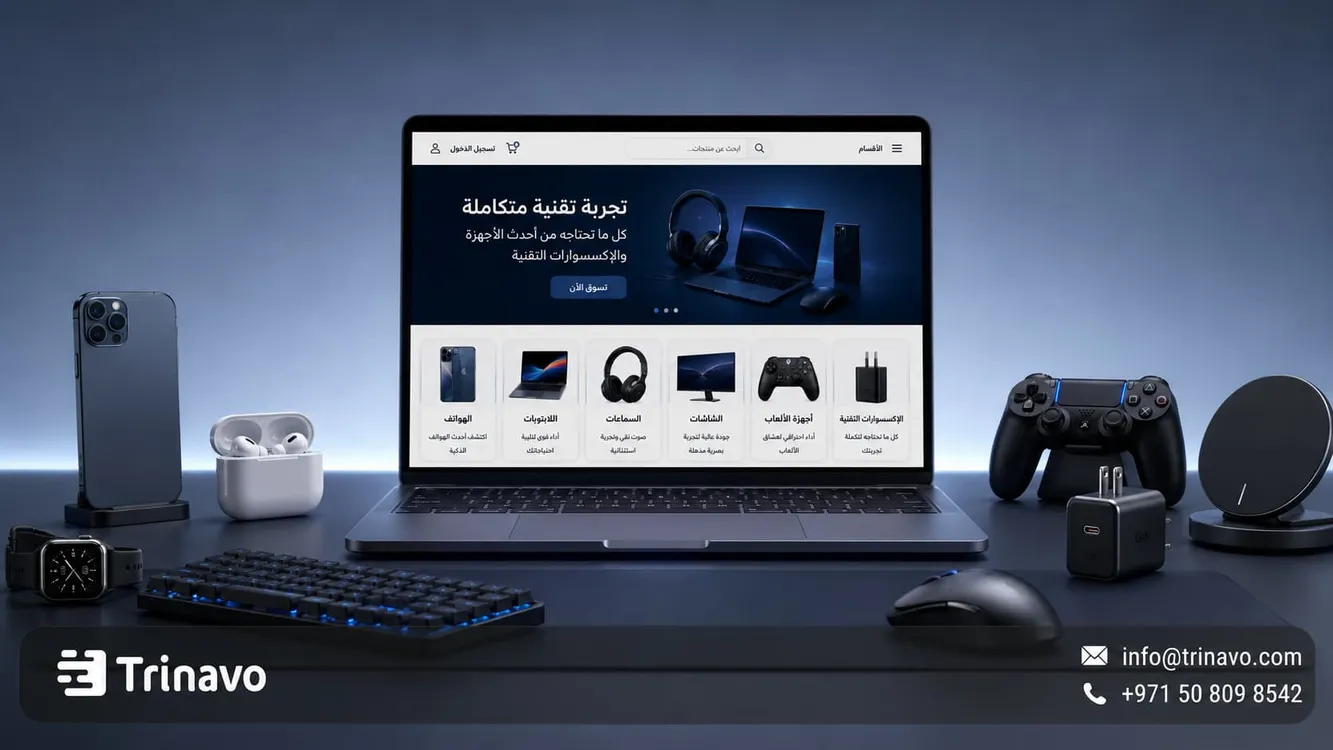
Start creating an online electronics store with Trinavo, and showcase phones, laptops, and tech devices on organized pages with clear specifications and easy management of orders and inventory.
If you are thinking about entering the world of e-commerce through the tech gateway, you are targeting a sector known for its huge sales and high customer loyalty. Smart devices and electronic accessories have become an integral part of our daily routine, which means demand is constant and never stops. But how do you make your store stand out in a market crowded with competitors? It goes beyond simply displaying photos and prices; it is about delivering a smooth user experience that gives the customer the technical answers they are looking for before they even ask.
This is where the importance of creating an online electronics store comes in — one that does not just display products, but helps the customer choose the right device for their use and budget, whether they are looking for a device for study, work, gaming, photography, or daily use.
And with Trinavo, you can build an electronics store that helps you organize products, categories, and variants, track inventory and orders, manage payments, and analyze product performance from one place — suited to a fast-changing sector that relies on precision and trust.
What is an online electronics store?
An electronics store is a digital platform for selling tech devices and their accessories online, and this type of store differs from others because the purchase decision does not rely on the photo or price alone. The customer wants to know the device's performance, its specifications, the model number, how compatible it is with their other devices, the product's condition, the warranty period, and the after-sales service.
The higher the price or the more complex the product, the more the customer needs clear details before buying. That is why the product page must give them accurate information that helps them compare and decide with confidence.
Read also Create a free online store
The products of an electronics store can be divided into categories such as:
|
Category |
Example Products |
Important Data |
|
Phones |
Smartphones, refurbished devices |
Storage, memory, networks, warranty |
|
Laptops |
Work, study, gaming devices |
Processor, RAM, SSD, graphics card |
|
Headphones |
Bluetooth, wired, professional |
Battery, noise isolation, compatibility |
|
Monitors |
Office, gaming, TV |
Size, resolution, refresh rate, ports |
|
Networking |
Router, signal boosters |
Speed, coverage, number of devices |
|
Accessories |
Chargers, cables, cases |
Compatibility, capacity, build material |
|
Gaming devices |
Console, controller, add-ons |
Edition, compatibility, storage |
Elements of a successful online electronics and tech-device store design
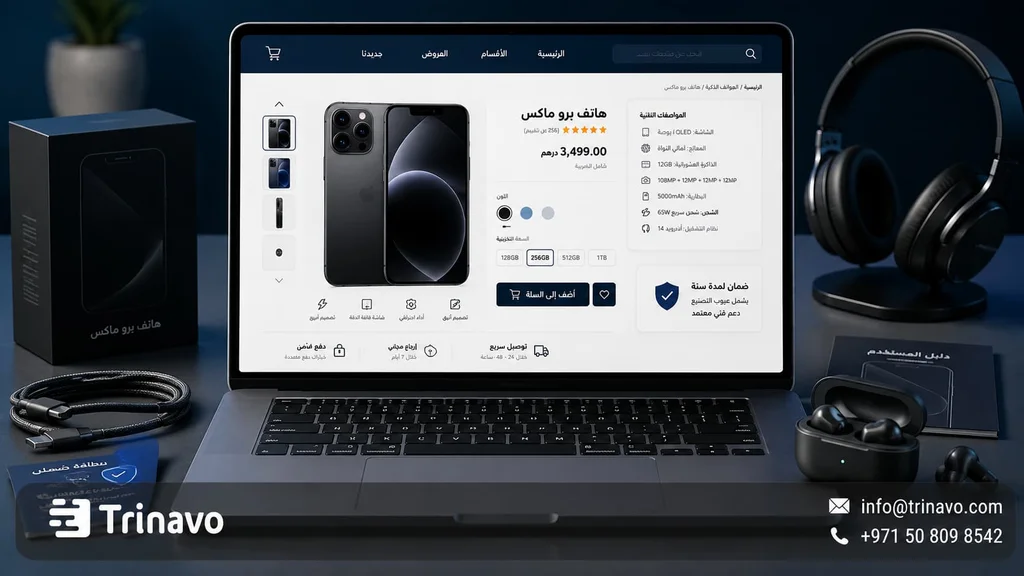
Display technical specifications clearly
The product page in an online tech-device store design must be organized and easy to read. Do not write the specifications inside a long paragraph; instead, use a clear table that helps the customer understand the product quickly.
Example of a laptop page:
|
Specification |
Details |
|
Processor |
Intel Core i7 or AMD Ryzen 7 |
|
Memory |
16GB RAM |
|
Storage |
512GB SSD |
|
Display |
15.6 inch, FHD |
|
Graphics card |
Integrated or dedicated |
|
Battery |
Up to 8 hours depending on use |
|
Operating system |
Windows or macOS |
|
Ports |
USB-C, HDMI, USB-A |
|
Warranty |
One year, local or international |
|
Box contents |
The device, charger, user manual |
This approach makes the page more professional and helps the customer compare devices without confusion.
Through product and variant management, Trinavo helps organize device data within clear pages, especially when the same product comes in more than one color, storage size, or version
Make product comparison easy
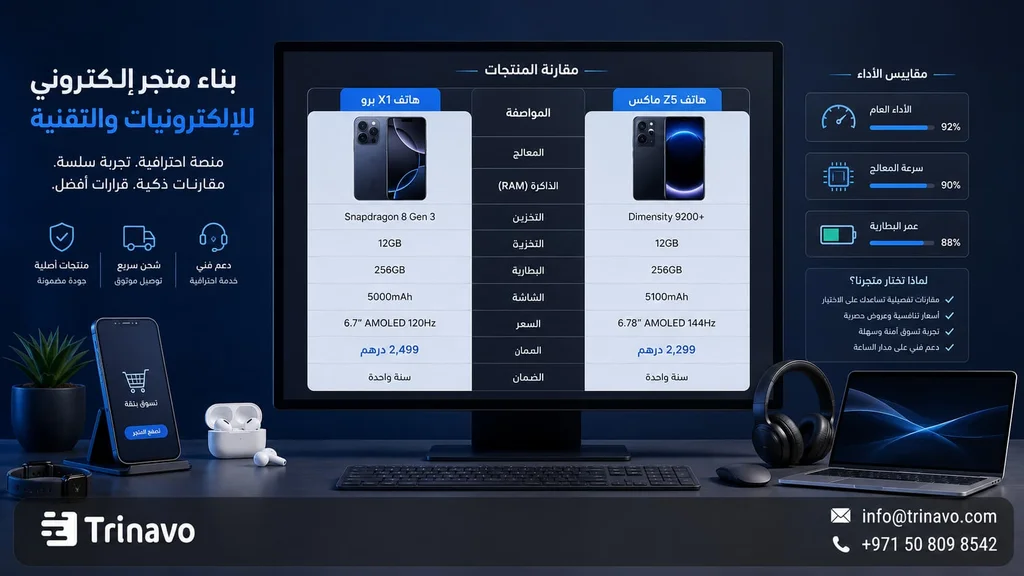
When selling electronics online, comparison is part of the buying journey. A customer may hesitate between two phones, two laptops, two headphones, or two monitors. That is why it is helpful to add comparison tables inside product pages or articles.
Example:
|
Item |
Device 1 |
Device 2 |
|
Best for |
Study and work |
Design and gaming |
|
Processor |
Mid-range |
Powerful |
|
Memory |
8GB |
16GB |
|
Storage |
256GB SSD |
512GB SSD |
|
Weight |
Lighter |
Heavier |
|
Price |
Lower |
Higher |
|
Warranty |
One year |
Two years |
Comparison reduces confusion and helps the customer choose the product best suited to their use and budget.
Highlight the warranty and after-sales policy
The warranty is a decisive factor in the purchase decision. So it should not be hidden at the bottom of the page, but clearly visible near the price or the product description.
On each product page within a smart-device store, clarify:
- The warranty period.
- The warranty provider.
- Is the warranty local or international?
- Does it include repair or replacement?
- Does it cover accessories?
- Cases excluded from the warranty.
- How to get in touch when there is a problem.
You should also clarify the policy for open-box, refurbished, or used products, because electronic devices are more sensitive when it comes to returns and exchanges than many other products.
Build trust with reviews and experiences
Reviews in an electronics store matter because they convey the real-world usage experience. For example, the customer wants to know how the product works after purchase, whether it delivers the expected performance, whether it suits daily use, what its main strengths and weaknesses are, and whether it is worth its price compared to other options.
Customers can be encouraged to write reviews that include:
|
Review element |
Example |
|
Type of use |
Gaming, study, work, design |
|
Duration of use |
A week, a month, 3 months |
|
Top feature |
Battery, screen, performance |
|
Main drawback |
Weight, heat, price |
|
Would you recommend it? |
Yes or no |
|
Rating |
Out of 5 stars |
Customer reviews help reduce hesitation, especially for higher-priced products.
How do you create a successful electronics store on Trinavo?
Creating a successful electronics store starts with organizing the catalog. Do not upload products with short, unclear names. Write the full name, the model number, the specifications, the product condition, the warranty, and accurate photos.
Building a successful electronics store starts with organizing the catalog before launching the store. Every tech product needs a clear name, a model number, accurate specifications, a product condition, suitable photos, and a clear warranty.
Create the store and set up the basics
Start by creating your store on Trinavo, then set up the basic information such as the store name, language, currency, contact details, and your online tech-device selling and shipping policies.
Trinavo helps you start the store in a simple way, with the ability to organize products, categories, and orders from a single dashboard — which suits electronics stores that need precise management of models, storage sizes, and colors.
Prepare a data template for each tech category
Do not use a single template for all products: a phone's data differs from a laptop's, and a monitor's data differs from a headphone's or a charger's.
Templates such as the following can be adopted:
|
Product type |
Key fields |
|
Phone |
Storage, RAM, camera, battery, SIM, warranty |
|
Laptop |
Processor, memory, storage, display, graphics card |
|
Monitor |
Size, resolution, refresh rate, panel type, ports |
|
Headphones |
Connection type, battery, noise isolation, microphone |
|
Router |
Speed, coverage, number of devices, frequency band |
|
Charger |
Power, port type, compatibility, safety certification |
This organization makes adding products easier and gives the customer consistent information when comparing products
Clearly state the product condition
The product condition must be clear from the start. Showing the price and the photo is not enough; the customer needs to know whether the product is new, open-box, refurbished, used, or has defects.
The condition can be clarified like this:
- New.
- Open-box.
- Refurbished.
- Used, in excellent condition.
- Used, with notes.
- Store warranty or official-agent warranty.
This transparency in detailing the data not only protects you from disputes and return requests, but also increases customer trust, especially when selling tech devices online.
Manage inventory by model, storage size, and color
Electronics inventory is characterized by its fast movement and constant fluctuations; a phone may be available only in black and not the other colors, or the 256GB storage may sell out while the 128GB remains, or a laptop's price may change because of a new release.
That is why you should track:
- Available models.
- Storage sizes and colors.
- Low-stock products.
- Older products.
- Devices that need a price update.
- Products discontinued by the supplier.
Through inventory management, Trinavo helps track quantities and link inventory to orders, which reduces the chance of selling an out-of-stock product.
Clarify payment, shipping, and packaging
Electronic devices need safe shipping and good packaging, especially for fragile or high-priced products such as monitors, cameras, laptops, and gaming consoles.
Before launching the store, clarify:
- The available payment methods.
- The delivery time.
- The shipping cost.
- Is there special shipping for large devices?
- How sensitive products are packaged.
- The replacement policy when a device arrives damaged.
- Is cash on delivery available?
- Is shipping insurance available, if offered?
Through order management and payment gateways, Trinavo offers a clearer buying journey, from the moment of the order until delivery
Add content that helps the customer choose
In an electronics store, educational content can be an important factor in boosting sales. A customer may hesitate because they do not know the difference between specs, or do not realize which product actually suits their use.
That is why it is helpful for the store to offer simple buying guides that help the customer compare, such as:
· How do you choose a laptop suitable for study or work?
· What is the difference between SSD andHDD?
· How do you choose a USB-C charger suitable for your device?
· Why does the refresh rate matter in monitors?
· What are the best headphones for meetings and remote work?
This kind of content builds trust with the customer and turns the store into a reference that helps them make a decision.
Using the SEO tools and AI features in Trinavo, product descriptions and content can be improved in a way that is clearer and more likely to appear in search results.
Why is Trinavo a good fit for electronics stores?
Electronics stores need a platform that helps manage a large catalog, products with many variants, fast-changing inventory, and clear warranty and shipping policies. Trinavo helps organize these aspects from one place.
|
What an electronics store needs |
How Trinavo helps you |
|
Launch the store easily |
Create and manage a store without technical complexity |
|
Organize products |
Manage categories, products, and variants |
|
Manage storage sizes and colors |
Offer more than one option for a product by color, storage size, or version |
|
Track inventory |
Track quantities and low-stock products |
|
Manage orders |
Track the order status from purchase to delivery |
|
Simplify payment |
Support multiple payment gateways according to the store's settings |
|
Optimize product pages |
SEO tools to improve titles and descriptions |
|
Support technical content |
The ability to improve product descriptions and content via AI tools |
|
Understand customer behavior |
Analytics to identify the most in-demand and best-performing products |
|
Scale later |
Support for languages, currencies, and a custom domain |
Practical ideas to boost the sales of an online electronics store
|
Idea |
How to apply it |
|
Comparison pages |
Compare two popular phones or laptops |
|
Ready-made bundles |
Laptop + bag + mouse + charger |
|
Products by use case |
For study, for gaming, for work, for travel |
|
Suggested accessories |
Show the charger or case alongside the phone |
|
Tech reviews |
An article or video explaining the pros and cons |
|
Clear warranty |
Display the warranty right next to the price |
|
Pre-order |
Open reservations for new models |
|
Availability alerts |
Let the customer sign up when a product is out of stock |
|
Deals on accessories |
A discount on accessories when buying a device |
These ideas help raise the average order value, reduce customer hesitation, and turn the store into a source of information rather than just a sales page.
Mistakes that weaken an electronics store
|
Mistake |
Its impact |
The fix |
|
A generic product description |
Does not help the customer decide |
Add accurate technical specifications |
|
Missing model number |
Causes confusion and incorrect comparisons |
State the model number clearly |
|
Not clarifying the warranty |
Reduces trust |
Add the warranty period and provider |
|
Few or unclear photos |
Weaken credibility |
Use multiple photos of the product |
|
Not stating the product condition |
Causes disputes after purchase |
Specify new, refurbished, used |
|
Unclear shipping |
Confuses buyers of large devices |
Clarify the cost, timing, and packaging |
|
Ignoring compatibility |
Causes accessory returns |
List the compatible devices |
|
Not updating inventory |
Leads to selling out-of-stock products |
Enable regular inventory tracking |
Make buying electronics easier for your customers with Trinavo
Creating an online electronics store requires more precision and transparency than other sectors. The customer wants clear specifications, a fair comparison, a reliable warranty, useful reviews, and understandable shipping and return policies.
And with Trinavo, you can build a tech-device store that manages products, inventory, orders, payments, offers, languages, currencies, and analytics from one place, so you can deliver a shopping experience that helps the customer choose the right device with confidence.
Frequently asked questions about creating an online electronics store
How do I handle warranties in an electronics store?
Display the warranty clearly on every product page — such as the warranty period, the responsible party, and what it does and does not cover. It is also best to create a separate page for the warranty, repair, and replacement policy.
Can I sell used or refurbished electronic devices?
Yes, but the device's condition must be stated accurately. Mention whether it is new, open-box, used, or refurbished, and add real photos, an inspection report if available, the included accessories, and the warranty period.
How do I manage inventory for fast-changing tech products?
Track inventory by model, storage size, and color, and do not leave out-of-stock products displayed as if they are available. Use inventory management to update quantities and avoid selling a product that has run out of the warehouse.
What is the best way to price electronics?
Do not rely on price alone. Combine the supplier cost, profit margin, competition, inventory turnover speed, and the value of the warranty. Sometimes a clear warranty or better shipping can justify a slightly higher price.
Is Trinavo suitable for a multilingual, multi-currency electronics store?
Yes, because Trinavo supports languages and currencies, which helps tech stores that target more than one market or both Arabic and English audiences.


