
Your Store Can Now Take Appointments
Selling products is only half the story. Salons, clinics, workshops, trainers, photographers - service businesses sell time, and Trinavo's Bookings feature makes your store speak that language natively.
Any product in your catalog can become a bookable service. Customers pick a day and a free time slot right on the product page, pay online or on arrival, and the appointment lands on a calendar in your admin panel. No third-party booking tools, no synchronization headaches - it is the same store, the same orders, the same reports.
Watch the whole booking experience through the customer's eyes:
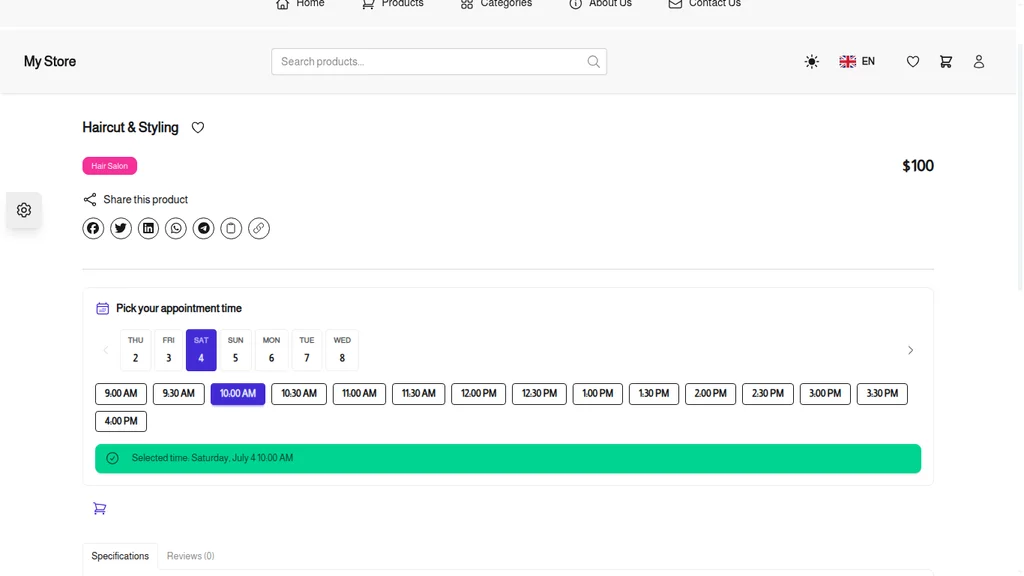
How Customers Book
The product page of a bookable service replaces the quantity picker with a time picker. Customers see only the times that are genuinely available - the system checks your staff working hours, existing appointments, and time off before offering a slot.
Checkout works exactly like any other purchase, with every payment method your store supports. While the customer completes checkout, their slot is held for them; if they abandon the cart, the slot is released automatically so it never blocks other customers.
A Calendar Built for Daily Work
Every appointment lands on the Booking Calendar with Month, Week, Day, and per-Staff views. Appointments are color-coded by status - pending, confirmed, completed, cancelled, no-show - so one glance tells you how the day looks.
A full walkthrough of managing bookings from the admin panel:
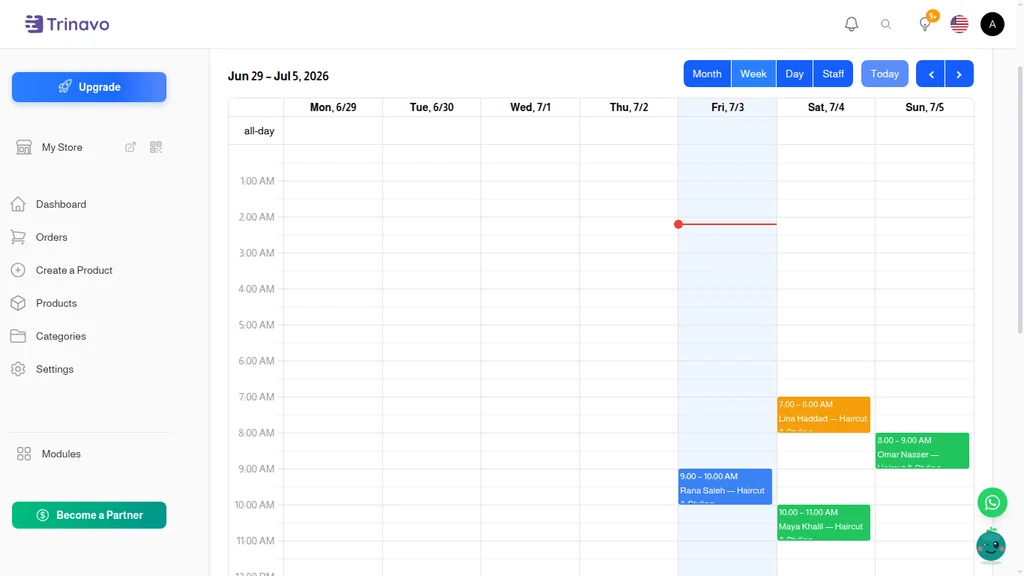
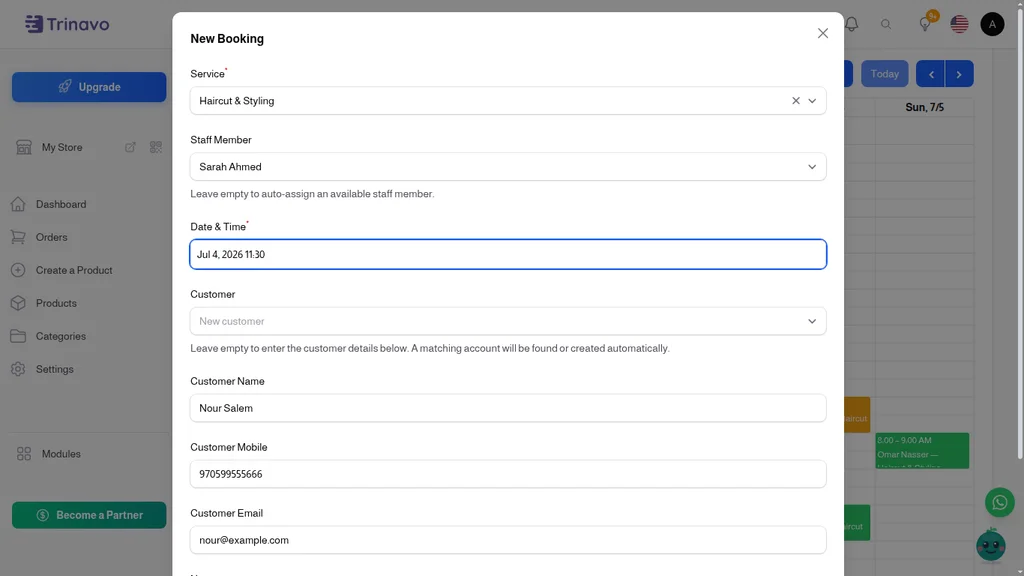
Click any appointment to confirm it, reschedule it, mark a no-show, cancel it, or share a payment link. Walk-in customer or a phone call? Create the booking directly on the calendar - and if you type a new customer's name and mobile, a customer account is found or created automatically, so their history builds up from the very first visit.
Staff Schedules That Prevent Double Bookings
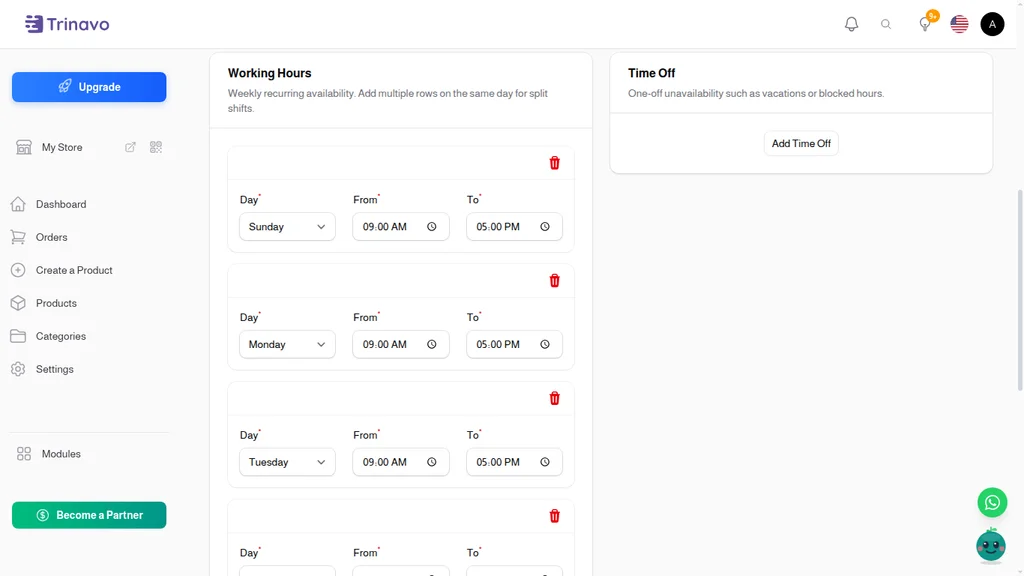
Add your team members with their weekly working hours - split shifts included - and one-off time entries for vacations or blocked hours. Assign each service to the staff members who can deliver it.
From that point the math is automatic: a time slot is offered only when an assigned staff member is genuinely free. No double bookings, no appointments outside working hours, no manual juggling.
Get Paid Before the Visit
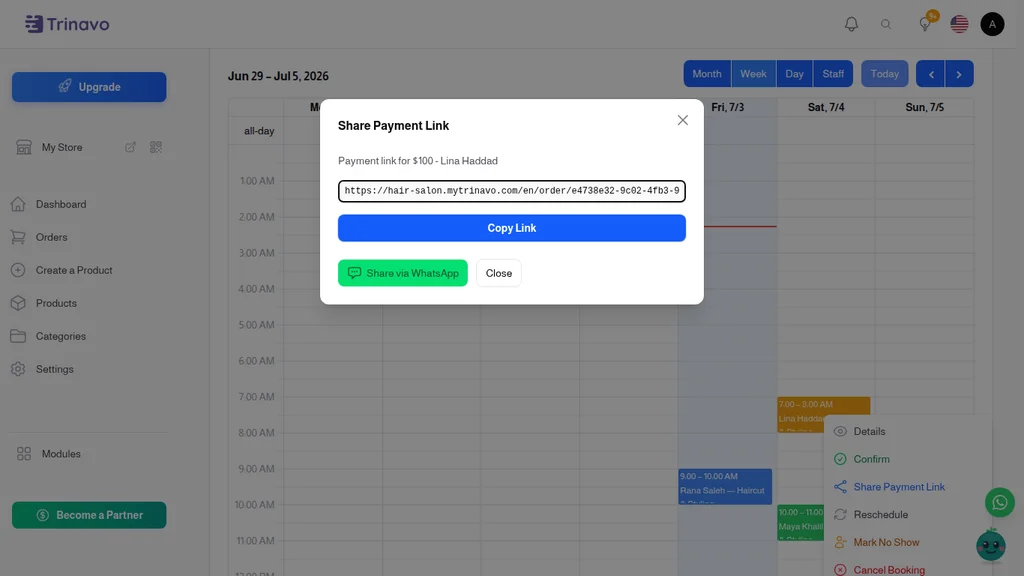
Every booking is backed by a real order. For unpaid appointments, the Share Payment Link action opens a ready-to-send payment request: share it on WhatsApp with a prefilled message - greeting, appointment summary, amount, and pay link - or copy the link and send it anywhere.
The moment the customer pays, the booking confirms itself. No chasing, no reconciliation.
Reminders That Cut No-Shows
Missed appointments are lost revenue. Trinavo automatically sends customers a confirmation when their booking is confirmed and a reminder before the appointment - you decide how many hours in advance. Fewer no-shows, fuller days.
You Control the Rules
Fine-tune how booking works for your business:
- Slot step - offer times every 15, 30, or 60 minutes; each service can have its own step
- Minimum lead time - stop last-minute bookings you cannot prepare for
- Maximum advance - how far into the future customers can book
- Slot hold - how long an unpaid checkout keeps its slot reserved
- Duration and buffer per service - block cleanup or preparation time after each appointment
Built for Service Businesses of Every Kind
- Hair salons and barbershops - chairs stay busy, stylists see their own day at a glance
- Clinics and practitioners - patients book visits online, reminders reduce no-shows
- Repair shops and workshops - sell diagnostic and service slots instead of phone tag
- Trainers, tutors, and consultants - sell sessions with real-time availability
- Photographers and studios - manage shoots per photographer with buffer time between sessions
Frequently Asked Questions
Do bookings work with my existing products? Yes. Any product can be switched to a bookable service from its edit page - it keeps its price, photos, description, and category.
Can customers pay on arrival instead of online? Yes. Bookings support all your store's payment methods, including payment on delivery. Unpaid bookings can be confirmed manually, or you can send a payment link.
What happens if a customer does not finish checkout? Their slot is held for a configurable number of minutes, then released automatically. Abandoned carts never block your calendar.
Can two staff members deliver the same service? Yes. Assign any number of staff to a service. Customers get a slot whenever at least one of them is free, and you can auto-assign whoever is available.
Is the booking tied to a real order? Always. Every booking creates a normal order, so payments, statuses, exports, and reports work exactly as they do for products.