
Your Store Should Reach People, Not Wait For Them
A store is a place customers have to remember to visit. A channel arrives in their pocket.
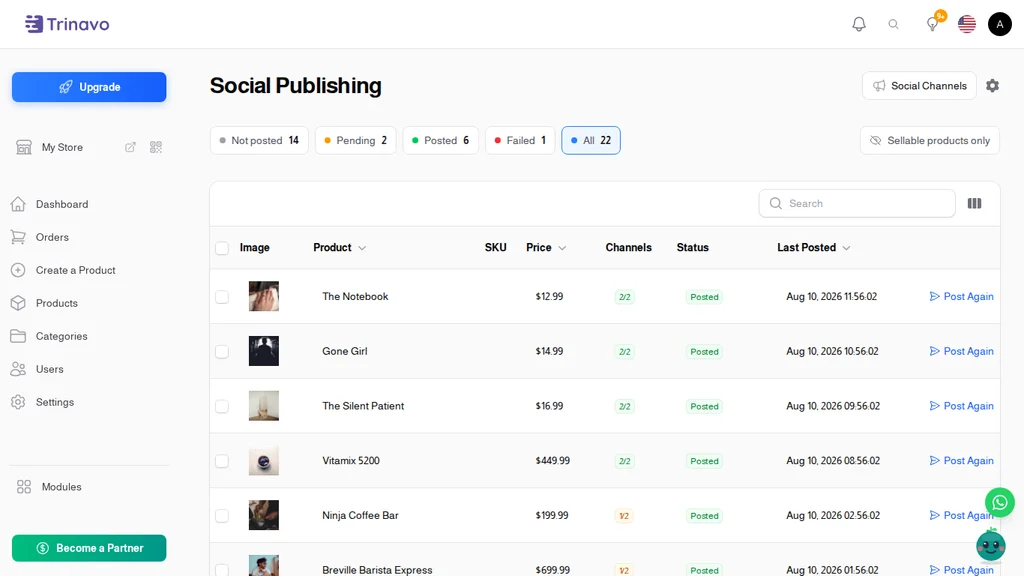
Social Publishing posts your products to your Telegram channel from inside your store. One screen shows every product you have not announced yet. Tick the ones you want, press publish, and they go out with the photo, the name, the price, and a link straight back to the product.
No ad budget. No algorithm deciding who sees you. No second subscription and no foreign card.
Set Up Once, In About Two Minutes
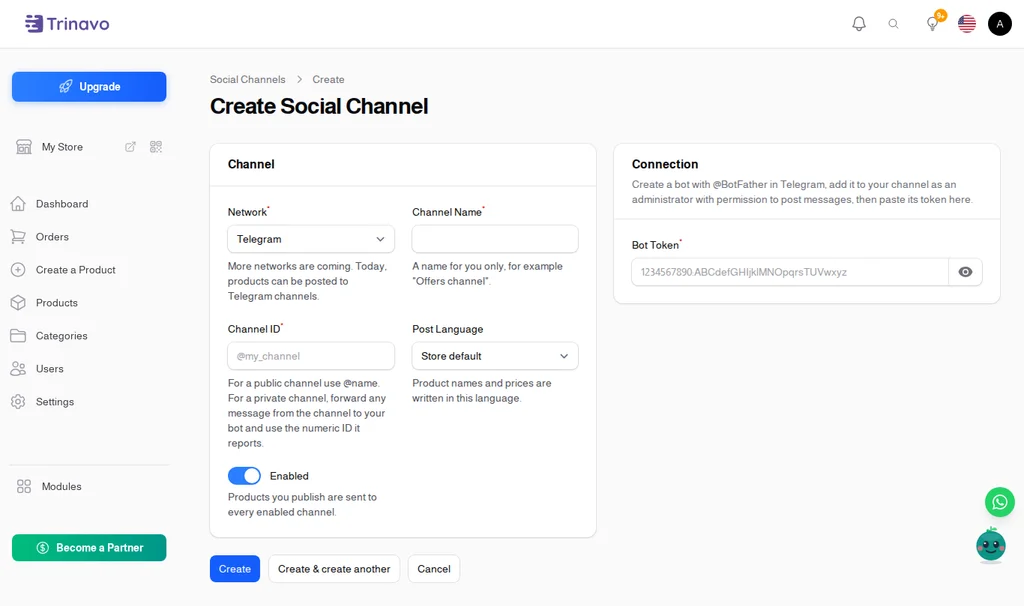
Create a bot in Telegram with @BotFather, add it to your channel as an administrator, and paste its token into your store. That is the whole setup.
Then press Verify and your store asks Telegram whether the connection works, and shows you the channel name it found. Press Send Test Post and watch a message land in the channel before you commit a single product to it.
You Decide What Goes Out
Nothing posts by itself. Importing a hundred products does not blast a hundred messages at your followers, because a product is announced only when you choose to announce it.
The screen keeps score for you with four coloured filters: Not posted, Pending, Posted, and Failed. Open it, click Not posted, and you are looking at exactly the work that remains.
One Product Or A Hundred
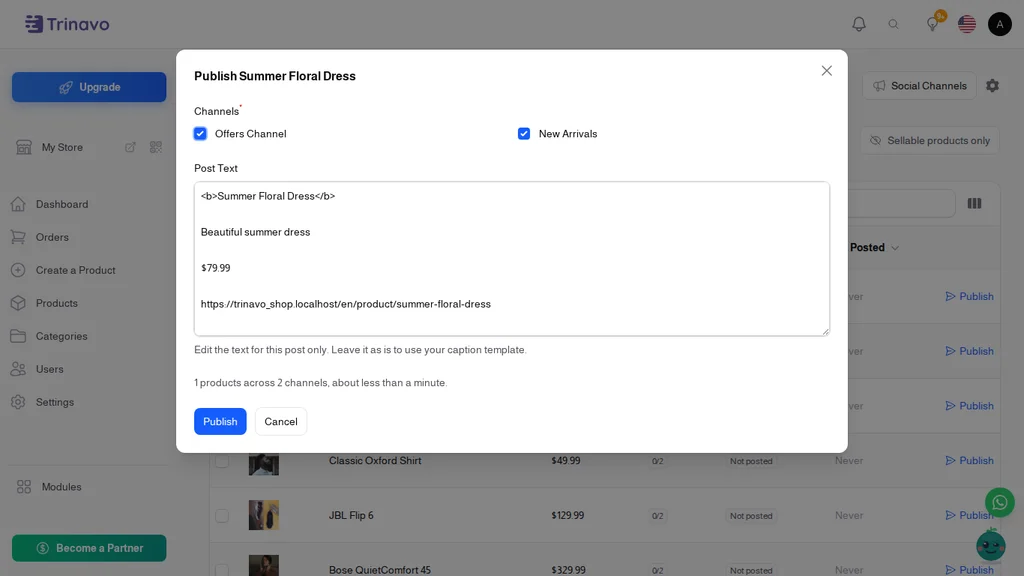
Publish a single product from its row, or tick a whole page and send them together - up to 200 at a time. Before you commit, the window tells you how many posts that is and roughly how long they will take.
Posts leave a few seconds apart on purpose. That pacing is what keeps Telegram happy and your channel working, and it means a big batch reads like a real person posting rather than a machine dumping a catalogue.
Posted something already? The button simply becomes Post Again - announce a price drop or a restock as often as you like.
Posts That Sound Like Your Store
Every post is written from a template you control: the product name, the short description, the price, the old price when there is a discount, the product code, and the link. Add your own line, an emoji, or your delivery promise, and every product follows the same shape.
Editing one post before it goes out is a single text box, and it changes that post only.
More Than One Channel
Run an offers channel and a new-arrivals channel. Run one in Arabic and one in English - each channel has its own post language, so the same product goes out with the right names and prices for each audience.
Publishing fans out to every enabled channel at once, and each product shows how many channels it has reached. Switch a channel off for a while without deleting anything.
Nothing Disappears Quietly
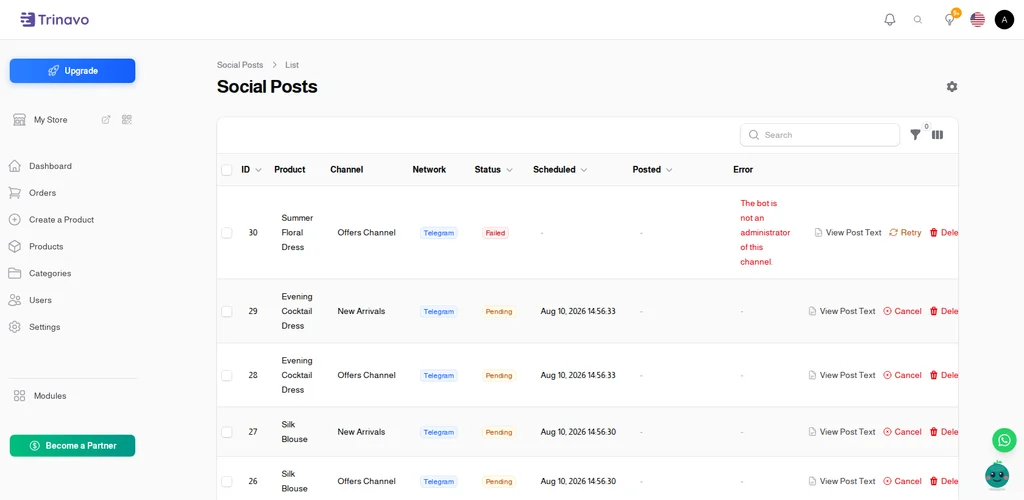
Every post is recorded: which product, which channel, whether it was sent, when, and what went wrong if it was not. Failures come with a plain explanation - "the bot is not an administrator of this channel" - not an error code, and one button to try again once you have fixed it.
Good For Stores Like These
- Daily offers - announce today's price the moment you set it
- New arrivals - every new product reaches your followers the same day
- Restocks - tell the people who wanted it that it is back
- Wholesale and B2B - a private channel for your resellers, with their own list
- Local shops - a neighbourhood channel that costs nothing to reach
Frequently Asked Questions
Do I need to know anything technical? No. You create a bot in Telegram by sending one message, add it to your channel, and paste the token. Your store checks the connection for you and tells you if something is wrong.
Will it post my products automatically? No, and that is deliberate. You choose what goes out and when. Importing or adding products never sends anything on its own.
Can I post to more than one channel? Yes, as many as you like, each with its own language and its own on/off switch.
What about Instagram, Facebook, and WhatsApp? Telegram is available today. The feature is built around channels rather than one network, so more will appear in the same screen without you changing anything.
What if a post fails? You see it in the log with a plain explanation and a Retry button. Nothing fails silently.
Is it included in my plan? Social Publishing is a premium feature and it is part of the free trial, so you can connect a channel and post real products before deciding.