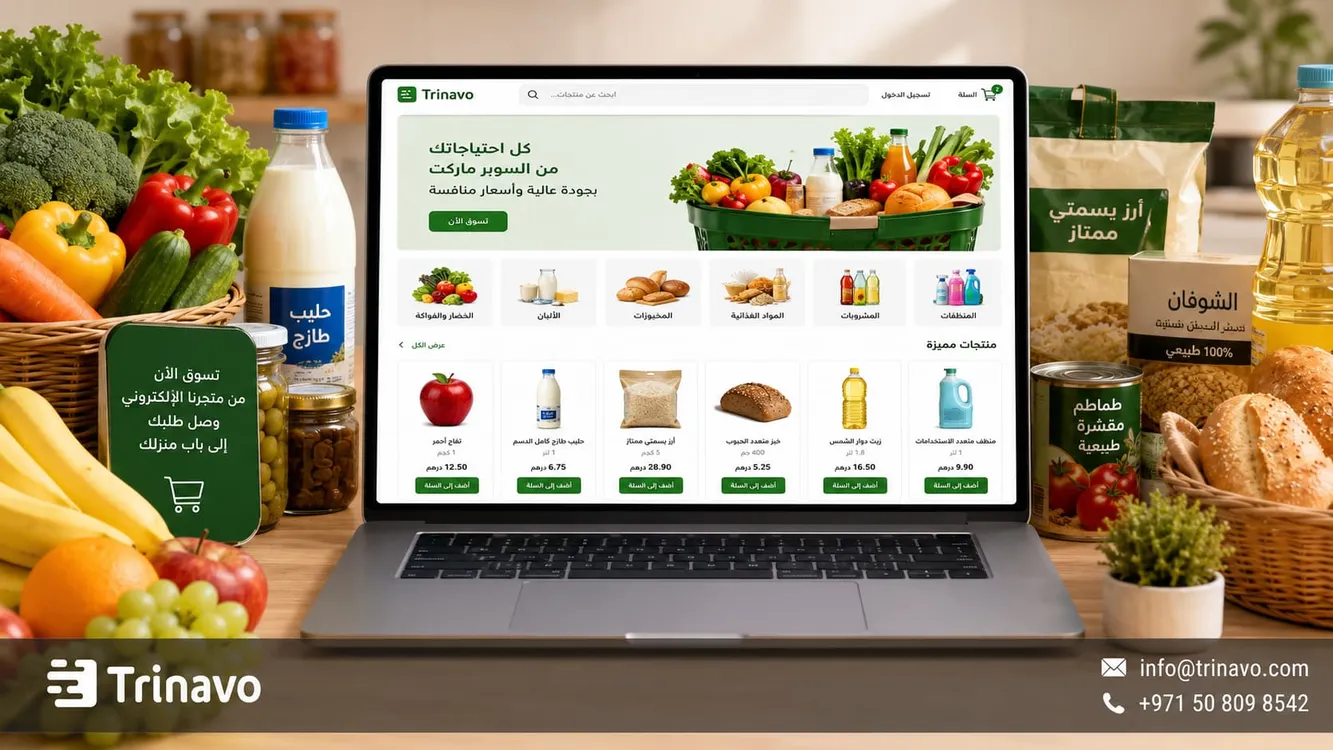
Create an online grocery store with Trinavo. Design a professional food store, manage inventory in real time, and offer fast delivery to keep your customers happy.
Many people today prefer to buy their household and grocery needs online rather than going to traditional stores, because online shopping saves time and effort and ensures that products reach their home quickly and easily.
But success in this venture does not stop at designing a website and listing products on it. A successful grocery store needs a clear arrangement of sections, accurate inventory management to prevent products from running out or spoiling, in addition to a fast delivery system that ensures orders arrive on time.In this market, competition does not depend on prices alone, but on service quality and customer convenience; the core goal is to build trust that makes the customer repeat their shopping experience with the store again and again.
In this guide from Trinavo, we will go over the essential steps to create an online grocery and food store, starting from choosing the right platform and organizing products, through managing orders and inventory, all the way to the marketing strategies that help you attract customers and grow your sales steadily.
What is an online grocery store?
An online grocery store is a digital sales channel that enables customers to buy their food and household needs over the internet without having to physically visit the store. This includes various supermarket categories such as basic foodstuffs, fresh produce, beverages, cleaning supplies, and other everyday products.
This type of store has a different nature from traditional online stores, because the customer usually does not buy just one product, but a varied set of items within a single order. The store therefore needs clear organization, since the customer here does not want lengthy browsing, but rather quick access to essential products, the ability to add several products to the cart, and then to complete the order easily.
Benefits of creating an online grocery store for customers and store owners
On the customer's side, an online supermarket store offers:
- Easy comparison of products and prices.
- Reviewing the cart before completing the payment.
- Saving the time spent going to the store.
- The ability to order at any time.
- Quickly viewing the available offers and products.
As for the grocery or supermarket owner, the online store provides:
- Adding a new sales channel and increasing orders.
- Reaching a larger segment of customers within the service areas.
- Organizing orders better instead of relying on calls or messages.
- Tracking the best-selling products and understanding customer buying behavior.
- Managing seasonal offers more efficiently.
- Improving inventory tracking and reducing manual errors.
- Making use of reports and data to make better decisions about pricing and restocking products
Requirements for a successful online grocery store
The success of an online grocery store depends on having a clear system that connects products, inventory, orders, payment, and delivery. The customer is looking for a fast shopping experience in which they know what is available and when the order will arrive.
|
Element |
Its importance to the success of the online grocery store |
|
Organizing categories and products |
Helps the customer quickly find their daily needs |
|
Tracking available quantities |
Reduces orders for products that are out of stock |
|
Speed of order preparation |
Increases customer satisfaction and encourages repeat purchases |
|
Clarity of product information |
Reduces questions before ordering |
|
Payment and delivery options |
Makes the shopping experience easier and more flexible |
|
Analytics and reports |
Help the store owner know which products are most in demand |
How do you choose the best technical platform to build your grocery store?
Designing an online food store should not rely on the look of the interface alone, but on its ability to manage the details of daily operations. A food store needs a platform that:
1. Can handle a large number of products.
2. Helps organize categories.
3. Makes it easy to update prices and inventory.
4. Supports payment, delivery, and order tracking from one place.
Before making your decision, ask yourself: Can hundreds of products be managed easily? Can availability be updated quickly? Does the platform help organize orders and delivery? And can the store be developed later as sales grow?
Learn more about all of Trinavo's features
Creating an online grocery store with Trinavo
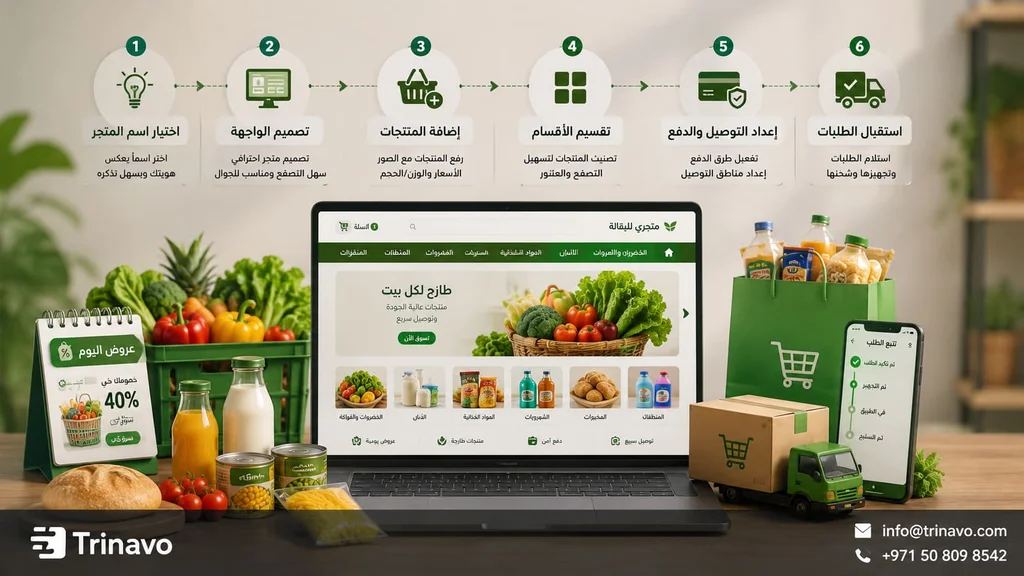
You can start creating your grocery store on the Trinavo platform through a few simple and fast steps that take you from a mere idea to a real store receiving orders in just minutes, with no prior programming experience required.
1 . Create the account and set up the store
Trinavo lets you design an online food store with a completely free account, so you can try the platform and set up your store at your own pace.
After creating the account, the most important stage begins: preparing the store to be a comfortable and trustworthy shopping environment for the customer, by defining the store's visual identity (logo and colors), followed by clear contact details and customer support to build trust.
This stage also includes setting the currency and language to suit the nature of the potential customers in your area.
Read also Creating a free Arabic online store
2 . Organize categories and the search experience
After creating a grocery store, set up the category structure that the customer will rely on while shopping. In a grocery store, categories should be practical and direct, because the customer usually does not order a single product, but moves between several sections within the same order.
You can start with sections such as vegetables and fruits, dairy and eggs, dry goods, beverages, canned foods, baked goods, cleaning products, and home care products. Over time, you can add categories such as today's offers, best sellers, fresh products, or frequent purchases.
You should also pay attention to product names and how they appear in search. Use clear names that the customer understands, such as “full-fat milk,” “basmati rice,” or “sunflower oil,” instead of abbreviated or unclear names. The clearer the categories and the search process are, the faster products can be found, and the less likely the customer is to leave before completing the order.
3 . Add products and manage inventory
When adding grocery products, focus on the data that helps both the customer and the store owner at the same time: product name, image, price, weight or size, category, and availability status.
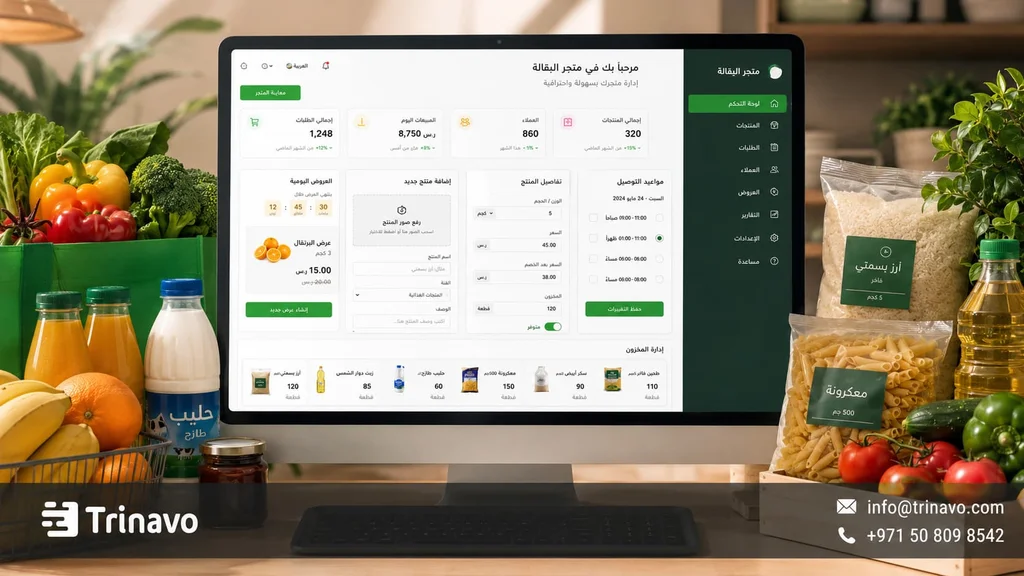
Through Trinavo, you can manage products and inventory from a single dashboard, which helps you track available products, update quantities, and organize items by section. This is important in groceries because some products move daily, and some need to be restocked quickly so that demand for them is not interrupted.
Inventory management becomes even more important for fresh or fast-selling products, because the customer does not want to add a product to the cart and then later discover that it is out of stock. Therefore, the more accurate the information, the clearer the shopping experience.
You can also make use of the smart assistant in Trinavo to speed up writing or improving product descriptions, especially if you have a large number of items and need clear descriptions without tedious manual repetition.
Learn more about product and inventory management in Trinavo
4 . Enable payment and organize orders
Trinavo provides an environment that helps you connect payment and manage orders from one place, so the customer moves from choosing products to completing the order without the need for long conversations or manual follow-up for each order.
In selling groceries online, payment methods should be clear before reaching the final step, because the order usually contains several products and different quantities. So, make the available payment options clear to the customer, whether through electronic payment gateways or any payment method suitable for your business, while keeping the order steps simple and easy for customers who shop frequently.
Learn more about payment gateways in Trinavo
5 . Set up delivery and service areas
Delivery in a grocery store is not a side step, but part of the purchase decision itself. The customer may need the products the same day, or order fresh or chilled products, or prefer a specific delivery time that suits when they are at home.
Therefore, define the delivery areas that the store serves, and clarify the delivery cost, the expected duration, and any conditions related to large orders or fresh products. You can organize delivery by area, business hours, or minimum order value, so that the customer experience is clear, while making it easier to manage and prepare orders efficiently in line with the store's capabilities.
Learn more about order and delivery management
6 . Track performance and market your offers
After launching the store, monitor the products that get repeat orders, the sections customers visit most, and the products that run out quickly. Through the analytics and inventory management in Trinavo, you can find out what needs to be restocked, what can be included in offers, and what needs a change in price, description, or image.
Based on this data, you can market the grocery store more precisely, such as showcasing the best-selling products, creating weekly offers, preparing ready-made shopping baskets, or sharing direct links to specific sections via WhatsApp and social media platforms. This way, marketing is not random, but tied to what customers actually order and to what encourages them to come back and buy again
Mistakes that weaken an online grocery store
In an online grocery store, problems do not appear on the product page only, but throughout the entire order journey: from the product's availability on the shelf, to adding it to the cart, then preparing it and delivering it to the customer at the right time.
|
Mistake |
How does it affect the customer experience? |
How do you handle it? |
|
Displaying out-of-stock products |
The customer loses trust in the store if they add the product to the cart and then discover it is unavailable |
Update inventory continuously and monitor fast-selling products |
|
Unclear product names |
Makes search harder and makes the customer hesitate between similar products |
Use direct names such as the type, size, brand, or weight |
|
Poor category organization |
Makes the customer get lost between sections and take longer to order |
Divide products by how the customer shops: dairy, vegetables, canned goods, cleaning products |
|
Missing size or weight information |
The customer may buy a product that does not match their expectation |
Clearly add the weight, size, count, or packaging within the product page |
|
Unclear delivery time |
Makes the customer hesitate, especially if they need the products the same day |
Clarify the delivery areas and the expected duration before completing the order |
|
Difficulty handling fresh or chilled products |
Product quality may be affected if preparation and delivery are not well organized |
Set the delivery conditions for fresh and chilled products and review their availability continuously |
|
Delayed order preparation |
Reduces customer satisfaction and weakens the likelihood of repeat purchases |
Organize orders by arrival time, area, and order size |
|
Relying on messages only |
Causes chaos in orders, prices, and availability |
Make the store the clear reference for products, and use messages as a support channel, not a full management channel |
Trinavo's features for grocery and food stores
Managing a grocery store means dealing with a large number of products, repeat orders, fast-moving inventory, and daily questions about availability and delivery. The store owner therefore needs a platform that helps organize these details without complexity.
|
Grocery store need |
What Trinavo provides |
|
Managing a large number of products |
Organized products and categories |
|
Tracking availability and inventory |
Tools for managing products and quantities |
|
Facilitating daily orders |
A dashboard for managing orders |
|
Improving search and access |
Organizing products within clear sections |
|
Electronic payment |
Connection to multiple payment gateways |
|
Tracking performance |
Analytics and reports |
|
Product offers |
Coupons and discounts |
|
Communicating with customers |
Integrations such as WhatsApp |
|
Expanding later |
Support for languages, currencies, and growth options |
Whether you run a small grocery, a food store, or a larger online supermarket store, Trinavo helps you build an organized, scalable store suited to the nature of daily orders.
Start a free grocery store with Trinavo
You don't need to upload thousands of products all at once. It's better to start with the most in-demand items in your area: dairy, bread, eggs, water, canned foods, beverages, or basic cleaning products.
After identifying the essential products, you can move on to launching the store and testing the idea in practice by starting with a free store on Trinavo. Instead of waiting until every detail is complete, you can launch your store and track how customers interact with the different products and offers.
Over time, you will form a clearer picture of the market's needs and buyers' behavior, which helps you develop your store in well-considered steps. This is where Trinavo comes in, providing a practical starting point that lets you build your digital presence and start receiving orders easily
Learn more about Trinavo's plans and pricing
Frequently asked questions about creating an online grocery store
How do I manage product expiry dates in a grocery store?
Expiry dates should be tracked internally within inventory management and order preparation, especially for fresh and chilled products. It is also better to arrange products by the nearest expiry first, and to avoid displaying quantities that cannot be sold within the appropriate period.
Does the grocery store support a weekly subscription service?
You can organize the recurring-order experience by creating sections or offers for the products customers order regularly, such as the week's needs or basic household purchases. And if you need an advanced subscription system, it can be connected based on the tools and integrations available in the store.
How do I handle fresh and chilled products in the online store?
You should clarify the delivery time, service areas, and how fresh or chilled products are handled. It is also preferable to update availability continuously so that the customer does not order products that are not available the same day.
What is the cost of creating a complete online grocery store?
The cost depends on the size of the store, the number of products, the payment gateways, the delivery options, and any additional tools you need. With Trinavo, you can start with a free plan to test the store, then upgrade later according to your operational and marketing needs.
Can a large online supermarket store be created with Trinavo?
Yes, you can create an online supermarket store with a large number of products and categories, managing products, orders, payment, and communication from a single dashboard, then developing the store gradually according to the size of the business and expansion needs.


