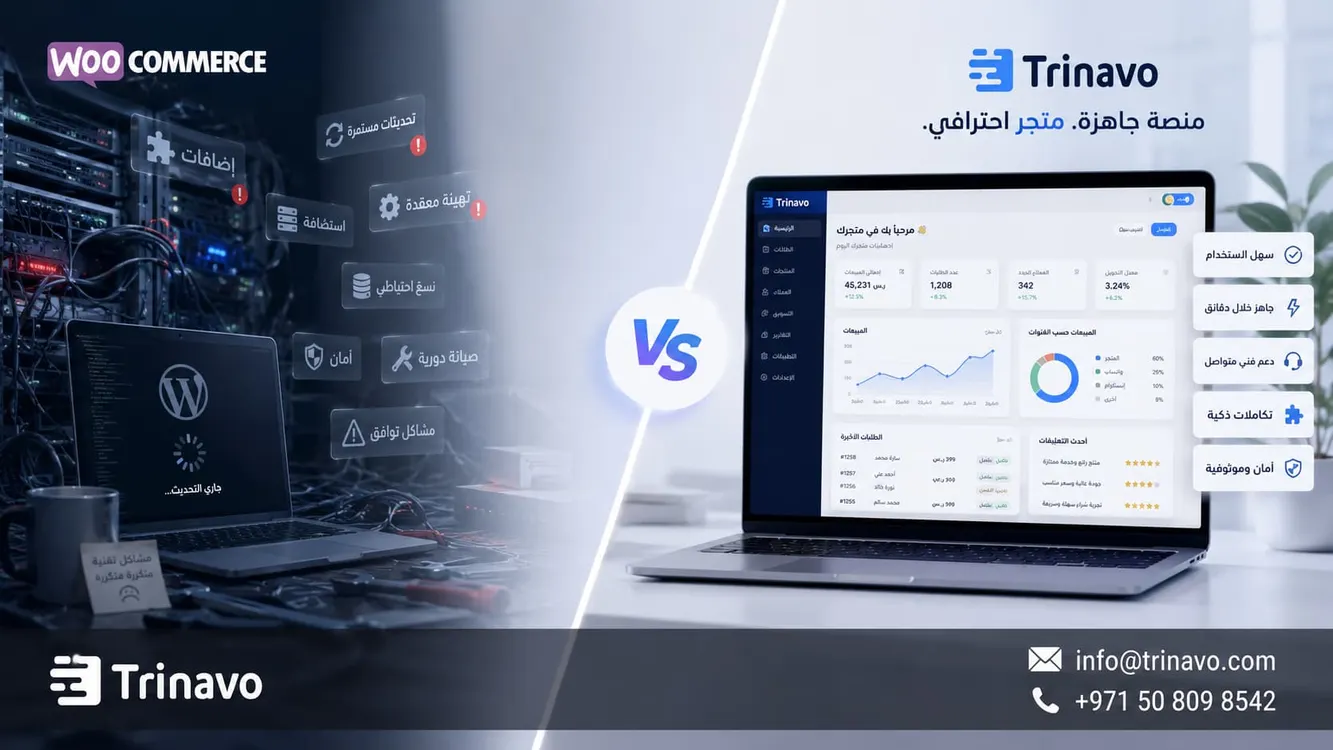
Discover an easier WooCommerce alternative to launch your store with no hosting or developer. Try Trinavo free and start selling today.
When considering building an online store, WooCommerce often appears as one of the first options, because it is known worldwide and is presented as a free solution. That is why many entrepreneurs and business owners turn to it at the start of their e-commerce journey.
But building a WooCommerce store that runs efficiently and securely doesn't stop at installing the free plugin; it requires other elements such as hosting, paid plugins, security certificates, regular maintenance, technical support, and continuous updates. Over time, these requirements may turn into accumulating costs that exceed what was expected at the beginning.
For this reason, many store owners start looking for a WooCommerce alternative that gives them a simpler experience and a clearer cost, without having to deal with complex technical details or constantly rely on a developer to manage and maintain the store.
This is where Trinavo stands out as an integrated SaaS solution that lets you launch and manage your online store from one place, without needing to buy hosting, install plugins, or keep up with technical updates. Instead of being busy managing the store's technical infrastructure, you can focus on growing your business and increasing your sales.
Learn more about the Trinavo pricing page
Quick comparison: Trinavo or WooCommerce?
The choice between WooCommerce and Trinavo depends on how you manage your store: do you want to control every technical detail yourself, or do you prefer a ready-made platform that helps you start selling quickly? That is why comparing WooCommerce and Trinavo on price alone is not enough.
WooCommerce gives you:
· Full ownership and broad flexibility to customize the store, but it places on you the responsibility of managing the technical aspects, such as continuous updates, plugin compatibility, and fixing any malfunctions that might affect the buying experience or temporarily halt sales.
· Free at first, but the real cost appears when you account for hosting, site protection, buying paid plugins, and regular maintenance.
So the actual WooCommerce prices may differ greatly from the first impression the word “free” gives.
Trinavo, on the other hand, runs on a ready cloud SaaS system, where hosting, security, and updates are part of the service itself. This gives you a clearer cost from the start, and frees up your time to focus on marketing and selling instead of being busy with technical settings or fixing store problems.
The following table shows the most prominent differences between the two solutions:
|
Comparison criterion |
Trinavo |
WooCommerce |
|
Core platform |
A free $0 plan, and a Premium plan at $15 per month or $160 per year |
The core WooCommerce plugin is free and runs on top of WordPress |
|
Hosting |
Built into the platform and you don't need to manage it yourself |
You need to choose hosting; WooCommerce often mentions $25 to $350 per month for most stores |
|
Core add-ons |
Many operating and growth tools are built in depending on the plan |
You may need separate plugins, and WooCommerce notes that plugins may cost $29 to $299 per year for each plugin |
|
SSL certificate |
Mentioned within Trinavo's plans, with HTTPS and automatic renewal at no extra cost |
Depends on the hosting provider or the setup used |
|
Technical maintenance |
The platform manages the core infrastructure |
You often need to update WordPress, the theme, and the plugins, and monitor compatibility |
|
Security updates |
Managed within the SaaS environment |
You need to manage WordPress, plugin, and theme updates, or enable automatic updates for each item |
|
AI tools |
An AI Suite in the paid plan to improve SEO, products, and categories |
You need a plugin or an external service if you want similar automation |
|
Mobile app |
Available within the Special plan for large stores |
Often needs separate development or an external service |
|
Required expertise |
Suitable for beginners and non-technical store owners |
You need knowledge of WordPress, hosting, and plugins, or to rely on a developer |
|
Expected annual cost |
$0 for the free plan, or roughly $160 to $180 for the Premium plan depending on the payment method |
May start from a few hundred per year and could reach thousands depending on hosting, plugins, and maintenance |
When is WooCommerce the right choice?
WooCommerce may be suitable if you:
1. Need advanced programmatic customizations
2. Own hosting and have good experience with WordPress
3. Have a developer who continuously maintains the store
In that case, WooCommerce gives you broad flexibility in control and development, but it places greater technical responsibilities on you, and its cost may rise as the store expands. So before relying on it, don't just look at the fact that the core plugin is free; calculate the cost of WooCommerce plugins, hosting, maintenance, and any custom development you may need later.
Why do many prefer Trinavo today?
For most business owners and emerging stores, the priority is different; they want to launch their store quickly, manage products and orders easily, and focus on marketing and sales instead of keeping up with updates and technical problems.
That is why many users turn to ready-made platforms like Trinavo, where hosting, security, updates, and managing the technical infrastructure are part of the service itself. This way the merchant can run their store without installing dozens of plugins or dealing with complex settings, which makes Trinavo a suitable WooCommerce alternative for anyone looking for a SaaS e-commerce platform that is simpler in daily operation.

Which is more suitable for your store?
If you are looking for the highest level of programmatic customization, and you have the experience or the right technical team, WooCommerce may be a good choice.
But if you want an online store without WordPress, ready to operate, with a clearer cost, and without needing to manage hosting, plugins, or updates, then Trinavo represents a practical and easy-to-use alternative, especially for small and medium business owners who want to focus on growing their business instead of managing technical aspects.
Features built into Trinavo that may require multiple plugins in WooCommerce
The differences between Trinavo and WooCommerce aren't limited to cost only; they also appear in the way you obtain the features the store needs to grow.
In WooCommerce, store owners often rely on external plugins to enable functions such as marketing, automation, analytics, and search engine optimization. Trinavo, on the other hand, is an Arabic e-commerce platform that brings many of these tools together in one place, which reduces complexity and makes managing the store easier and clearer.
Learn more about all Trinavo features
Rewards, referrals, and cart recovery
Trinavo provides these tools within a single system that helps you boost sales without extra technical steps. A WooCommerce user, by contrast, usually needs to look for specialized plugins, connect them to the store, and manage them separately.
AI tools for content and SEO improvement
Artificial intelligence has become an essential part of managing modern stores, whether in writing product descriptions, improving categories, or supporting search engine optimization.
That is why Trinavo provides a set of AI tools that help store owners create content faster and improve product presentation within the store. In WooCommerce, the merchant often needs to rely on plugins or external services to get similar functions, along with the accompanying subscriptions and additional settings.
So Trinavo seems like a closer choice for anyone looking for an e-commerce store platform with AI, who wants to reduce manual work and manage growth tools from one place.
Learn more about SEO tools for the online store in Trinavo
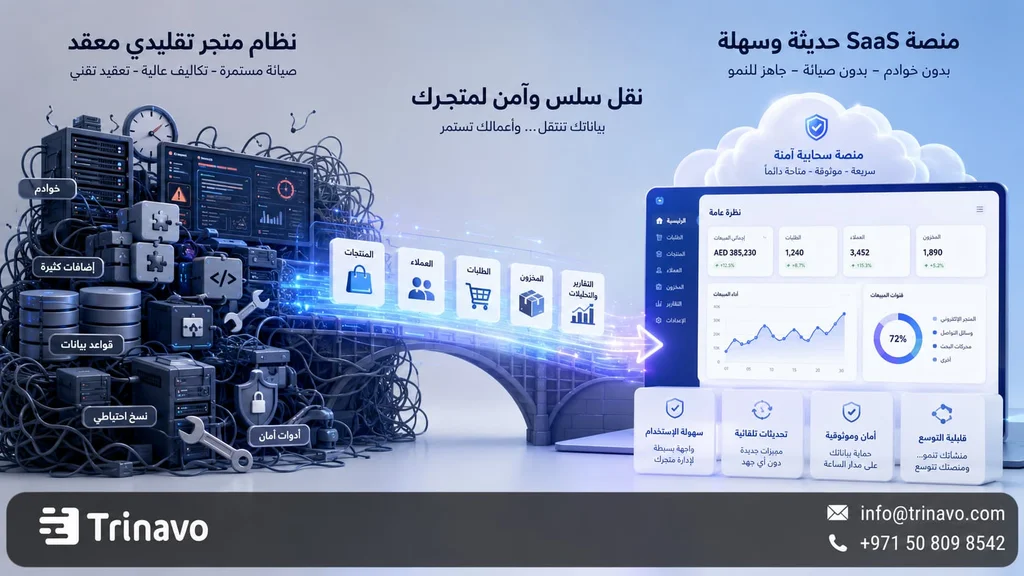
Ready analytics for better decisions
Understanding customer behavior, knowing the best-selling products, and tracking traffic sources are all essential elements for successfully managing any online store.
Instead of relying on several separate tools or complex settings, Trinavo provides a built-in analytics dashboard that gives you a clear view of your store's performance from one place. This way you can make faster and more accurate decisions, without needing advanced technical expertise.
Learn more about the online store analytics dashboard
When should you choose Trinavo as a WooCommerce alternative?
Choose Trinavo as a WooCommerce alternative if you want to launch an online store without getting into the details of hosting, WordPress updates, plugin conflict problems, or the constant need for a developer to handle the technical aspects on your behalf.
Trinavo's value shows more clearly when you are looking for a simpler, clearer start; you can try the platform through a free plan with no credit card, then manage products, orders, and analytics from a unified dashboard, later benefiting from tools that help you grow, such as artificial intelligence, cart recovery, loyalty programs, advanced reports, and connecting a custom domain when you upgrade.
WooCommerce, meanwhile, remains a strong choice for anyone who wants open-source freedom and has the experience or the budget needed to manage hosting, plugins, maintenance, and technical customizations. But it isn't always the easiest choice for beginners, nor the least costly once you account for time, maintenance, paid plugins, and the developer's cost.
In the end, don't let the word “free” alone settle your decision. Try Trinavo, add your first products, test the ordering experience from mobile, and observe the ease of management for yourself. Then you will know whether Trinavo is the most suitable WooCommerce alternative for your store.
Frequently asked questions about the WooCommerce alternative and Trinavo
Does Trinavo support the same payment gateways you used in WooCommerce?
Trinavo may support similar gateways or suitable regional alternatives, but it is not an identical copy of WooCommerce in every gateway or plugin. Trinavo's payment gateways page presents a system that supports several providers and payment methods, and notes that the checkout experience is multilingual, that every store gets SSL, and that sensitive card data is not stored on the store's server but is handled by the payment provider through secure mechanisms.
Before moving, prepare a list of the payment gateways you currently use, such as Stripe, PayPal, MyFatoorah, PayTabs, or others, then check the integrations page or contact the Trinavo team. The availability of a payment gateway may depend on the country, the type of business, the merchant account, and the service provider's requirements.
How do I move my products and customer data from WooCommerce to Trinavo?
Start by exporting the products from WooCommerce in an organized format, then review the product names, images, prices, inventory, categories, tags, descriptions, and SEO fields. After that, organize the data before importing so you don't carry the same chaos over to the new platform. If you have historical customers and orders, decide what you actually need to move: do you want all previous orders? Or only active customers? Or products and categories?
The most important thing is to preserve the important links as much as possible. If your store gets traffic from Google, set up a redirect plan for the old links, and don't change product and category URLs randomly without considering SEO. And if your catalog is large, ask the team for help before moving so the data, links, and integrations are planned correctly.
Is Trinavo suitable for large stores with thousands of products?
Trinavo offers unlimited products, orders, customers, and categories in its plans, and also provides a Special plan for larger stores that includes features such as API Access, a mobile app, custom design, dedicated support, an SLA, and advanced operating options.
But large stores don't choose a platform based on the number of products alone. You need to study performance, inventory operations, team management, permissions, integrations, payment gateways, shipping, reports, and your need for an API or a connection with external systems. So if you have thousands of products or a high order volume, it is best to request a direct evaluation before moving.
Can a custom domain be used in Trinavo as in WooCommerce?
Yes, a Custom Domain appears among the features of Trinavo's paid plans, while the free plan does not include it according to the comparison table on the pricing page. This means you can start for free to test the store, then connect your own domain when you upgrade. A custom domain is important for trust, branding, and SEO, especially if you plan to build a long-term store and not just a temporary trial.
How flexible is Trinavo in customization compared to open-source WooCommerce?
WooCommerce is more flexible in terms of access to the code and open source; you can build a custom theme, modify deep functions, and connect many plugins and components. So it suits developers, agencies, and stores with very special requirements. Trinavo, on the other hand, offers practical flexibility within a SaaS environment: customizing the store, domain, branding, languages, currencies, payment, analytics, and growth tools, with API Access and custom options within the Special plan.
So the decision depends on what you mean by flexibility. If you want fully open technical freedom, WooCommerce is stronger. But if you want enough flexibility to launch a professional store without technical maintenance, Trinavo will be easier and faster for most store owners.


