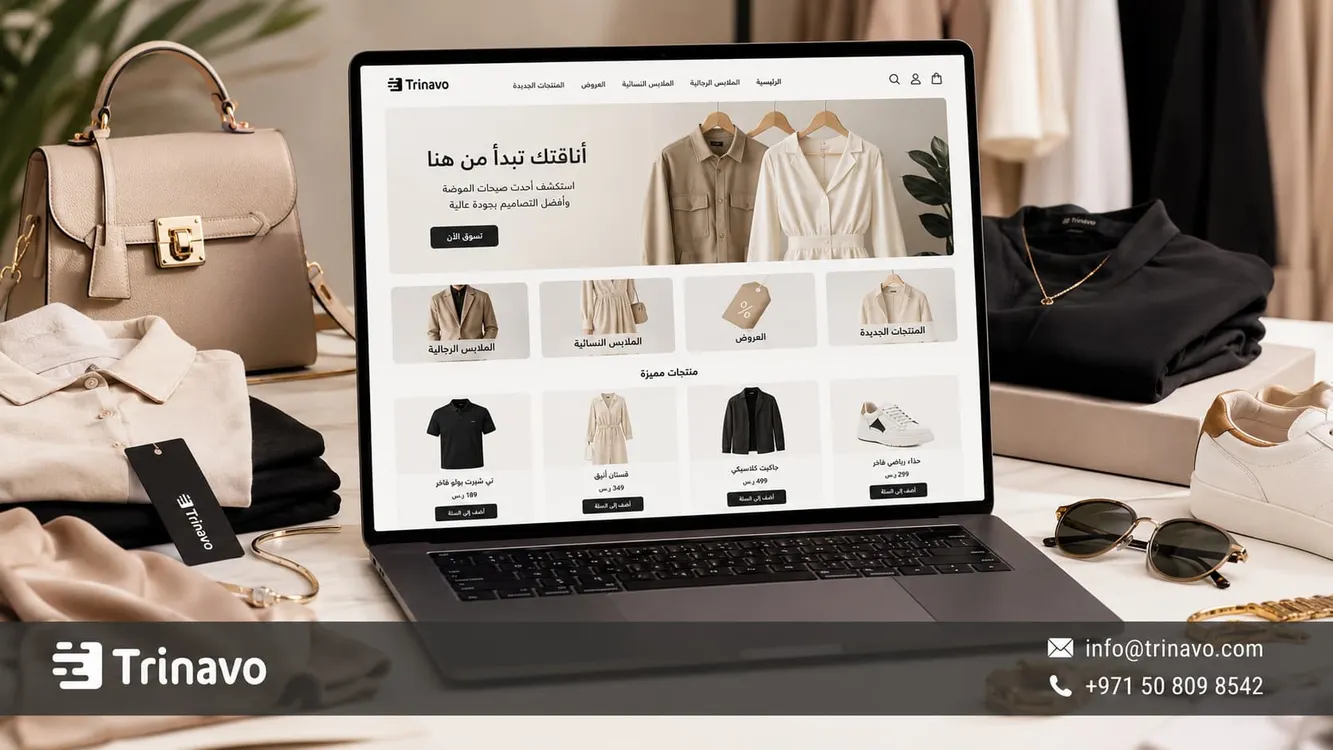
Build your online clothing store easily with Trinavo. A professional clothing store design, size and color management, and integrated marketing tools to boost your sales.
Selling clothes online does not depend only on the quality of the products or the variety of models; it is also affected by how clearly the information helps the customer make a buying decision. The absence of important details such as sizes, colors, enough photos, or an exchange policy may make the customer hesitate before completing the order.
A customer may like a product at first glance, but they will not buy until they know: Is the size right? Is the color the same as in the photo? Is the fabric light or heavy? And can the product be exchanged if it does not fit?
Therefore, creating an online clothing store does not just mean showcasing beautiful models; it means building a product page that reduces the customer's hesitation before choosing a size, a color, and completing the order. In this guide from Trinavo, you will learn how to create a free clothing store, organize sizes and colors, manage inventory, and turn the product page into a clear space that supports buying.
Why customers hesitate when buying clothes online
Before thinking about design or ads, you need to understand what makes a customer hesitate when buying clothes online. The problem is not always the price, but rather the lack of details they need to make a decision.
|
The customer's concern |
What should appear in the store? |
|
Does not know the right size |
A clear size chart and notes about the fit |
|
Worries the color will differ |
Clear photos for each color whenever possible |
|
Does not know how the piece looks when worn |
Photos from more than one angle or on a model |
|
Hesitates because of exchanges |
An easy and clear exchange policy |
|
Does not know the fabric |
A description that clarifies the fabric type and the expected feel |
|
Asks about availability |
Clearly displaying the available sizes and colors |
When the customer finds these details inside the product page from the start, they move from the stage of asking and hesitating to the stage of comparing and choosing, and this makes the experience of buying clothes online clearer and smoother.
The benefits of creating an online clothing store
Creating an online clothing store is the most important step to organize and grow the sales of your boutique. The store lets you showcase your fashion collections in a professional way that accommodates multiple sizes, a variety of colors, and changing seasons, giving the customer a fast and comfortable shopping experience without needing manual handling for every order.
Reaching customers beyond the shop
In a traditional shop, a customer buys from you only if they visit you or are near your location. But when selling clothes online, the customer can reach your products from Instagram, TikTok, ads, search engines, or a direct link you send through WhatsApp.
This matters for clothing stores, because the buying decision often starts from a photo or a video, but it is only completed when the customer finds a clear product page that shows the size, color, price, fabric, and shipping
Reducing repetitive questions
Without an organized online store, you will find yourself answering the same questions over and over with every customer:
- Which sizes are available?
- Is there another color?
- How much is the piece?
- Can it be exchanged?
- When will the order arrive?
- Is the product still available?
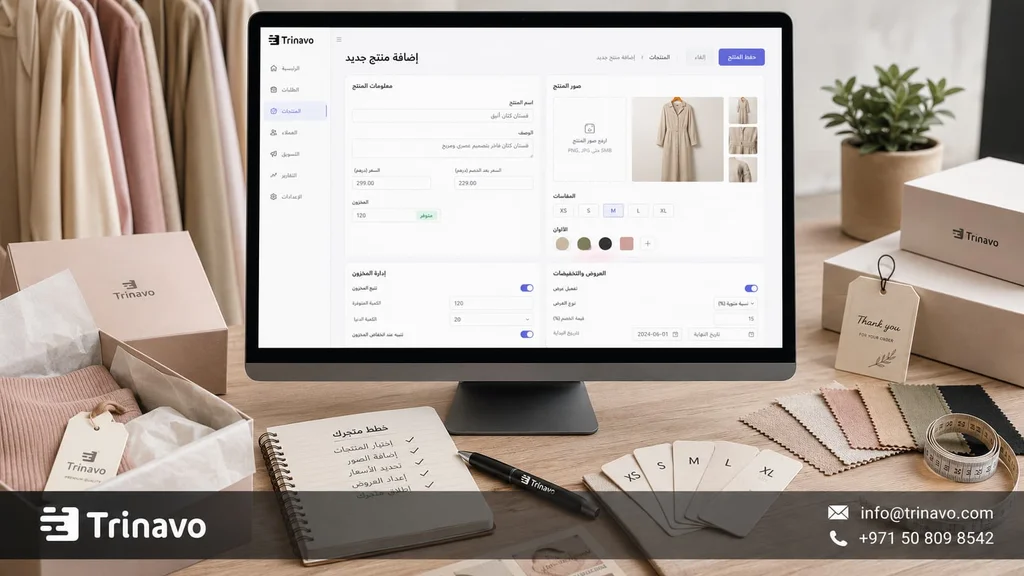
An online store, on the other hand, keeps all these details inside the product page. That way, each conversation does not start from scratch, but from a clear product the customer can review before asking or ordering.
Managing seasons and collections
Clothing stores change quickly. There are summer collections, winter collections, end-of-season offers, newly arrived products, and sizes that sell out faster than others.
Having an online store helps you arrange all this movement into clear sections, such as:
- New arrivals.
- Best sellers.
- Summer clothing.
- Winter clothing.
- Dresses.
- Abayas.
- Casual clothing.
- Seasonal offers.
With this organization, the store no longer appears as a long list of products, but as a storefront that mirrors the way the customer thinks while shopping.
Read also Creating a free Arabic online store: start selling easily
What should the customer see before buying clothes online?
In clothing stores, the goal is not only to display products elegantly, but to help the customer make a buying decision quickly and confidently. The more organized and easy to access the information is, the easier it becomes to choose the right size, color, and product, and the higher the chances of completing the order without hesitation.
|
Element |
Why it matters in a clothing store |
|
Multiple photos |
They show the piece from the front, the back, and the details |
|
Size chart |
Reduces hesitation and returns |
|
Color options |
Help the customer choose the right color |
|
Fabric description |
Explains the nature of the fabric and the use of the piece |
|
Exchange policy |
Gives the customer peace of mind before ordering |
|
Mobile design |
Important because most visits come from social media |
Clothing photos from more than one angle
A single photo is not enough in a clothing store. The customer may need to see the shape of the piece from the front and back, the details of the sleeves or buttons, the length of the product, and the way the fabric drapes on the body.
The clearer the photos are, the lower the chance that the customer is surprised when receiving the order. So try to show:
- A front photo.
- A back photo.
- A close-up of the fabric.
- A photo of the fine details.
- A photo on a model if possible.
- A photo for each available color if there are many colors.
The size chart
The size chart is not a minor add-on; it is an essential element in any online fashion store. Even if the customer likes the product and feels it suits them, they may hesitate to complete the purchase if they are not sure the size will fit them the way they want.
It is best for the size chart to contain clear information such as:
- Length.
- Chest or waist width.
- Sleeve length, if any.
- A note about the fit: loose, tight, regular.
- An alert if the product runs smaller or larger than the usual size.
These details help reduce exchange requests caused by choosing the wrong size.
Colors, sizes, and the product's different options
If the product is available in more than one color or size, the options should appear clearly inside the product page. Do not make the customer ask every time: Is the black color available? Is there still a size M? Is the beige the same as the one shown in the photo?
When the size and color options are organized properly, the customer knows the available choices before buying, and it also reduces the chance of errors when preparing the order
Fabric and design description
A clothing description should be practical. Do not settle for phrases like “an elegant, distinctive piece,” because they do not help the customer picture the product.
It is better for the description to clarify:
- The fabric type.
- Is the fabric light or heavy?
- Is the fit loose or tight?
- Is the piece suitable for work, going out, occasions, or daily use?
- How can it be styled with other pieces?
Example:
“A casual shirt with a comfortable fit and a light cotton fabric, suitable for daily use and easy to style with jeans or wide trousers for a practical, simple look.”
This kind of description brings the product closer to the customer's daily life, rather than being just an image inside the store.
Steps to create an online clothing store with Trinavo
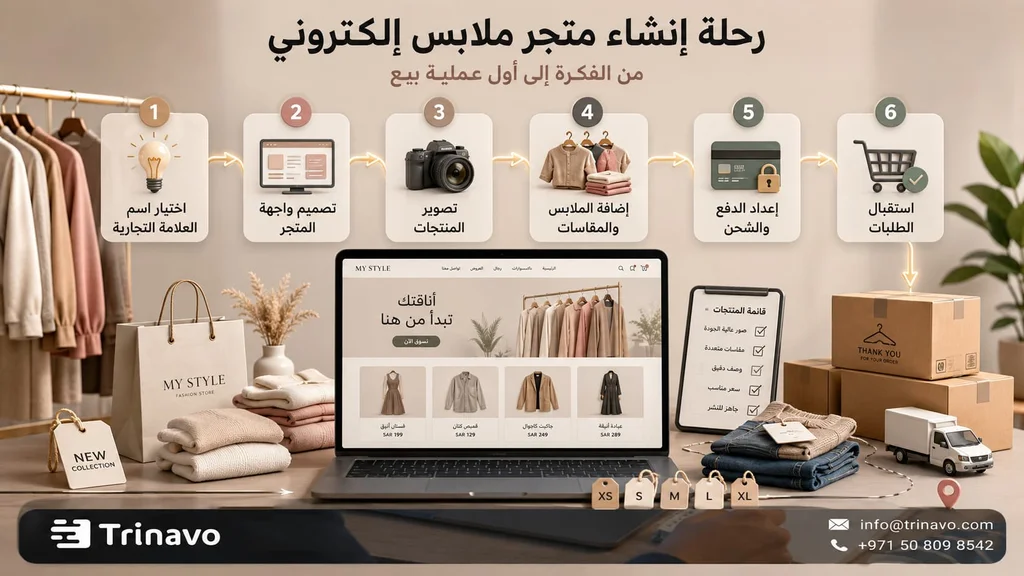
You can start creating an online clothing store with Trinavo without needing any technical experience, focusing from the very beginning on organizing the store in a way that fits the nature of the clothing business, which relies on a variety of products, sizes, and colors, alongside managing seasons, offers, and ongoing inventory tracking.
1 . Open a free clothing store and test your first collection
Before adding any product, decide on the brand image you want the customer to see: the store name, the audience you target, the display style, and the available contact channels. Then create your Trinavo account and enter the basic data that helps build a professional storefront reflecting the identity of your clothing store from the start.
The advantage here is that you can start with a free plan without needing a credit card, which is ideal if you want to test selling clothes online before paying larger costs. You can upload a first set of products, such as 20 or 30 pieces, and split them by category or season.
Start, for example, with these sections:
- Dresses.
- Abayas.
- Shirts.
- Casual clothing.
- New arrivals.
- Limited offers.
Check the Trinavo pricing page
2 . Design the storefront the way people browse clothes
When designing a clothing store, it is not enough for the storefront to be visually beautiful; it must also help the customer reach the right piece in the fewest possible steps. Shoppers usually do not look for a single product, but browse across multiple categories and compare sizes and colors before making a buying decision.
So it is better for the home page to display products and offers in an organized way that makes browsing easy, such as:
- The latest collections or new lines.
- The most requested products.
- Seasonal offers and discounts.
- Main categories such as dresses, abayas, casual clothing, or children's clothing.
- Dedicated sections for occasions or seasons.
- Clear contact channels and direct purchase options.
The store design should also be compatible with smartphones, because a large share of clothing customers reach the store through social media platforms. And to achieve a complete experience that reflects the store's professionalism, you can customize the storefront to match your brand identity while keeping browsing easy and access to products fast with Trinavo.
3 . Add products with sizes and colors
When preparing clothing products inside the store, make sure to enter all the details related to each piece, not just the photo and the price. A single piece is often available in several sizes and colors, and the available quantities for each combination may differ, so it is important to organize this data precisely to make buying easier and to manage inventory.
|
What you add |
Example in a clothing store |
|
Product name |
Long casual dress |
|
Photos |
Front, back, fabric detail, on a model |
|
Color |
Black, beige, white |
|
Size |
S, M, L, XL |
|
Fabric |
Cotton, linen, polyester, blended fabric |
|
Fit |
Loose, straight, tight |
|
Inventory |
The quantity of each size and color |
|
Price |
The base price or the offer price |
4 . Prepare a clear size chart
A common mistake is for the store to settle for writing S, M, L without explanation. These symbols are not always enough, because sizes differ between manufacturers and models.
Make the size chart clear inside the product page or close to it, and mention any important note such as:
- The fit is loose.
- The fabric is stretchy.
- The product runs smaller than the usual size.
- The product fits approximately a certain height.
- It is better to choose a larger size if the customer is between two sizes.
These details build the customer's trust and reduce the likelihood of exchanges later. And in a clothing store, every unnecessary exchange request means extra time and an operating cost that could have been avoided from the start.
5 . Focus the description on the look, not just the product
When selling clothes online, the buying decision is not limited to the fabric alone, but extends to the image the customer imagines of themselves while wearing the piece and the purpose it will serve in their daily life: a work look, a comfortable everyday piece, a dress for an occasion, or a simple outfit for going out.
So make the product description clarify:
- When is the piece worn?
- What can it be styled with?
- Is it suitable for summer or winter?
- Is the fabric practical?
- Does it need special care when washing?
- What makes the fit special?
The smart assistant in Trinavo can write or improve product descriptions quickly, especially if you have a large number of models. But do not leave the description generic; add real details from the product itself, such as the fabric type, the fit, and the styling
Learn more about the smart assistant in Trinavo
6 . Arrange categories by buying intent
Do not build your store's categories the way you see them in the warehouse only, but the way the customer searches for them. A customer may not come in looking for “model number 45,” but rather for a summer dress, a black abaya, work clothes, or a piece suitable for travel.
You can organize the categories this way:
- By category: women, men, children.
- By piece: dresses, shirts, abayas, trousers.
- By occasion: work, daily, occasions, travel.
- By season: summer, winter, seasonal offers.
- By status: new arrivals, best sellers, clearance.
Having unlimited categories in Trinavo helps you build this structure from the start. Over time, some categories can turn into important pages for search engines, such as “summer dresses” or “women's casual clothing”.
7 . Turn social media visits into orders inside the store
Many clothing stores get high views and likes on Instagram or TikTok, but the problem starts when the customer moves to the store and does not find the information they need to complete the purchase.
So the product pages should be ready to receive visitors coming from social media, so that the customer finds all the details directly without needing to message you to ask.
Make sure the product page contains:
- Clear, multiple photos.
- The available sizes.
- The available colors.
- A fabric description.
- The price clearly.
- The shipping time.
- The exchange policy.
- Similar or suggested products.
And do not let this path rely on the link only. You can also use offers and coupons to encourage followers to complete the order, such as:
- A discount on the first order for visitors coming from social media.
- A special offer for a new seasonal collection.
- Free shipping when exceeding a certain amount.
- Limited-time offers to move less requested products.
- Exclusive coupons for followers.
And through the coupons and discounts tools in Trinavo, you can create offers tailored to marketing campaigns or to different seasons without needing to change product prices manually. This way, the store becomes part of a complete marketing strategy, not just a place to display products.
Read also Marketing with coupons to increase sales
8 . Make payment, shipping, and exchange part of the buying decision
In a clothing store, the customer's journey does not end when they choose the size and color. There is another step that may decide the purchase: Is payment easy? Is delivery clear? And can the piece be exchanged if the size does not fit?
So these details should appear clearly inside the store, not be discovered by the customer at the last moment. Make sure to clarify:
· The available payment methods.
· The delivery time.
· The shipping areas.
· The shipping cost.
· The terms for exchanging a size.
· The possibility of exchanging a color.
· The period allowed for an exchange.
· The way to get in touch if there is a problem with the order.
This makes the post-purchase experience clearer for both the customer and the store owner.
Learn more about payment gateways in Trinavo
9 . Let customer data drive your decisions
Many clothing store owners rely on intuition when buying new batches of products, but an online store gives you something more valuable: real data that reveals what customers actually prefer.
Instead of asking, "What might work?", ask:
- Which size gets the most orders?
- Which color disappears from inventory quickly?
- Which products do customers view a lot without completing the purchase?
- Which sections perform best?
- Which questions come up repeatedly before ordering?
- Are there products that need clearer photos or descriptions?
- Do customers face any hesitation related to sizes or exchanges?
These indicators help you make smarter decisions when reordering or launching new collections. For example, if you notice that a certain size keeps selling out, you can increase its quantities in the future. And if a specific color is not selling well, it may be the right time to improve how it is presented or to include it in a promotional campaign.
And with the analytics and inventory management tools in Trinavo, the numbers turn into practical steps that help you keep developing the store. The success of a clothing store does not depend only on adding new products, but on understanding what customers want and making decisions based on their real behavior
Mistakes that increase returns and reduce a clothing store's sales
The most common mistakes that weaken the buying experience can be summarized in the following table:
|
The mistake |
Its effect on the store |
The solution |
|
A single product photo |
Does not show the full shape of the piece |
Show the product from more than one angle |
|
Unclear sizes |
Increase hesitation and returns |
Add a size chart and notes about the fit |
|
Colors that are not shown |
Cause questions or wrong orders |
Show each color with a clear photo or option |
|
A generic, repetitive description |
Makes products look alike |
Write a unique description for each piece |
|
The absence of an exchange policy |
Reduces the customer's trust in buying |
Clearly explain the exchange terms |
|
Weak categories |
Make it harder to reach the right product |
Organize the clothing by category and season |
|
Not tracking inventory |
Leads to orders on out-of-stock products |
Monitor the available sizes and colors |
|
Relying on messages only |
Causes chaos in orders |
Make the store a clear reference for the products |
These mistakes directly affect the buying decision. In clothing stores, the customer relies on information and photos more than anything else, so any shortcoming in the details of the size, color, or fabric may push them to hesitate or to look for an alternative at another store.
Why do clothing store owners choose Trinavo?
Running a clothing store means dealing daily with changing sizes, colors, and quantities, not with a single fixed product. So the store owner needs a platform that helps them keep track of these details without chaos.
Trinavo provides an integrated environment that helps you manage your clothing store from one place, from adding and categorizing products to tracking orders and analyzing performance.
|
The clothing store's need |
What Trinavo provides |
|
Launching the store quickly |
A free plan to start without complications |
|
Organizing seasonal collections |
Unlimited categories and classifications |
|
Managing sizes and colors |
Product options and variants |
|
Tracking available quantities |
Tools to manage inventory |
|
Adding a large number of products |
Unlimited products and orders |
|
Creating marketing offers |
Customizable coupons and discounts |
|
Improving product visibility |
Built-in tools for search engine optimization |
|
Tracking orders easily |
A unified dashboard to manage orders |
|
Knowing the best-selling products |
Detailed reports and analytics |
|
Communicating with customers |
Integration with WhatsApp and communication tools |
|
Expanding into new markets |
Support for multiple languages and currencies |
Whether you run a small boutique or a fashion brand that keeps growing, Trinavo helps you build an organized, scalable store, with practical tools that make managing products and sales easier and give you more time to focus on developing your brand and serving your customers.
Start with a free clothing store and test your first collection with Trinavo
At the start, you do not need to upload dozens of products or set up a huge store. In the clothing business, the smartest beginning is often a small, clear collection: a limited summer line, abayas with selected designs, dresses for occasions, or everyday casual pieces.
The idea is not to display everything you have at once, but to test what actually catches customers' attention: Which color gets more orders? Which size sells out quickly? Do customers prefer everyday pieces or models suitable for occasions? And are the current photos enough to convince them to buy?
With Trinavo, you can open a free clothing store and start with this first collection without any technical complexity. Add the products, arrange the sizes and colors, create simple categories, then watch the customer interaction and orders to learn what is worth expanding.
This way, designing an online clothing store becomes a smart testing step before it becomes a big expansion. You start with what is clear and limited, then build your next decisions based on real data: the most requested sizes, the colors that move faster, and the pieces that need more convincing photos, descriptions, or pricing.
Frequently asked questions about creating an online clothing store
How much does it cost to create an online clothing store?
The cost of creating an online clothing store depends on the platform, the number of products, the design, the payment gateways, shipping, and any additional tools you need. With Trinavo, you can start with a free plan to try the store and add the basic products, then upgrade later according to your project's needs.
Can I open a free clothing store?
Yes, you can start by opening a free clothing store with Trinavo, set up the basic products, then develop the store gradually according to your needs in selling, marketing, and expansion.
Do I need technical experience to design an online clothing store?
No. When using a ready-made platform like Trinavo, you can create the store, add products, organize categories, manage sizes and colors, activate the selling essentials, and track orders without coding.
How do I display clothing products in a way that attracts customers?
Show the product from more than one angle, use clear photos, write a description that explains the fabric, the fit, and the occasion, add a size chart, and clarify the available colors and the exchange policy.
Can I sell handmade clothing through Trinavo?
Yes, you can sell handmade clothing through Trinavo, especially if you organize the products into clear categories and explain the details of the fabric, the sizes, the preparation time, and the customization options, if any.
How do I manage inventory in an online clothing store?
You can manage inventory by tracking the sizes, colors, and available quantities for each product. It is best to keep reviewing the most requested products so you know which sizes and colors need restocking.
What are the best marketing methods for an online clothing store?
Start by improving the product pages, then use content, search engine optimization, seasonal offers, coupons, WhatsApp, Instagram, TikTok, and targeted ads to attract customers and turn them into buyers.


