
Your Whole Catalogue, in Every Language
A store that speaks its customers' language sells more. But translating hundreds of products by hand is weeks of work, and supplier imports make it worse: they arrive with the same English text in every language, so your Arabic shop shows English names.
AI Translation fixes that from one screen in your admin panel. Pick the languages, pick the fields, check a sample, and let it run.
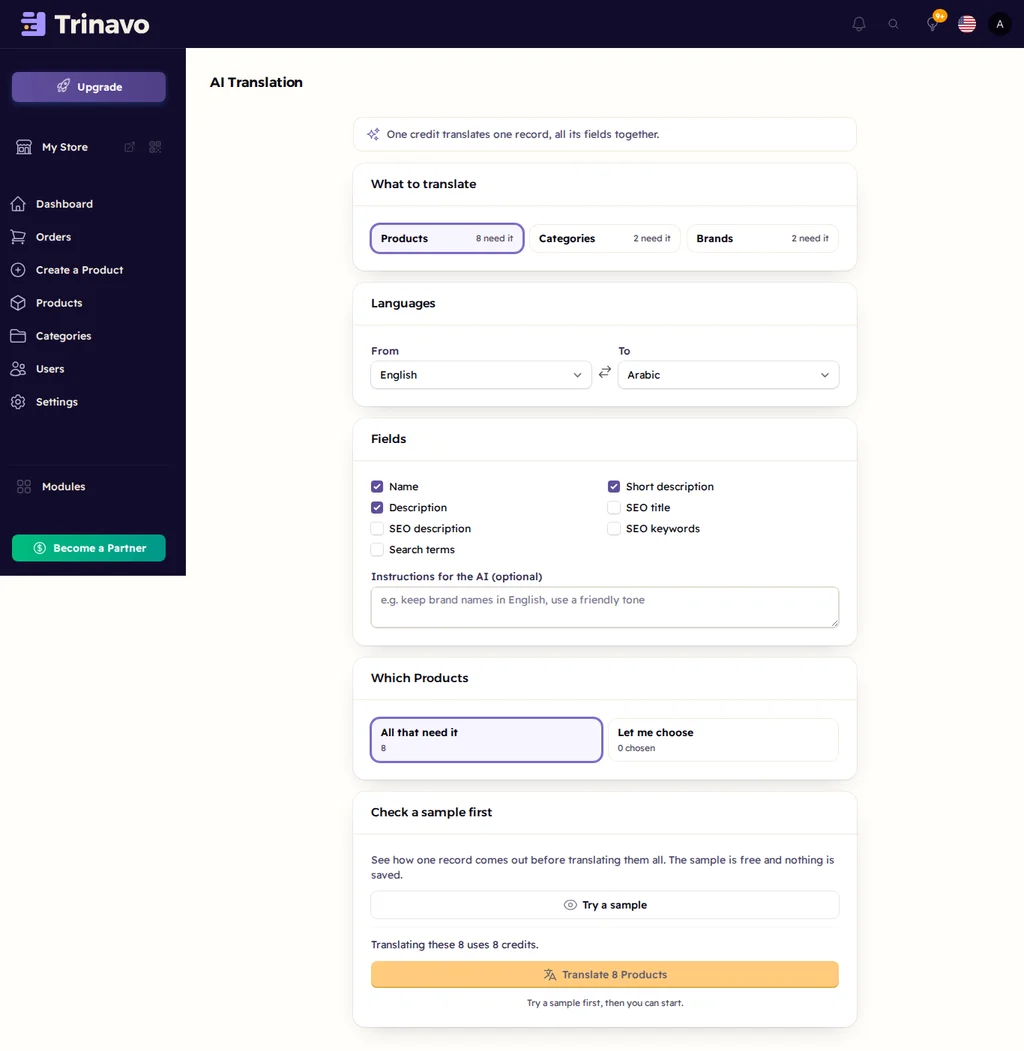
It Finds What Needs Translating
Open AI Translation and it already counts what is missing, for products, categories and brands:
- text that is empty in the other language
- text copied from another language during an import
- text written in the wrong letters, such as English sitting in the Arabic slot
Translate everything that needs it, or choose the exact products yourself. You can even translate a language into itself, Arabic to Arabic, to rewrite English text that ended up in your Arabic store.
You Choose What Gets Translated
- Languages: any two of your store languages, From and To
- Fields: name, short description and description, plus SEO title, SEO description, keywords and search terms
- Instructions for the AI: write it like a note to a translator, for example "keep brand names in English" or "use a friendly tone"
No settings to tune and no model to pick. You write what you want in your own words.
See a Sample Before You Start
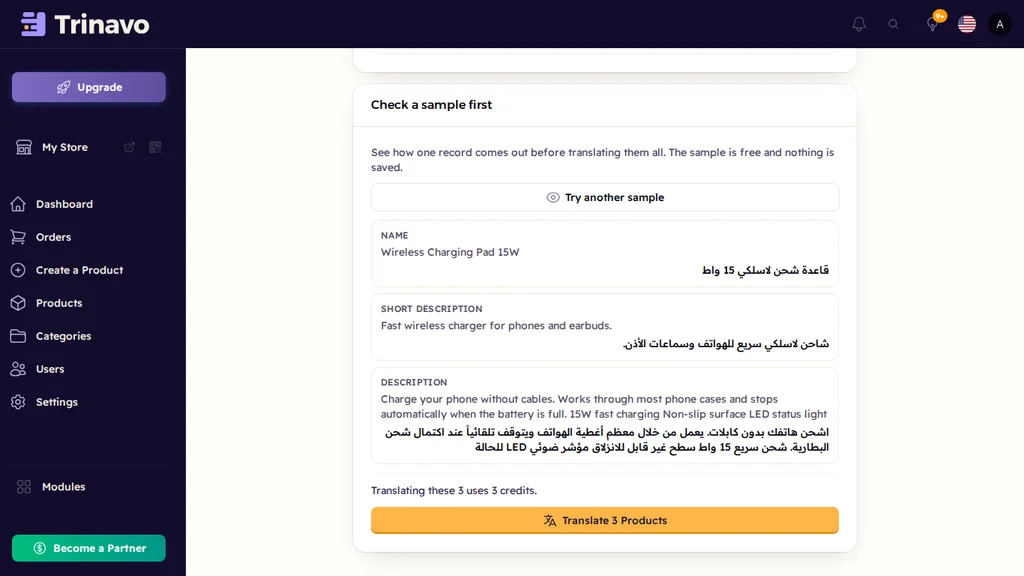
Before anything is saved, Try a sample translates one product and shows the original next to the result. It is free. If you picked the wrong language or want a different tone, you find out now, not after a thousand products.
The Translate button only unlocks after a sample, and it locks again if you change the settings.
Watch It Work
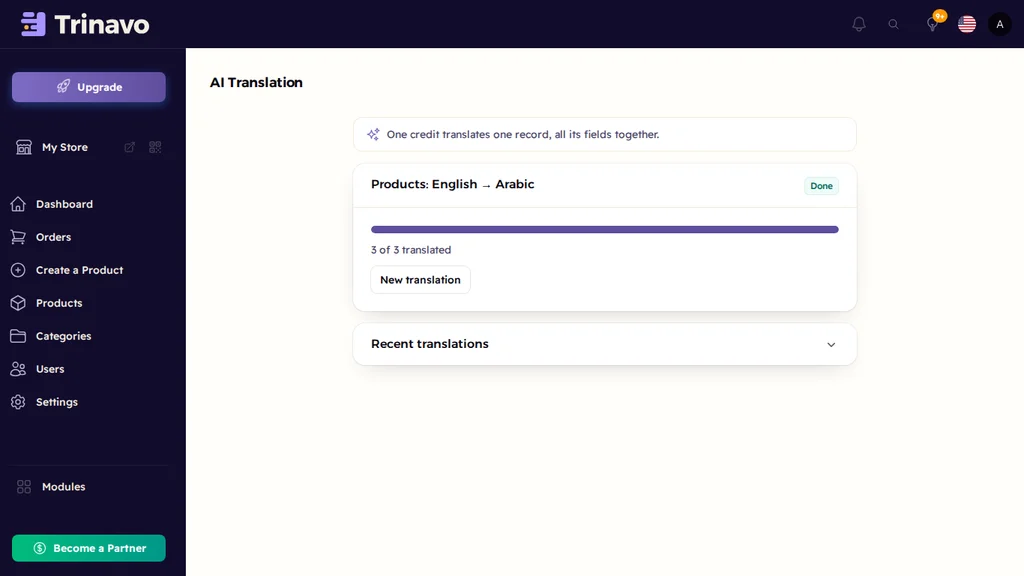
The translation runs in batches of 50 with a progress bar. You can leave the page, or cancel at any time. Formatting in your descriptions stays exactly as it was, and product links never change, so shoppers and Google keep finding the same pages.
You can also start it from your lists: tick products, categories or brands and choose Translate with AI. To fix a single product, use Translate with AI right on its form.
Simple, Predictable Cost
One product costs one AI credit, all its fields together. Every paid plan includes 200 free credits every month, and you can buy more whenever you need them:
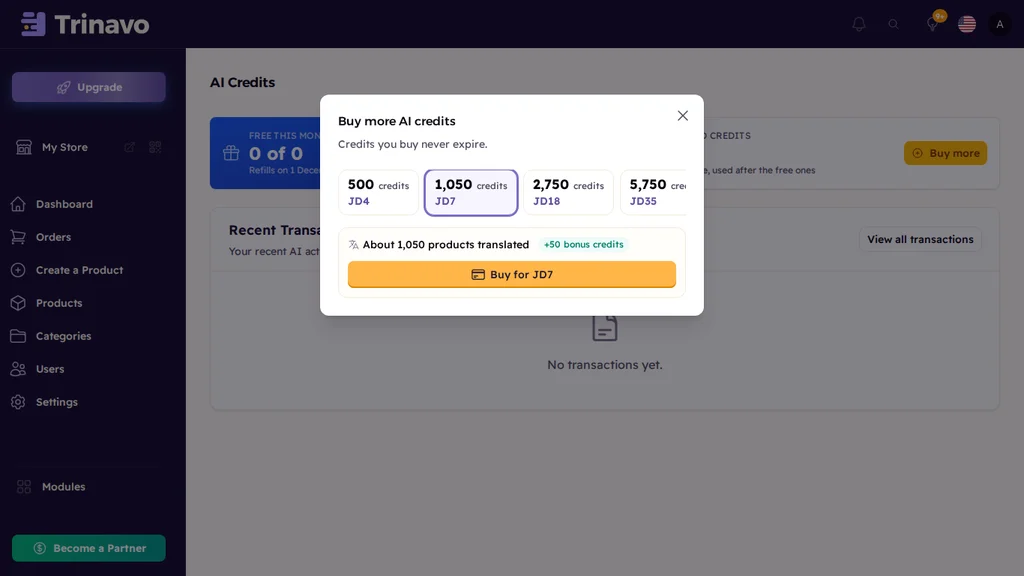
- Packages are priced in your own currency
- Each package tells you about how many products it translates
- Bigger packages come with bonus credits
- Purchased credits never expire
If your credits run out mid-way, the translation stops cleanly and keeps everything it finished. Buy more and continue with the rest.
Part of the AI Suite
AI Translation shares the same monthly credits as the rest of the AI Suite: the content writer, product enrichment and category restructuring. And it builds on Trinavo's multi-language support, so every translation lands in the right place on your storefront, with Arabic shown right to left.