
The Counter and the Website, Finally the Same Business
Most shops that also sell online end up running two businesses. One stock count for the shelf, another for the website, and a reconciliation every weekend that nobody enjoys. Whatever sells fastest is the thing that gets sold twice.
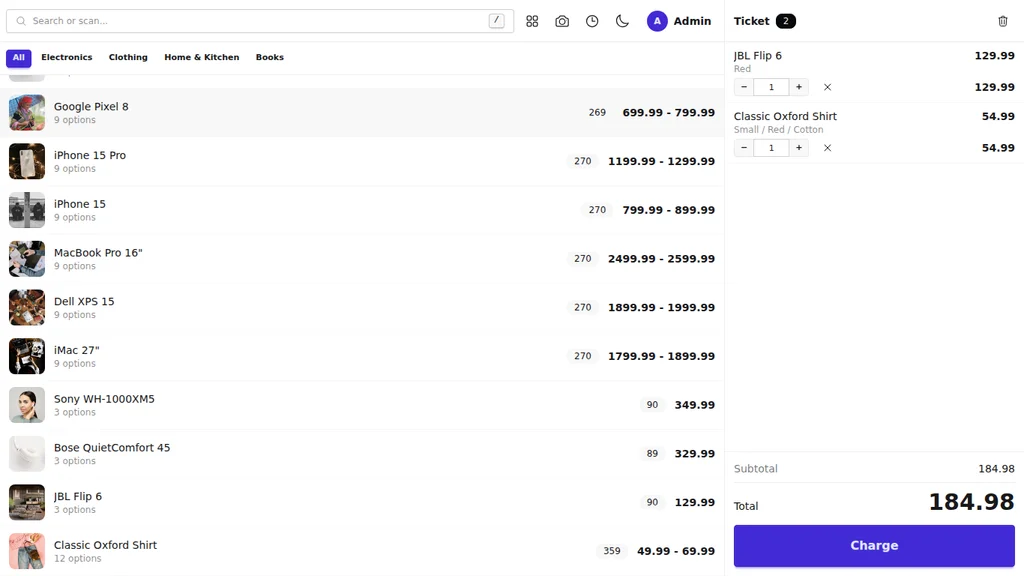
Trinavo's Point of Sale removes the second business. It is a full cash register that runs in your browser and sells from the store you already have - the same products, the same prices, the same photos, the same stock.
Three Things That Are Shared, Not Synced
There is no integration here, and nothing to keep in step. The register and the website are the same system.
- One catalog. Every product you sell online is already on the register, with its options, prices, and pictures. Add a product once.
- One stock. A sale at the counter drops the online quantity the instant it completes, and an online order drops what the counter can sell. You cannot sell the last item twice.
- One order list. A counter sale appears in Orders beside your website orders, in the same reports, against the same customer, counting towards the same loyalty points.
That last point is worth pausing on. The customer who buys from your shelf on Tuesday and from your website on Friday is one customer with one history, not two strangers.
No Hardware to Buy
The register runs in the browser on whatever you already own: a phone behind the counter, a tablet on a stand, an old laptop. Add it to the device's home screen and it opens like an app, straight to the selling screen.
- Barcode scanners work with no setup. Plug in any USB or Bluetooth scanner and start scanning.
- No scanner? Use the camera. Or just type - search is the fastest path anyway.
- Receipts print to any printer the device can already use, including 58 mm and 80 mm thermal printers.
Built for the Speed of a Queue
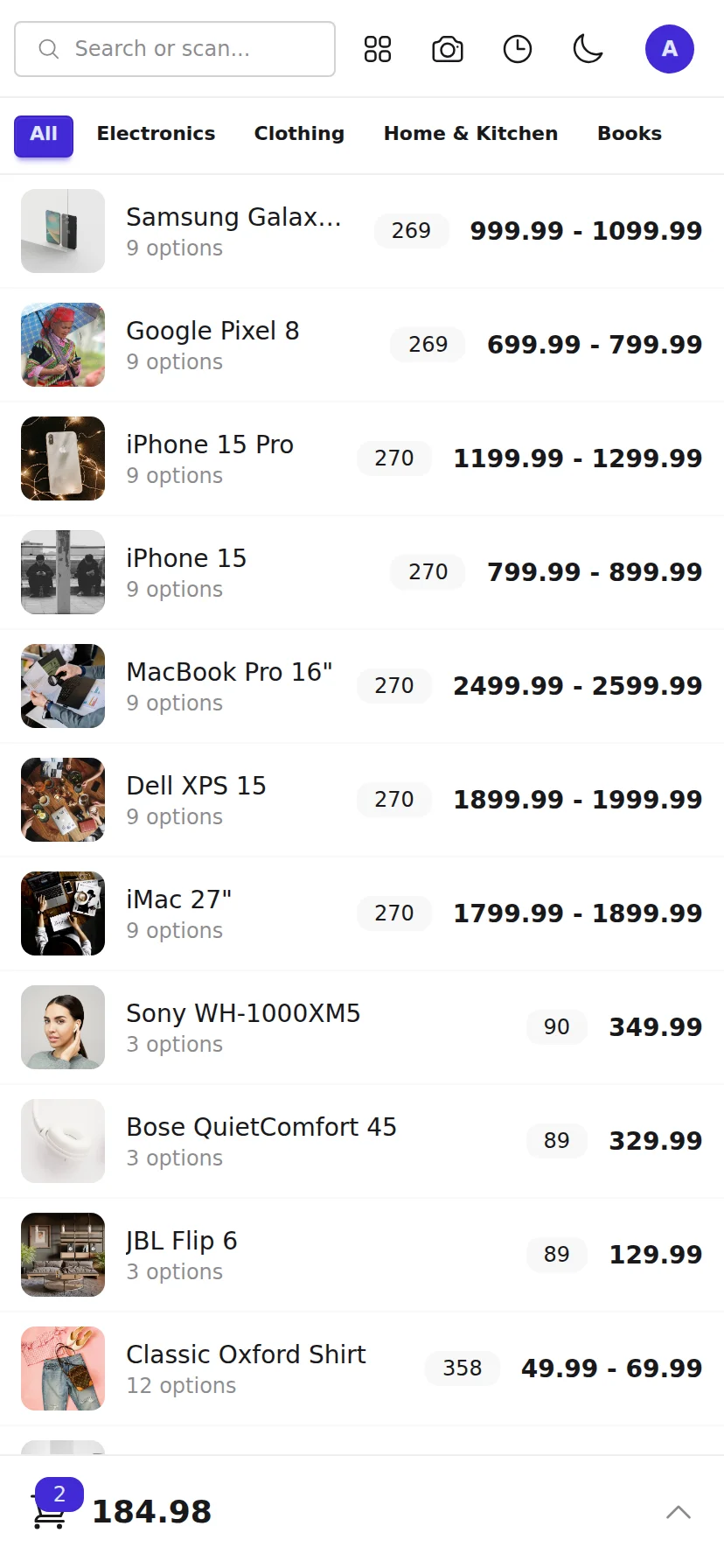
A cashier makes dozens of taps per sale, and a register that thinks after every one of them is a register nobody uses. Trinavo's loads your whole catalog once when it opens, then runs entirely on the device.
Searching, adding, changing quantities, applying discounts, calculating change - all instant, with no waiting. Only finishing the sale talks to the server. If the connection drops mid-queue you can keep ringing up; you just settle when it returns.
Taking the Money
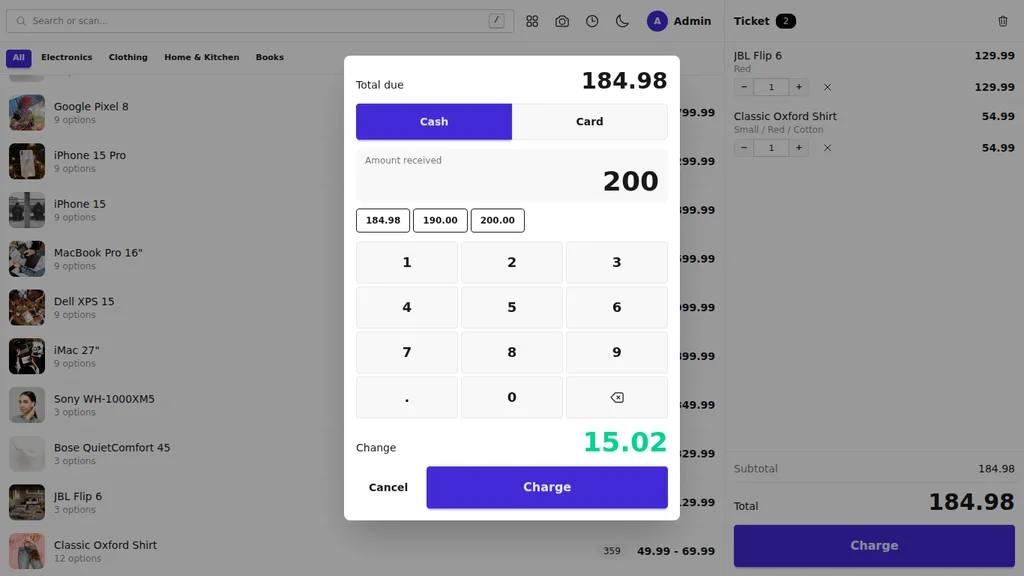
- Cash, card, or both. Split a single sale across any combination.
- Quick amounts for the exact total, the next round ten, and the next round fifty.
- Change owed counts down as the cashier types, then fills the screen when the sale completes so it cannot be misread.
- Partial payment is allowed and recorded, for the times a customer settles the rest later.
Staff You Can Trust With the Till
Give a staff member the Cashier role and they can use the selling screen and nothing else. No admin panel, no reports, no price changes. They sign in and land on the register.
Every sale is recorded against the person who made it, and the name is always on screen so handing over the counter is deliberate.
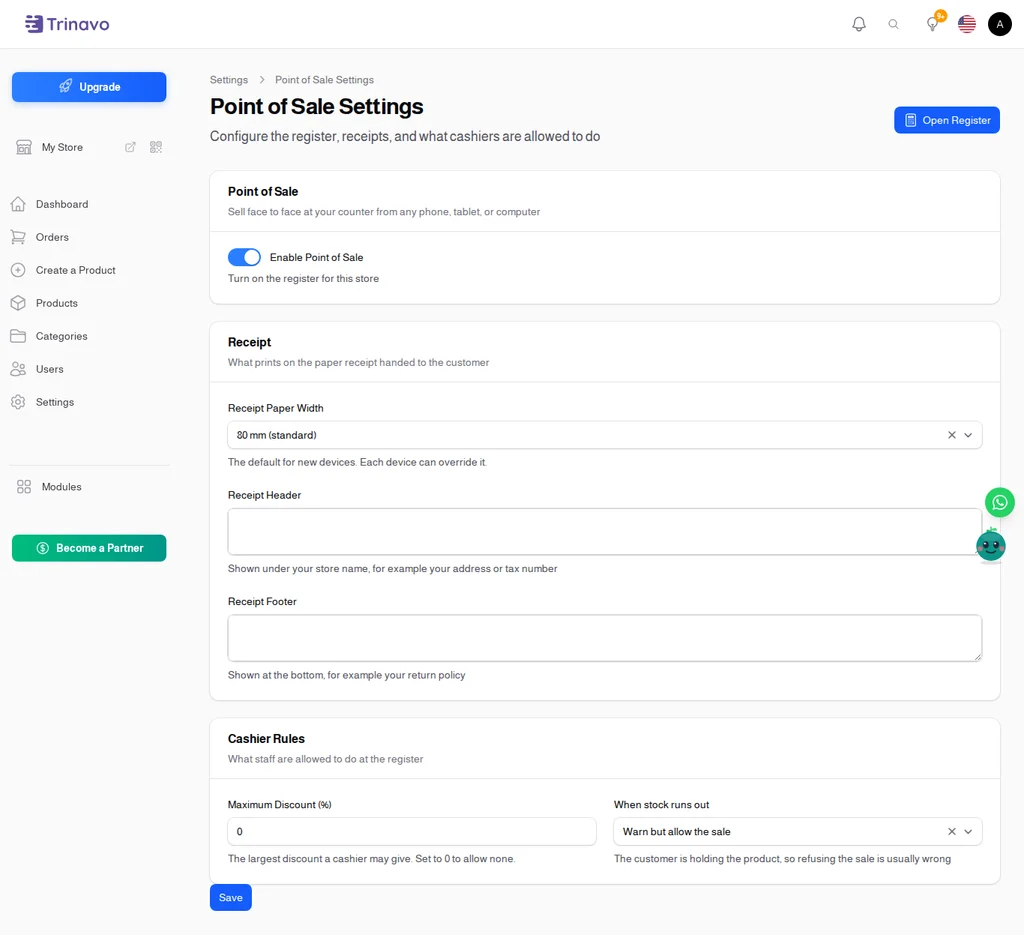
You decide the rules: the largest discount a cashier may give, and whether they may still sell something the system shows as out of stock - because the customer is usually holding it.
Arabic That Actually Prints
The whole register mirrors for Arabic, the numeric keypad sensibly does not, and receipts print with the letters properly joined and the numbers reading left to right. Receipt headers and footers are written per language, so a bilingual shop prints the right one every time.
Every Sale Where You Expect It
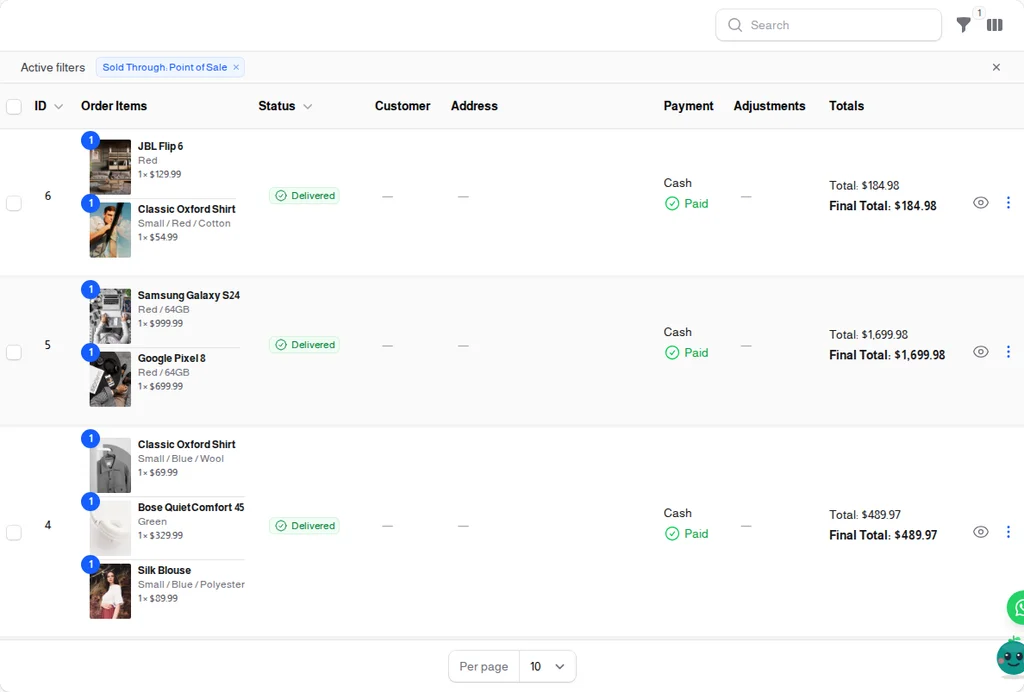
Counter sales are ordinary orders. They appear in your order list, your revenue, your analytics, your exports, and your customers' histories, with a filter to see only what was sold at the counter when you want to compare the two.
Frequently Asked Questions
Do I need to enter my products again for the register? No. The register sells your existing catalog. If a product is in your store, it is already on the register.
What happens to stock when I sell at the counter? It drops immediately, everywhere. The website stops offering the item you just sold off the shelf, and the counter stops offering what the website just sold.
Can it work without the internet? It needs a connection to open and to finish a sale. Between those two moments everything runs on the device, so a brief drop mid-queue does not stop you ringing up.
Do I have to buy a POS terminal? No. Any phone, tablet, or computer with a browser. Add a barcode scanner and a thermal printer if you want them, but neither is required to start.
Can a cashier see my sales figures? No. The Cashier role reaches the selling screen only. Use Store Manager for someone who should see more.
Can I take returns at the register? Not yet. Returns and refunds are handled from the admin panel, the same way as for online orders.
Does it work for a shop that sells by weight? Not yet. Quantities are whole numbers, so produce priced per kilo is not supported.
Is it included in my plan? Point of Sale is a premium feature. If your plan does not include it, you can start a trial from your store settings.