
You Already Have a Shop. This Is How It Gets a Website.
Every shop owner has heard the advice: you should be selling online. Fewer are told the honest part, which is that most of the work is not building the website. It is keeping it truthful.
Photograph the stock, list it, price it, then do it all again every time something sells off the shelf. Within a month the website is promising things you no longer have, a customer orders one of them, and you make the phone call nobody wants to make.
Trinavo turns that around. Start at the counter. Ring up the sales you are already making today, and the online store builds itself from the same catalog you are selling from - because it is the same catalog.
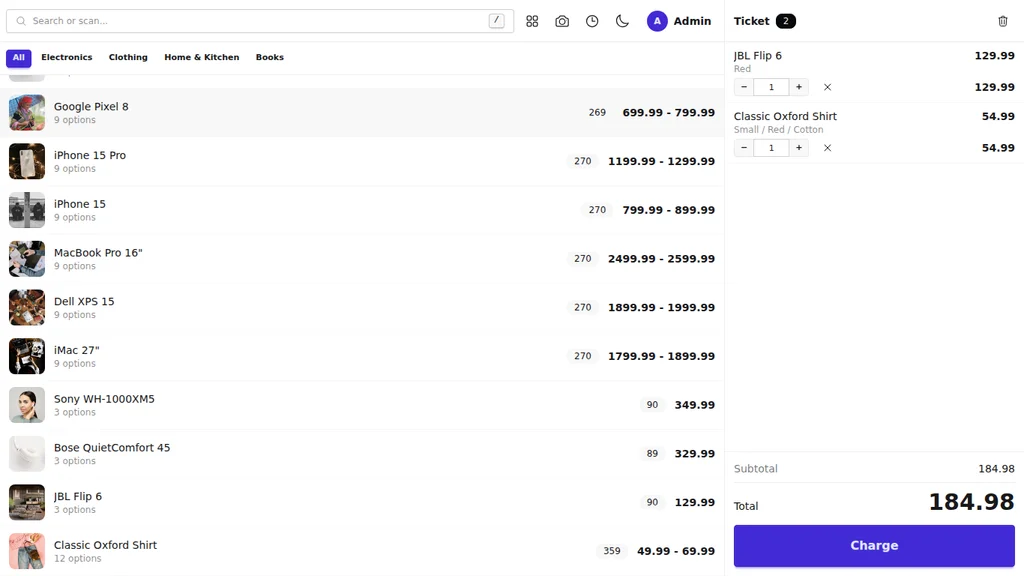
One Shelf, Two Ways to Reach It
The register and the website are not two systems talking to each other. They are one system with two doors.
- Sell a jacket at the counter and the website's quantity drops in that instant.
- Sell the same jacket online and the counter stops offering it.
- Both sales land in one order list, one revenue figure, one customer history.
There is no export, no nightly sync, no spreadsheet, and no weekend spent reconciling two numbers that should have been one.
What a Day Looks Like
Morning. Open the register on the tablet by the till. It loads your whole catalog once and then runs instantly, so a queue never waits on a spinning icon.
A customer at the counter. Scan the barcode, or type three letters of the name. Choose the size and colour. Take cash, card, or both. Hand over a printed receipt.
A customer on the website. Their order arrives in the same list as everything you sold in the shop, and the stock they bought has already left your shelf count.
Evening. One revenue figure for the day, whichever door the money came through.
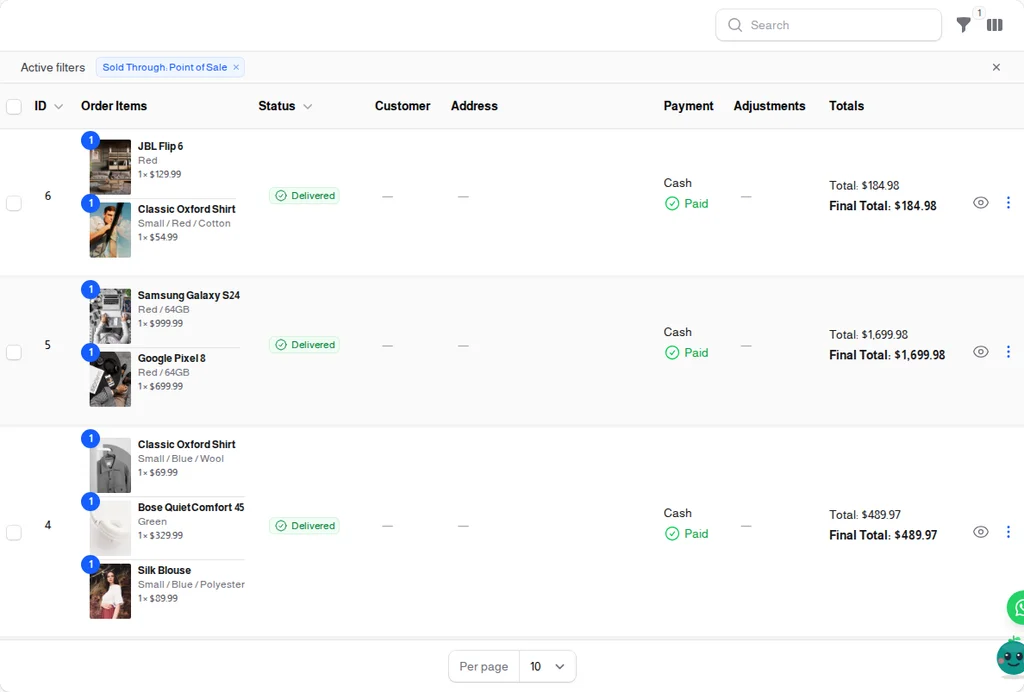
The Same Customer, Not Two Strangers
This is the part shop owners tend to notice last and value most.
When you attach a customer to a counter sale, what they bought in the shop joins what they bought online. One history. One loyalty balance. One customer level. The regular who comes in every week is finally visible as your best customer, rather than being invisible because they never used the website.
And once they exist as a customer, everything else in Trinavo can reach them: loyalty points, coupons, a WhatsApp message, an abandoned-cart reminder.
Nothing to Buy Before You Start
You do not need a POS terminal, a licence dongle, or an installation visit.
- Any device with a browser. A phone behind the counter, a tablet on a stand, the laptop in the back room.
- Add it to the home screen and it opens like an app, straight to the selling screen.
- Barcode scanner optional. Any USB or Bluetooth scanner works with no setup, and if you have none, the camera or plain typing gets you there.
- Receipts print to any printer the device already uses, including 58 mm and 80 mm thermal.
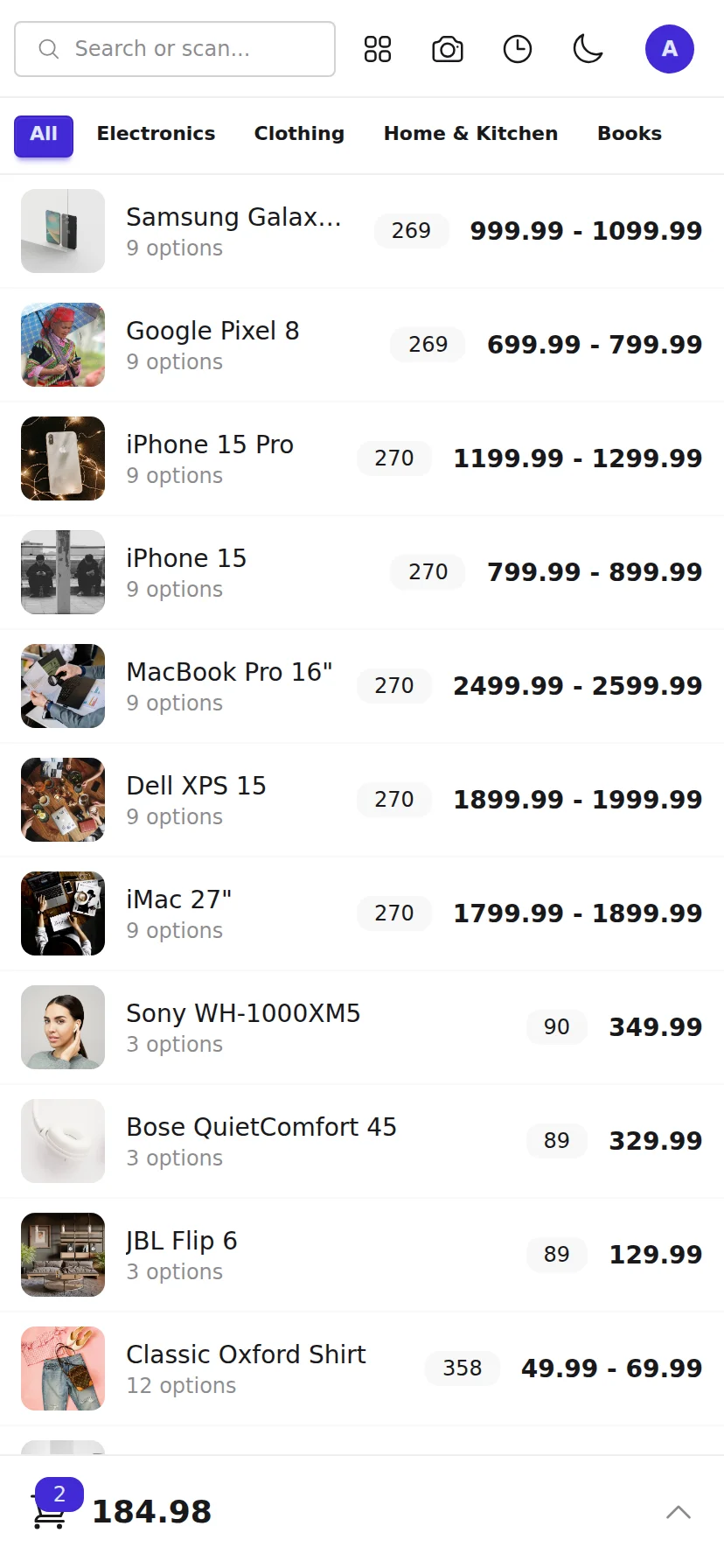
Staff Who Can Sell Without Seeing Everything
Give an assistant the Cashier role and they get the selling screen and nothing more - no reports, no prices to edit, no admin panel. Every sale is recorded against whoever made it, and their name stays on screen so a handover is deliberate.
You set the limits: the largest discount they may give, and whether they may sell something the system says has run out - because in a shop, the customer is usually holding it.
Shops This Was Built For
- Clothing and shoes - sizes and colours are options on one product, and the right variant is charged at the counter and online.
- Electronics and accessories - barcodes on everything, scanned straight into the sale.
- Pharmacies and health shops - fast search, printed receipts, one stock count.
- Bookshops and stationery - large catalogs where search matters more than browsing.
- Gift and homeware shops - the picture on every row, so an assistant recognises stock without knowing every code.
- Anyone with one shop and ambitions - because a second branch changes nothing about how this works.
Honest About What It Does Not Do
We would rather you knew before you switched:
- Returns and refunds are handled from the admin panel, not at the register.
- No shift or cash-drawer reports, and no opening float.
- The register cannot pop a cash drawer - browsers are not allowed to.
- No selling by weight, so produce priced per kilo is not supported yet.
- The register needs a connection to open and to complete a sale, though a ticket in progress survives a brief drop.
Start With the Counter
Turn Point of Sale on in your store settings and open it on any device. The products you already sell are already there.