Activity Log
Purpose
The Activity Log is a read-only audit trail of admin actions across your store. Every time someone creates, updates, or deletes an admin-managed record — a product's price, a category, a coupon, a setting, a user — a row is written here showing who did it, when, what changed, and the before and after values. If something looks wrong and you need to know "who changed this and when?", this is where you look.
It complements the Stock History page (which is specific to inventory numbers) and the Order Activity page (which tracks order-status changes). Activity Log covers everything else.
Accessing the Activity Log
Click Modules → System Settings → Activity Log.
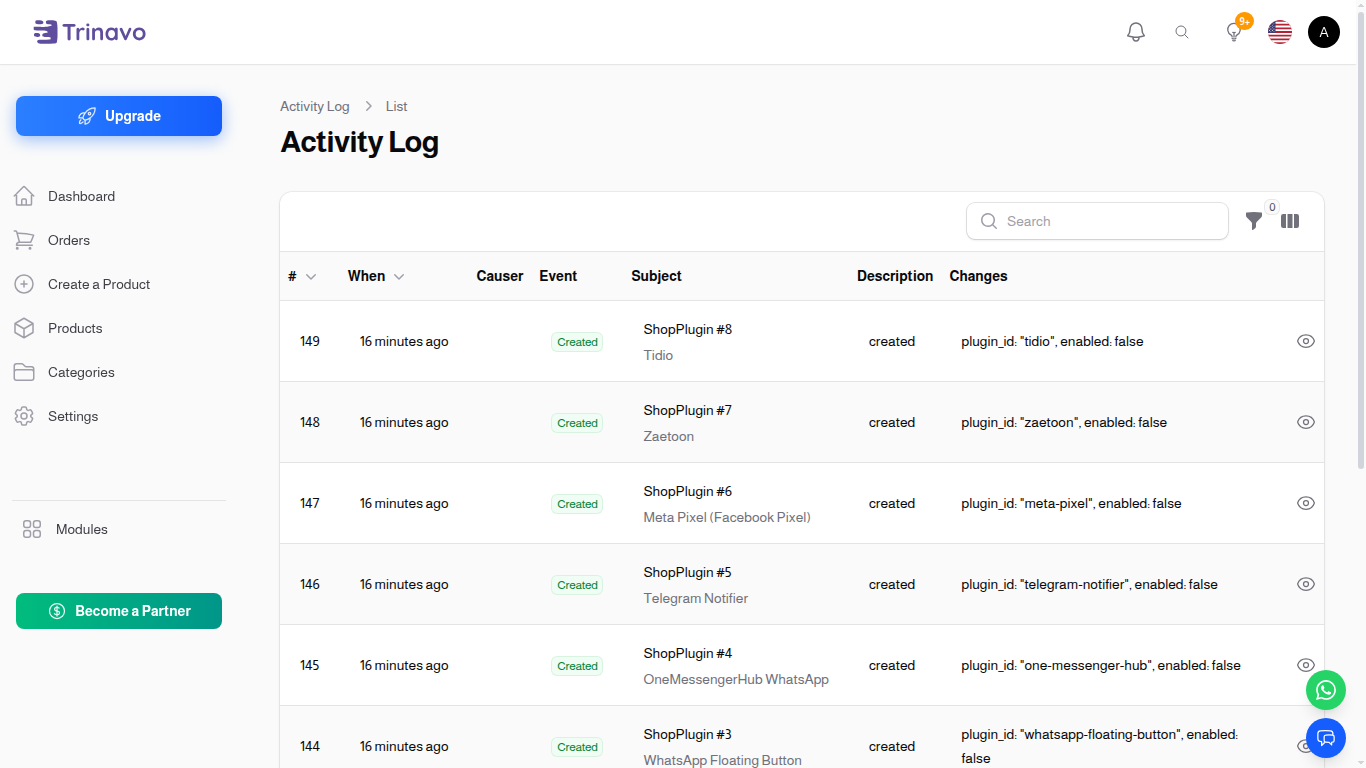
The page lists the most recent changes first.
Reading the Table
When
- Format: Relative time (e.g. 3 minutes ago), hover to see the exact timestamp.
- Purpose: Match a change with another event you remember happening around the same time.
Causer
- Format: User name, with email shown underneath as a hint.
- Purpose: Tells you which admin made the change. Shows System for changes triggered by automated processes (scheduled tasks, queue jobs).
Event
- Format: A colored badge — Created (green), Updated (yellow), Deleted (red), Restored (gray).
Subject
- Format: The model type and ID, e.g. Item #142, Category #7, AppSetting #1.
- Purpose: Tells you which record was changed.
Description
- Format: A short auto-generated description of the event.
Changes
- Format: A one-line summary, e.g. price: 100 → 99, name: "Old" → "New".
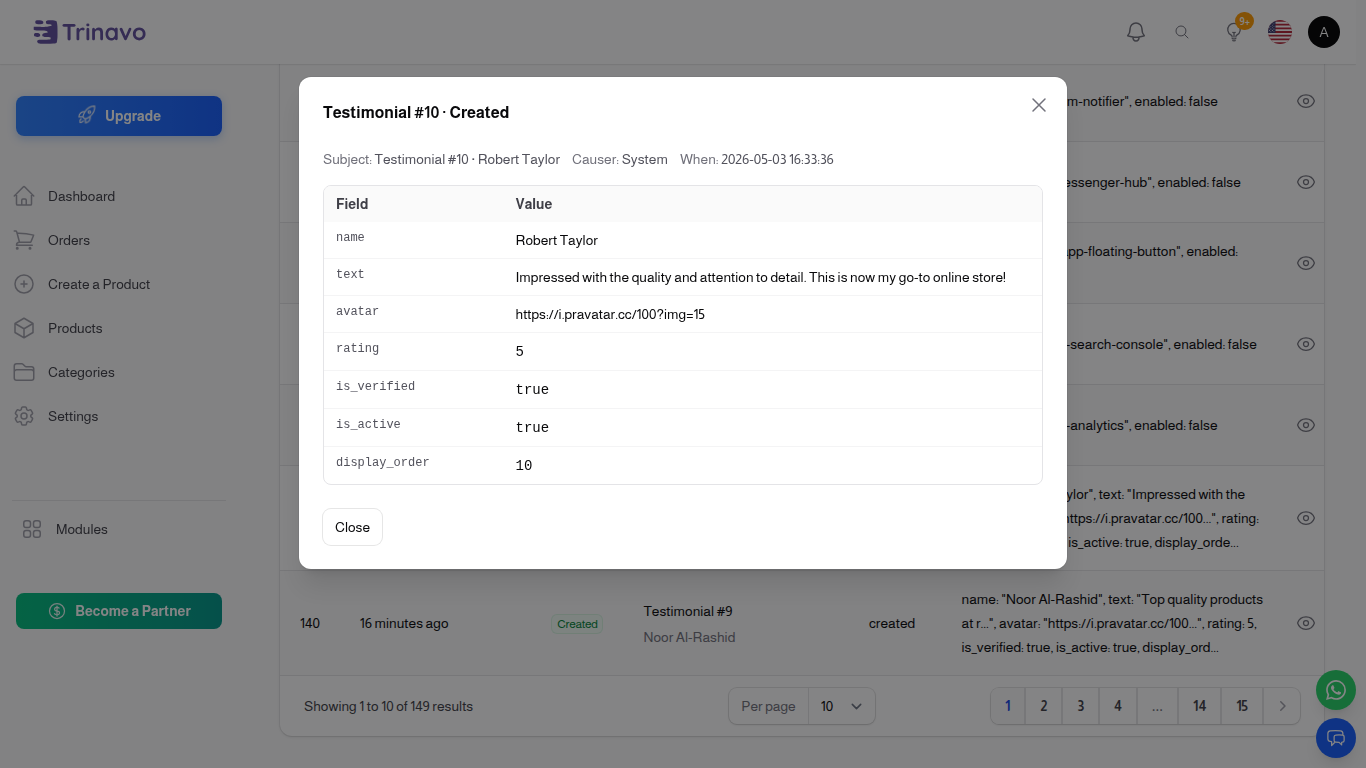
- Click the eye icon at the end of the row to open the full breakdown — a table showing every changed field with Before and After values, including translations per locale.
Filters
Use the filter button to narrow the list:
- Event — show only Created, Updated, Deleted, or Restored.
- Subject — show only changes to a specific model type (e.g. Items, Categories, AppSettings).
- Causer — show changes made by a specific admin.
- Date range — pick from/to dates.
- Last 24 hours — quick filter for recent activity.
What is Logged
Changes to these admin-managed entities are tracked: Items, Categories, Brands, Coupons, Currencies, Payment Methods, App Settings, Users, Fees, Exchange Rates, Delivery Methods, Offline Payment Methods, User Levels, Order Statuses, Item Statuses, Pages, Blog Posts, Blog Categories, Blog Tags, Frontend Menus, Slider Items, Testimonials, Social Media Links, Stores, Locations, Locales, Translation Overrides, Item Attributes, Units, Delivery Targets, and Shop Plugins.
Sensitive values like user passwords, mail passwords, OneSignal API keys, and internal hashes are deliberately excluded from the log.
What is NOT Logged
- Orders, payments, and order items — these have their own dedicated Order Activity log with richer context.
- Stock changes — these are tracked in Stock History with before/after numeric values.
- Customer activity — carts, wishlists, reviews, chat sessions are not audited (they aren't admin actions).
Retention
The Activity Log is automatically pruned every day:
- Pro plans — entries are kept for the last 90 days.
- Free plans — entries are kept for the last 3 days.
Older entries are removed and cannot be recovered. If you need a longer audit trail, upgrade to Pro.
Permissions
Only users with the View Activity Log permission can open the page. Activity Log entries cannot be created, edited, or deleted by anyone — they are write-only by design, so the trail stays trustworthy.