Quick Setup
Purpose
Quick Setup applies a curated bundle of recommended settings — cart mode, checkout flow, theme, and more — in a single click. Each bundle is tailored to a common store type (for example, a digital-goods store or a gaming shop) so you can launch with sensible defaults instead of stepping through every settings page.
Accessing Quick Setup
Navigate to Settings → Quick Setup.
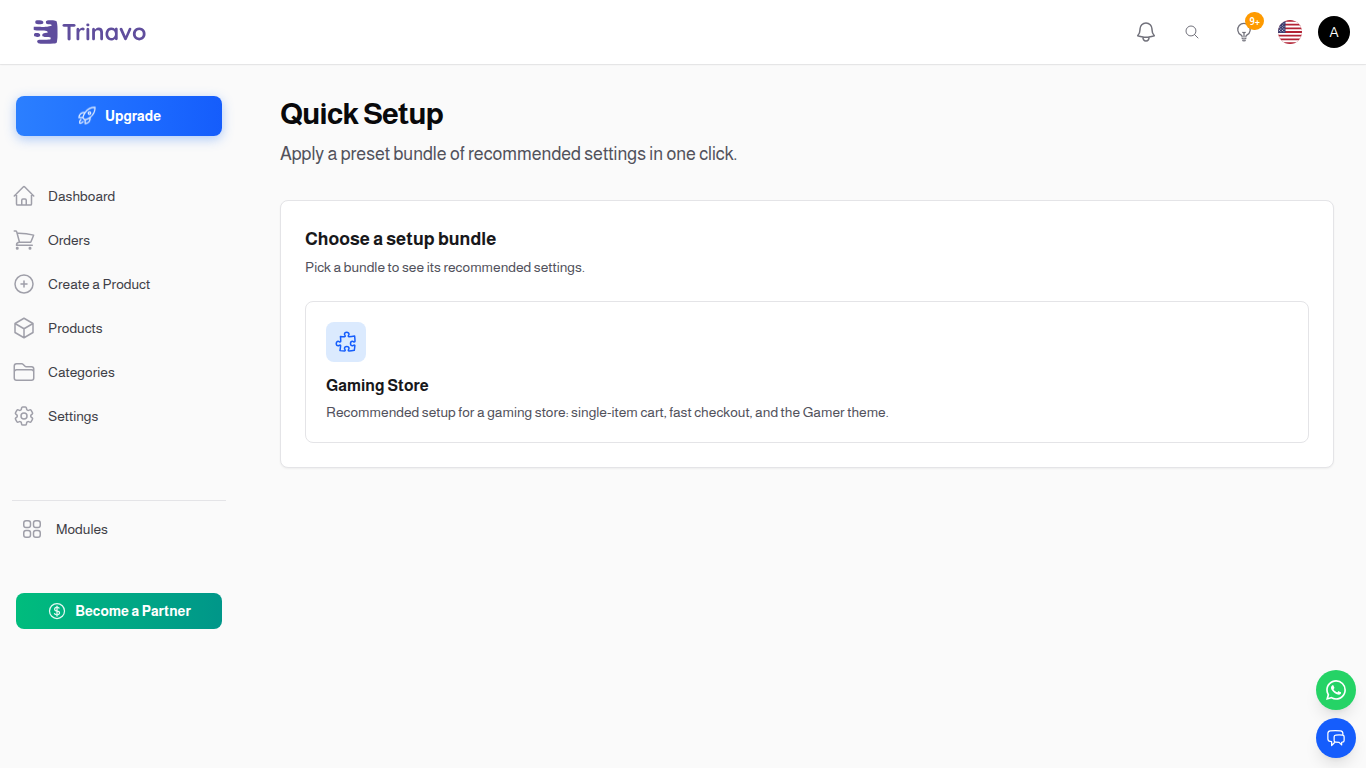
The page lists every bundle that is available in your installation as a card with an icon, label, and short description.
Applying a Bundle
- Click a bundle card to open its details.
- Each bundle is a checklist of individual changes — you can untick anything you don't want applied.
- Click Apply to run the selected steps.
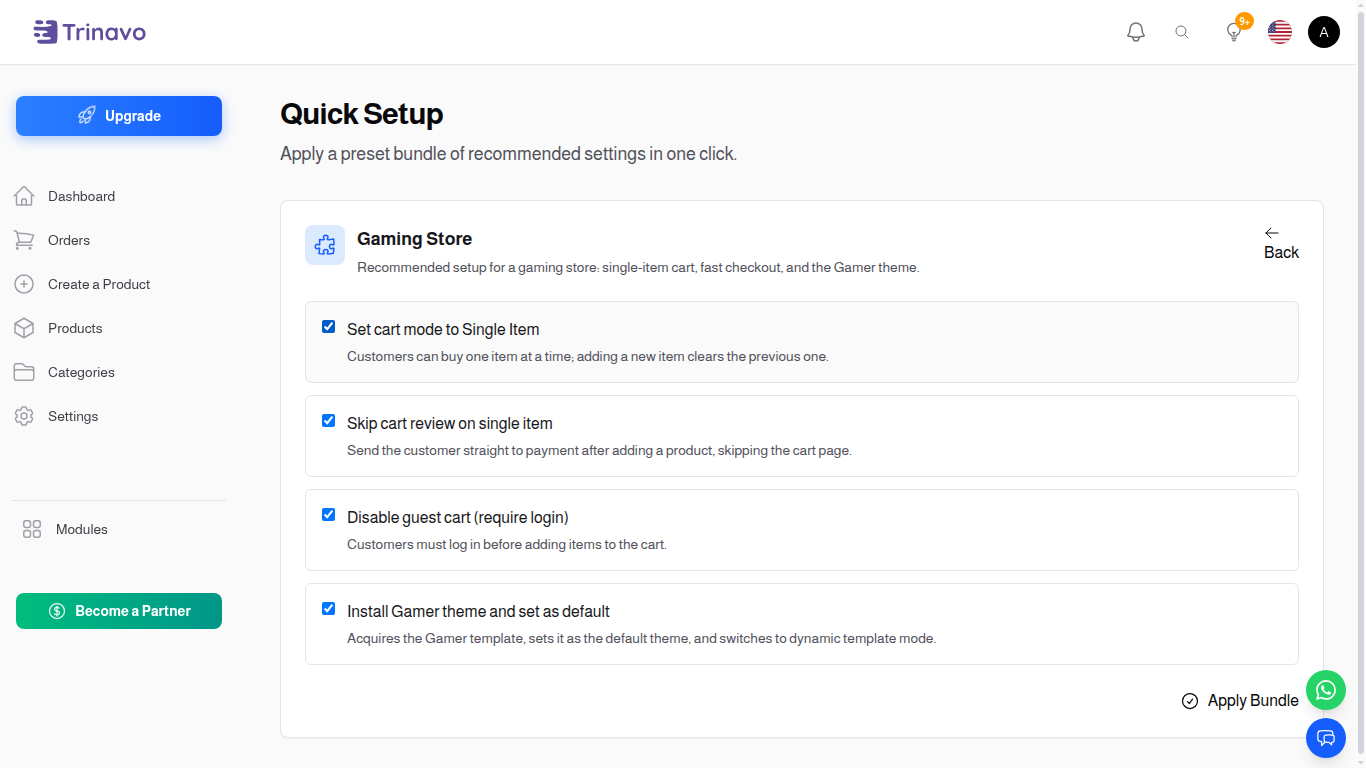 4. A success notification reports how many settings were applied. Failures (if any) are listed by name in a warning notification so you can address them manually.
You can re-open and re-apply a bundle at any time. Applying it again is safe — each step is idempotent and only writes the value the bundle wants.
Built-In Bundles
The default installation ships with one bundle:
Gaming Store
Recommended setup for a gaming/digital-key store: single-item cart, fast checkout, and the Gamer theme.
| Step | Effect |
|---|---|
| Set cart mode to Single Item | Customers can buy one item at a time; adding a new item clears the previous one. |
| Skip cart review on single item | Send the customer straight to payment after adding a product, skipping the cart page. |
| Disable guest cart (require login) | Customers must log in before adding items to the cart. |
| Install Gamer theme and set as default | Acquires the Gamer template, sets it as the default theme, and switches to dynamic template mode. |
When to Use Quick Setup
- Brand-new stores — start from a working baseline and tweak from there.
- Re-purposing an existing store — switch quickly between configurations (e.g. moving from a multi-product catalog to a single-item flow for a flash sale).
- Demo / testing tenants — get a representative configuration in a few seconds.
Notes
- Quick Setup never deletes data. It only updates settings and (in the case of theme bundles) installs and activates a new theme.
- Skipped steps stay at whatever value they currently have.
- Applying a bundle does not lock you in — every individual setting it changes is still available in its normal Settings page if you want to override it later.
Related Sections
- Cart Settings — manual cart-mode configuration.
- Checkout Settings — checkout-flow toggles bundles can flip.
- Themes Manager — manual theme installation and activation.