Product Display Settings
Overview
Product Display Settings let you control which sections appear on the product details page. You can enable or disable reviews, related products, social sharing buttons, and the mobile sticky add-to-cart bar. You can also choose how a product opens when a customer clicks it in product grids and sliders.
Accessing Product Display Settings
Navigate to: Modules → Settings → Product Display
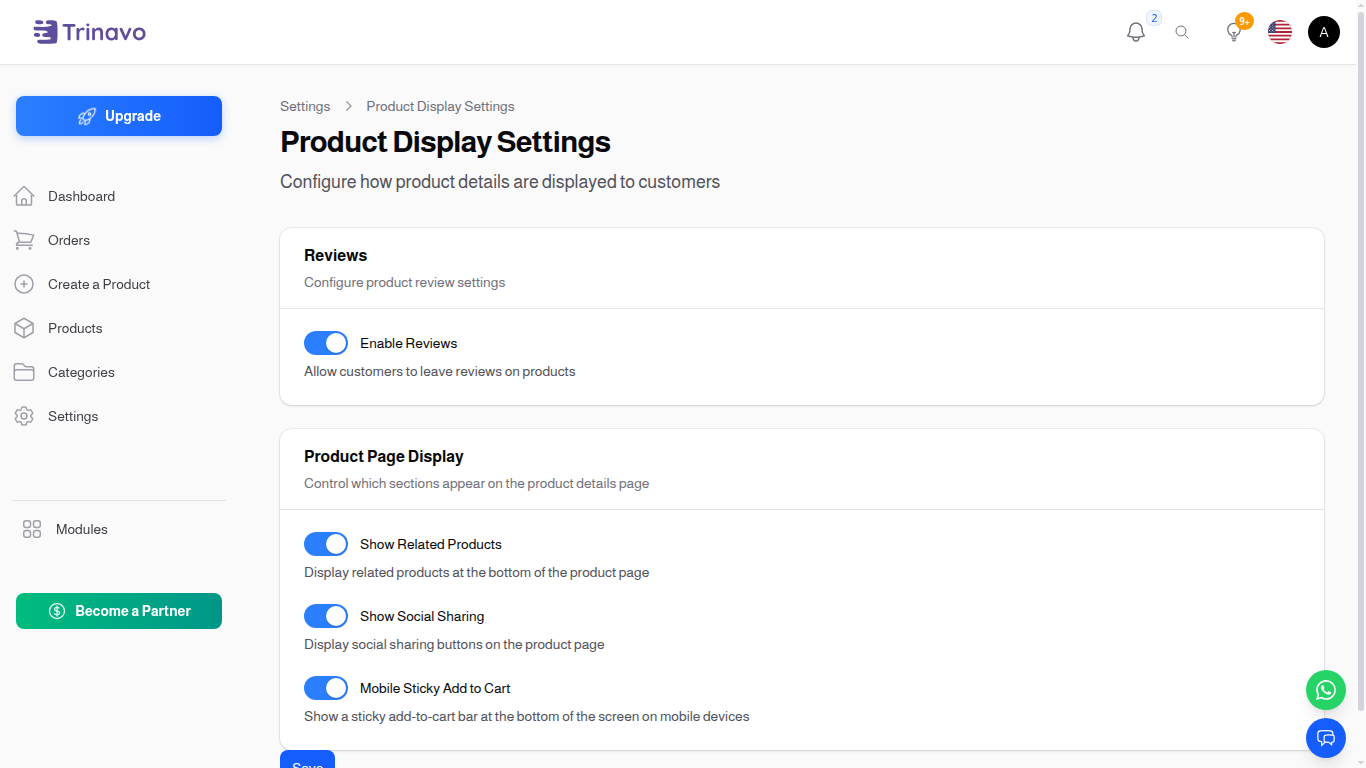
Reviews
Enable Reviews
- Type: Toggle switch (On/Off)
- Default: On
- Purpose: Allow customers to leave reviews and ratings on products
When Enabled:
- Customers can rate products and write reviews
- A reviews tab appears on the product details page
- Average rating and total reviews are displayed
When Disabled:
- The reviews tab is hidden from the product details page
- Customers cannot submit new reviews
- Existing reviews are preserved but not shown
Product Page Display
Control which sections appear on the product details page.
Show Related Products
- Type: Toggle switch (On/Off)
- Default: On
- Purpose: Display related products at the bottom of the product page
When Enabled:
- A "Related Products" section appears below the product details
- Shows products from the same category
- Helps customers discover similar items
When Disabled:
- The related products section is hidden
Show Social Sharing
- Type: Toggle switch (On/Off)
- Default: On
- Purpose: Display social sharing buttons on the product page
When Enabled:
- Social sharing buttons appear on the product page
- Customers can share products on social media, messaging apps, and more
When Disabled:
- Sharing buttons are hidden from the product page
Mobile Sticky Add to Cart
- Type: Toggle switch (On/Off)
- Default: On
- Purpose: Show a sticky add-to-cart bar at the bottom of the screen on mobile devices
When Enabled:
- A fixed bar appears at the bottom of the screen on mobile devices
- The bar contains an "Add to Cart" button for quick access
- The regular add-to-cart button is hidden on mobile to avoid duplication
When Disabled:
- The regular add-to-cart button is shown on all devices
- No sticky bar appears on mobile
Product Cards
Control how customers open products from listings such as product grids and sliders.
Product Click Behavior
- Type: Dropdown
- Default: Same tab
- Purpose: Control what happens when a customer clicks a product in product grids and sliders
Options:
- Same tab: Opens the product page in the current browser tab (default behavior)
- New tab: Opens the product page in a new browser tab, keeping the listing open behind it
- Popup: Opens a quick-view popup with the product details without leaving the current page
Saving Changes
After making changes:
- Click the Save button at the bottom of the page
- Changes take effect immediately across your store
- No restart is required
Related Sections
- Sharing Settings - Configure product image sharing options
- Reviews - Manage and moderate customer reviews