Cities
Purpose
Manage city/municipality data for customer addresses, delivery zones, and geographic targeting. A new store starts with an empty city list. The worldwide list of about 150,000 cities is not installed automatically, so either add the cities you deliver to yourself, or ask support to load the full list for you.
Accessing Cities
Click Modules → System Settings → Cities
List View
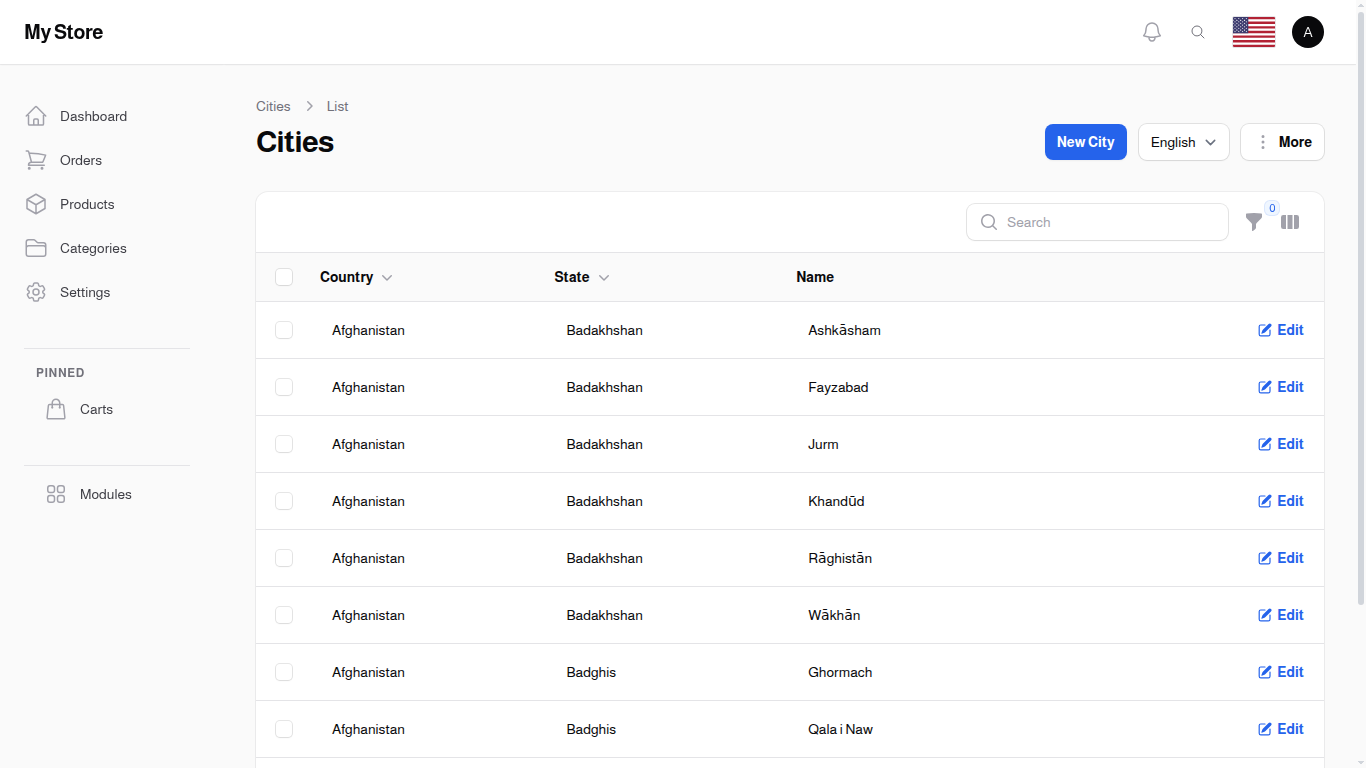
The list displays all available cities organized by country and state. You can search for specific cities or filter by country and state.
Table Columns
Country
- Format: Text (Country relationship)
- Purpose: Country containing the city
State
- Format: Text (State relationship)
- Purpose: State/province containing the city
Name
- Format: Text (up to 255 characters)
- Purpose: City name (translatable)
Filtering
Use the filter button to narrow results: - Country Filter: Show cities from a specific country - State Filter: Show cities from a specific state
Filters are optional; use them to narrow down a long city list quickly.
Row Actions
- Edit: Modify city name or associations
- Delete: Remove a city straight from its row. Deleting a city also removes the delivery costs, saved customer addresses and past orders attached to it, so only delete a city you are sure is unused. If you have already added locations under the city, delete those first, otherwise the city cannot be removed
Bulk Actions
- Delete: Remove multiple cities at once
- Export: Export city data to Excel/CSV
Creating a City
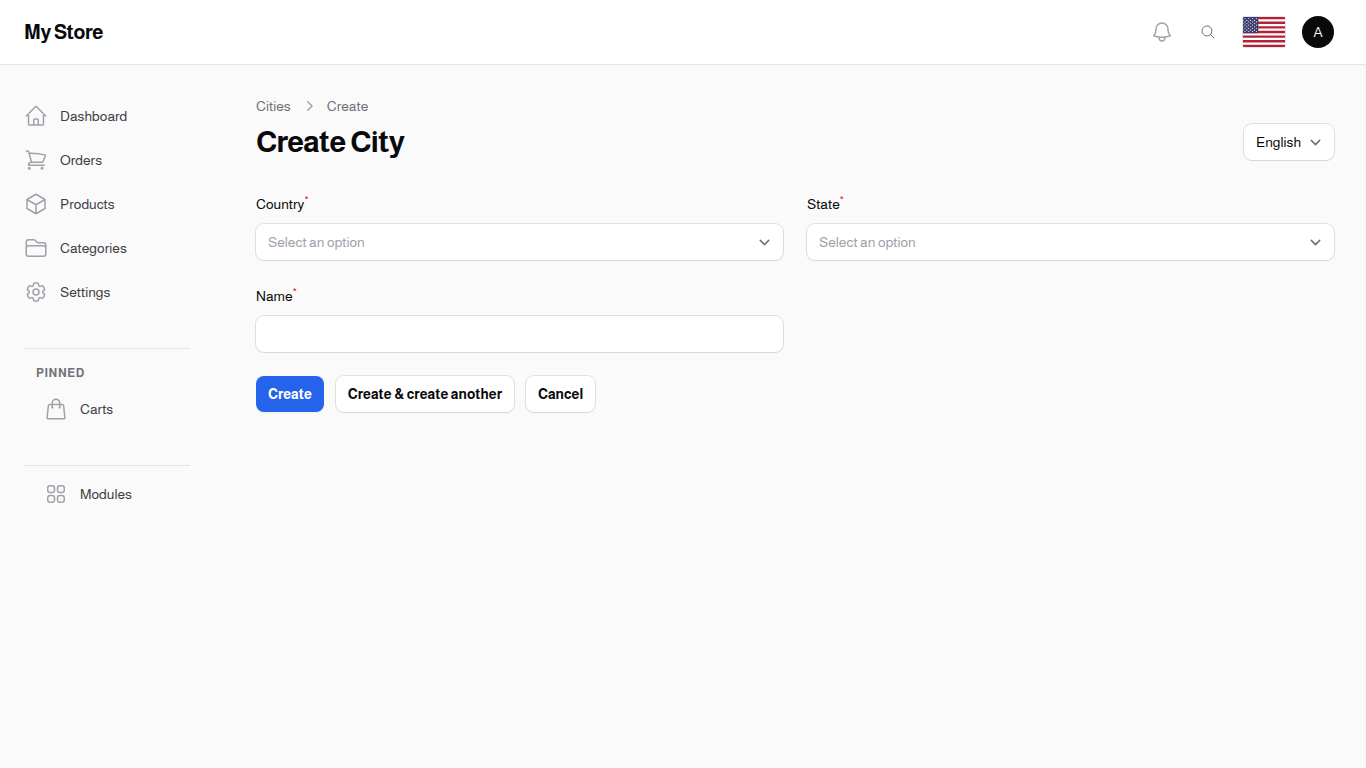
Click "New City" to add a new city (usually for recently incorporated municipalities or corrections). The form opens in a dialog over the list, so you keep the search and filters you were working with.
Form Fields
Country Required
- Type: Searchable dropdown
- Purpose: Select the country for this city
- Note: Changing country resets the state field
State Required
- Type: Searchable dropdown
- Purpose: Select the state/province
- Note: Only shows states from the selected country
Name Required
- Type: Text input (max 255 characters)
- Purpose: City name
- Translatable: Yes - use Locale dropdown for other languages
- Examples: "New York City", "Los Angeles", "Toronto"
Create Actions
- Create: Save and return to list
- Create & Create Another: Save and open blank form for next entry
- Cancel: Discard changes
Editing a City
Click the Edit icon for any city to modify: - City name (including translations) - Country association - State association
Changes take effect immediately for all future uses.
Key Information
- Loaded on request: the worldwide list of about 150,000 cities is not installed with your store. Add the cities you need yourself, or ask support to load the full list for you
- Hierarchical: Cities are organized by Country → State → City
- Translatable: City names can be provided in multiple languages
- Used for: Customer address selection, delivery zones, geographic filtering
Related Sections
- Countries - Top-level geographic division
- States - Mid-level geographic division
- Delivery Methods - Set delivery by city