Sharing Settings
Overview
Sharing Settings configures social sharing options for products. Enable customers to share product images directly from product pages using their device's native sharing capabilities.
Accessing Sharing Settings
Navigate to: Modules → Settings → Sharing
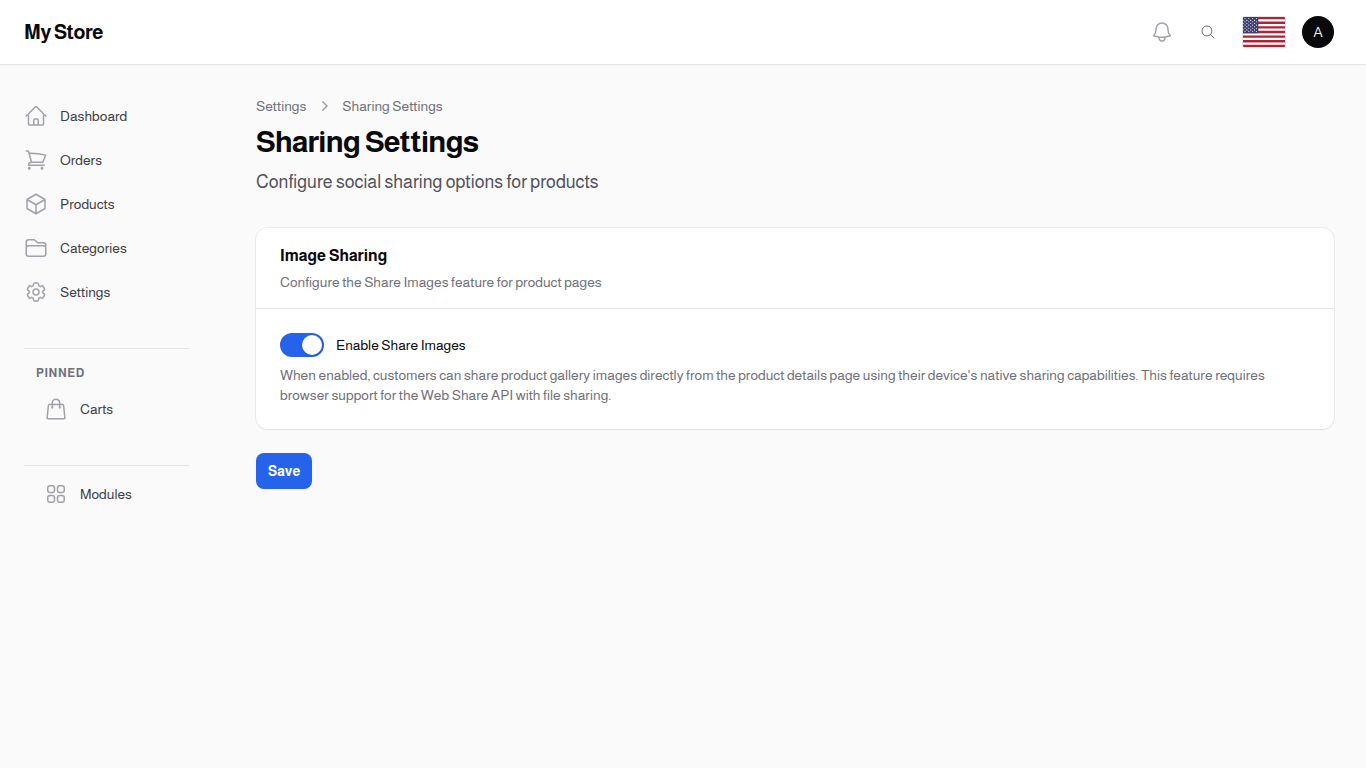
Image Sharing
Configure the Share Images feature for product pages.
Enable Share Images
- Type: Toggle switch (On/Off)
- Default: On
- Purpose: Allow customers to share product gallery images
When Enabled:
- Customers can share product images directly from the product details page
- Uses the device's native sharing capabilities (Web Share API)
- Supports sharing to social media, messaging apps, email, and more
- Works on mobile devices and supported desktop browsers
When Disabled:
- Share image functionality is hidden
- Customers can only share product links, not images
Show SKU on Shared Images
- Type: Toggle switch (On/Off)
- Default: On
- Purpose: Display the product SKU code in the bottom-left corner of shared images
When Enabled:
- Shared images include the SKU code overlay
- Helps recipients identify the exact product
- Useful for B2B or catalog-style stores
When Disabled:
- Shared images show only the product image without SKU
Show Variants on Shared Images
- Type: Toggle switch (On/Off)
- Default: On
- Purpose: Display available product variants in the top-right corner of shared images
When Enabled:
- Shared images show variant options (size, material, etc.) overlaid on the image
- Color variants are excluded from the overlay
- Helps recipients see available options at a glance
When Disabled:
- Shared images show only the product image without variant information
Choosing Which Options Appear
This switch turns the options on or off for every product at once. To keep a single option out of the picture, for example Material while Size stays, open Modules > System Settings > Item Attributes and turn off Show on Shared Images for that attribute.
- Every attribute starts with it on, so nothing changes until you turn one off
- The attribute keeps working normally on the product page, customers still pick it as usual
- Only the shared picture changes
How It Works
When a customer views a product:
- They browse the product gallery images
- A share button appears on images
- Tapping/clicking opens the device's native share menu
- They can share the image to any app that supports image sharing
Browser Support
The Share Images feature requires browser support for the Web Share API with file sharing:
| Browser | Support |
|---|---|
| Chrome (Android) | Full support |
| Safari (iOS) | Full support |
| Chrome (Desktop) | Partial (Windows/ChromeOS) |
| Firefox | Limited |
| Edge | Partial |
Note: On browsers without Web Share API support, the share button will be hidden automatically.
Saving Changes
Click the Save button at the bottom of the page to apply your changes. Changes take effect immediately.
Related Sections
- Products - Manage product catalog and images
- Item Attributes - Choose which options appear on shared images
- SEO & Social - Configure social media links
- Social Media Links - Manage store social profiles