Withdrawal Requests
Watch the video
Wallet Withdrawal
Watch the:
A customer who wants money from their wallet paid out to them sends a withdrawal request. The amount leaves their wallet straight away and is held while you pay them outside the store. Approving the request closes it; rejecting it gives the money back to the wallet.
Where to find it
Open Modules → Wallet Management → Withdrawal Requests. The number beside the menu item counts the requests waiting for you.
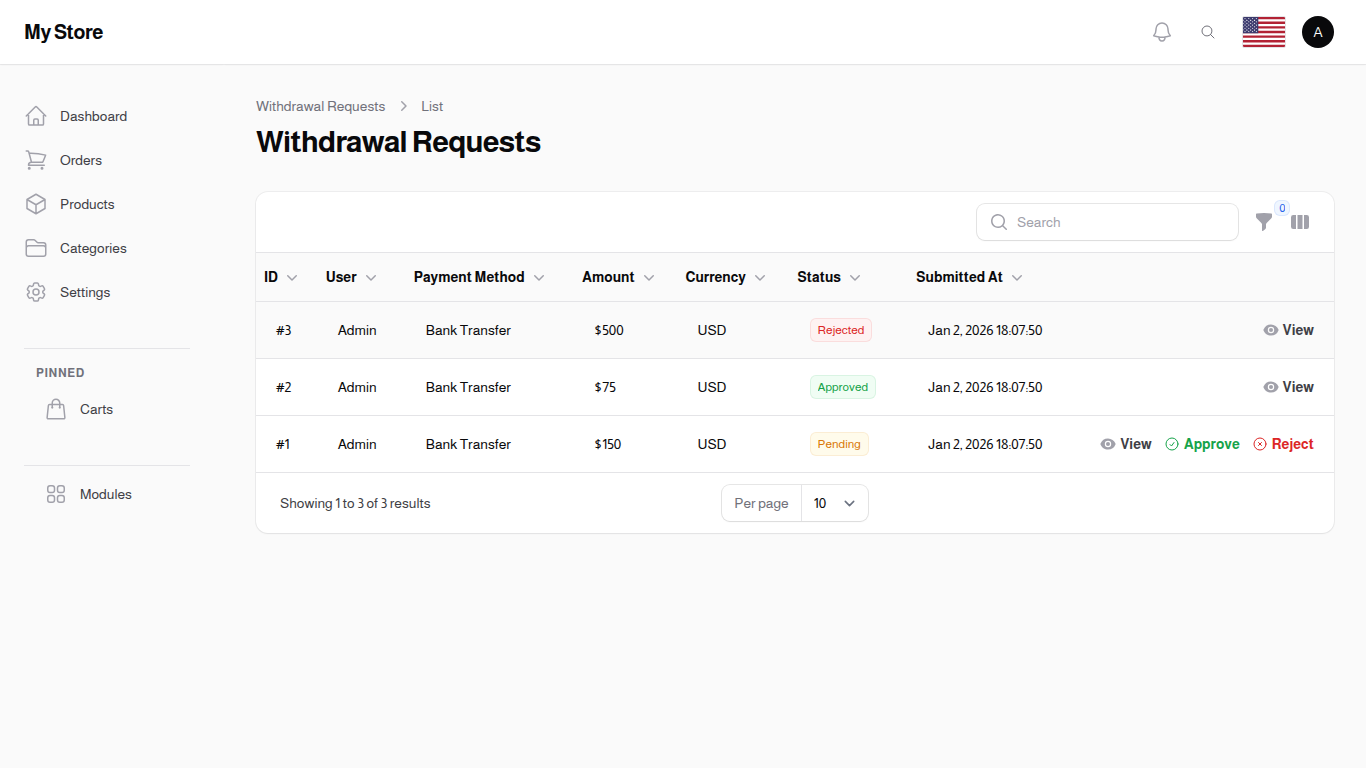
Newest requests are first. The filters show one Status, one Payment Method, the requests sent between two dates (Submitted From, Submitted Until), and deleted requests. Fee %, Fee Amount, Reviewed At and Reviewed By can be added from the columns button.
How a customer sends one
In their account, under My Wallet, the customer opens the withdrawal page, chooses the wallet and one of your Manual Payment Methods that pays out in its currency, types the amount and adds notes, such as the account to pay into. The amount cannot be more than their available credit. Staff who get wallet withdrawal notifications in Notification Settings are told at once.
Customers can only send withdrawal requests while Enable Wallet Withdrawals is on in Wallet Settings, which also sets how many requests one customer may have waiting (Max Pending Withdrawal Requests).
Check a request
Click View on the request's row to see the customer, the method, the amount, the fee and the customer's notes.

The fee is what you keep: pay the customer the amount minus the Fee Amount. The whole amount has already left the wallet, shown in Wallet Transactions as Withdrawal Held.
Approve a request
- Pay the customer by the method they chose.
- Click Approve, on the row or on the request's page.
- Click Confirm.
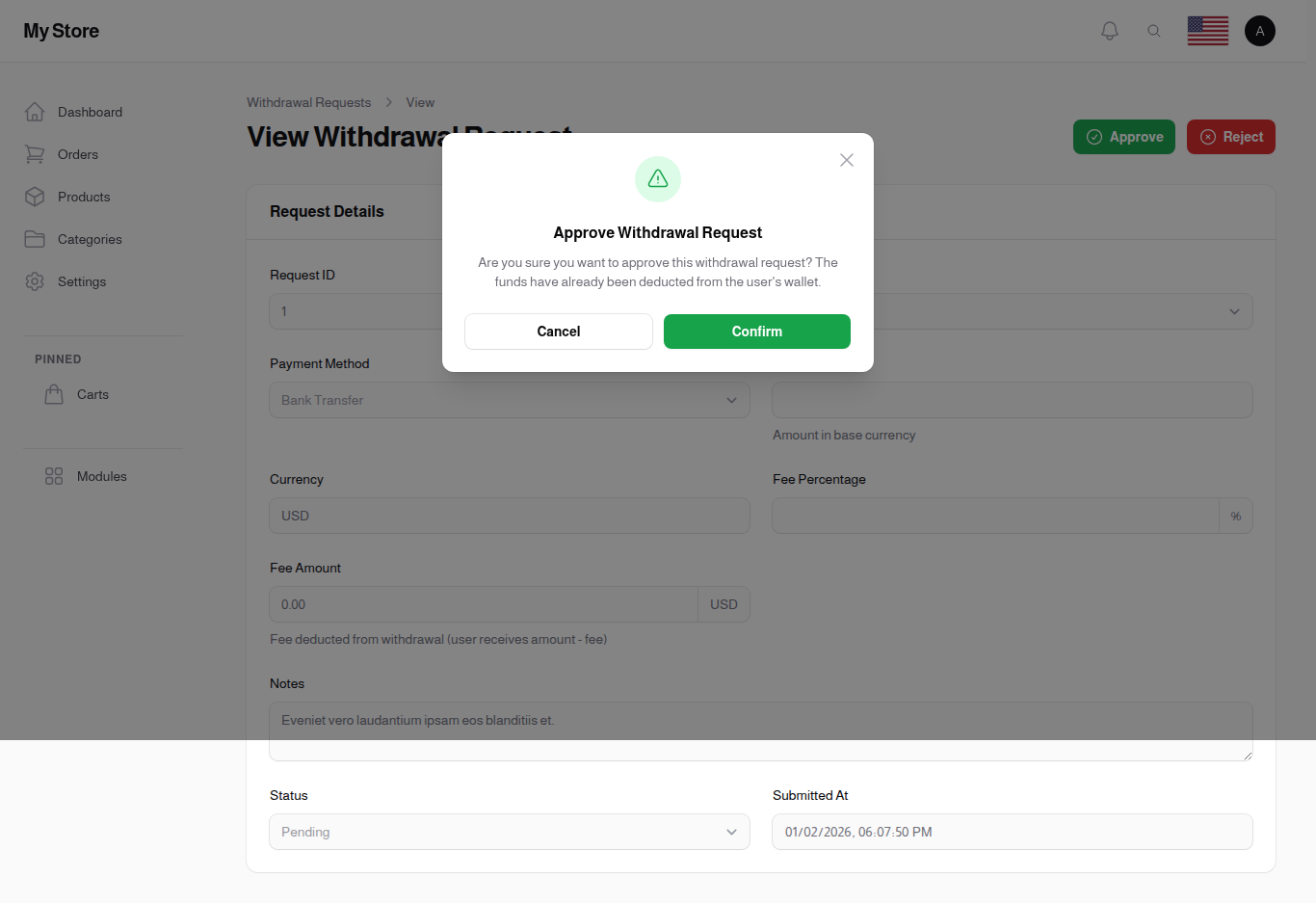
The request turns Approved and the customer is notified on the site and by email. The wallet does not change again.
Reject a request
- Click Reject.
- Write the Rejection Reason. The customer sees it.
- Click Submit.
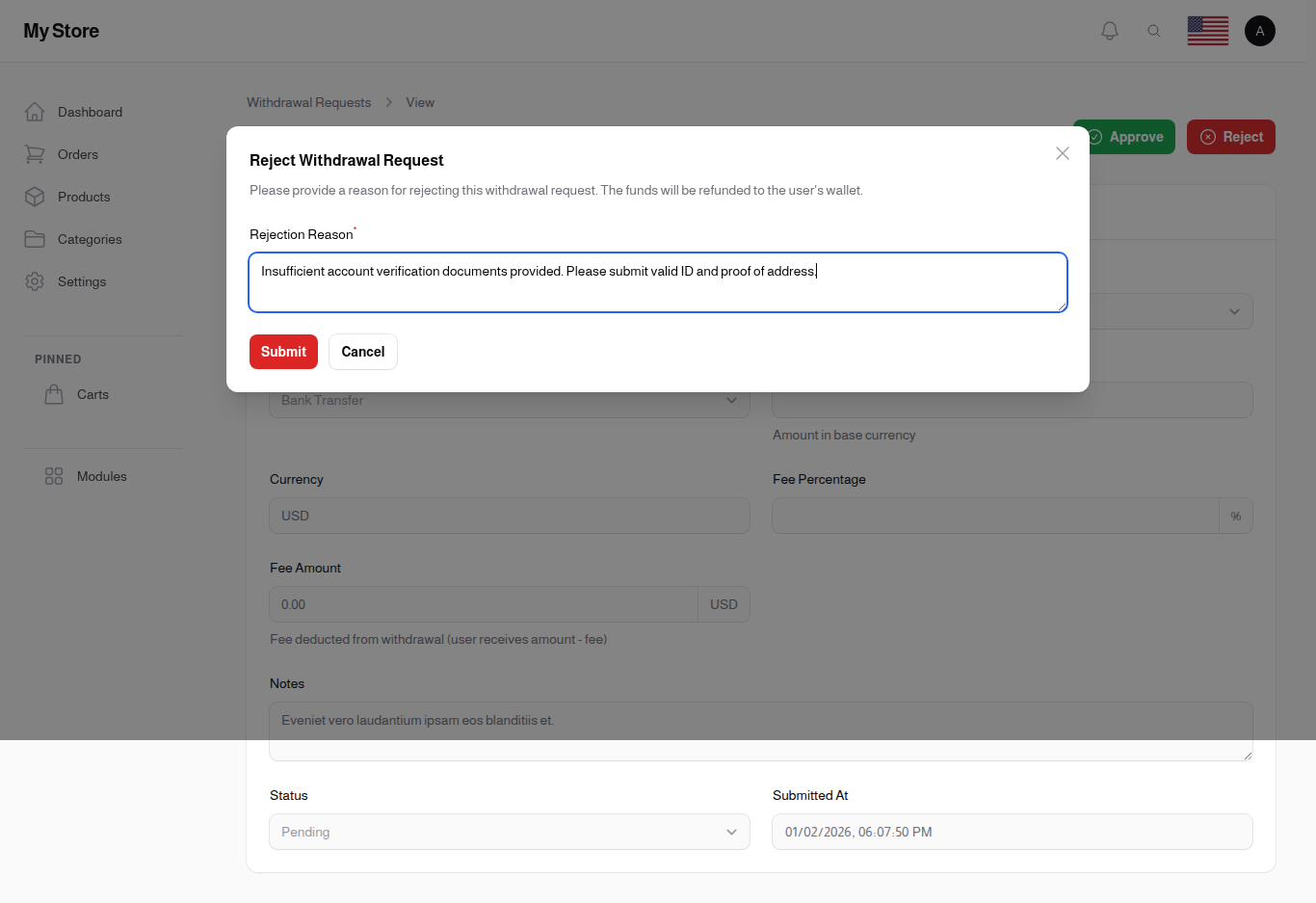
The whole amount goes back to the customer's wallet, shown as Withdrawal Refunded, and the customer is notified. A reviewed request cannot be approved or rejected again.