Return Settings
Let customers ask to return items from a delivered order, on their order page and in the app. They choose the items, the quantity and the reason, and you approve or decline the request from the order.
Where to find it
Open Modules → Settings → Returns.
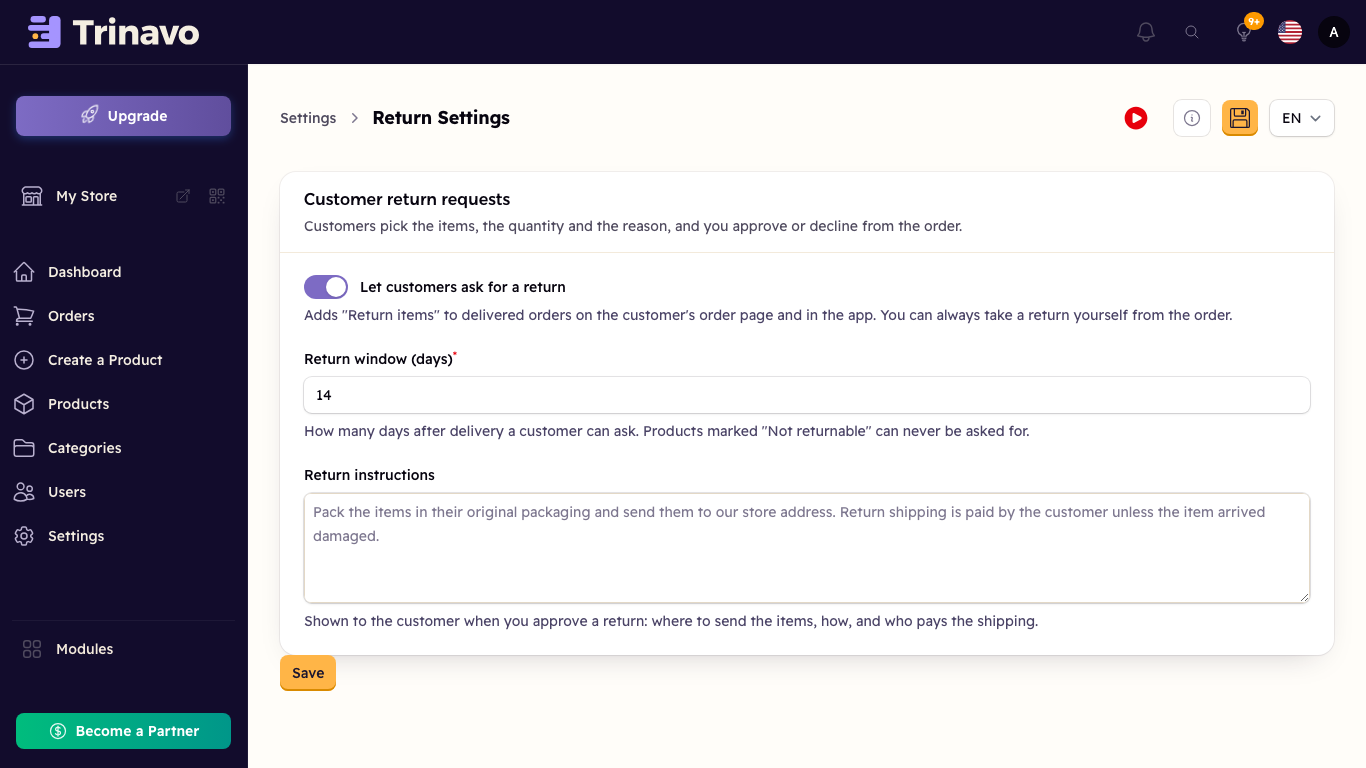
Let customers ask for a return
- Switch on Let customers ask for a return (paid plans).
- Set the Return window (days): how many days after delivery a customer can ask. It starts at 14.
- Type your Return instructions: where to send the items, how, and who pays the shipping.
- Click Save.
Customers then get Return items on their delivered orders until the window closes. A product with Not returnable switched on can never be asked for.
The Return instructions are shown to the customer when you approve a return. You can write them in each language your store uses: pick the language with the language switcher at the top of the page.
While this is on, a delivered order is returned rather than cancelled, so customers are not offered Request Cancellation on it. You can always take a return yourself from the order, with this switched on or off.
Answer a return request
Requests are answered on the order itself: see Customer return requests on the Orders page.