Shipments
Every order you have handed to a delivery company through the store, with where the company says the parcel is. Use it to see at a glance which parcels are on the road, which arrived and which came back.
Where to find it
Modules → Orders & Sales → Shipments
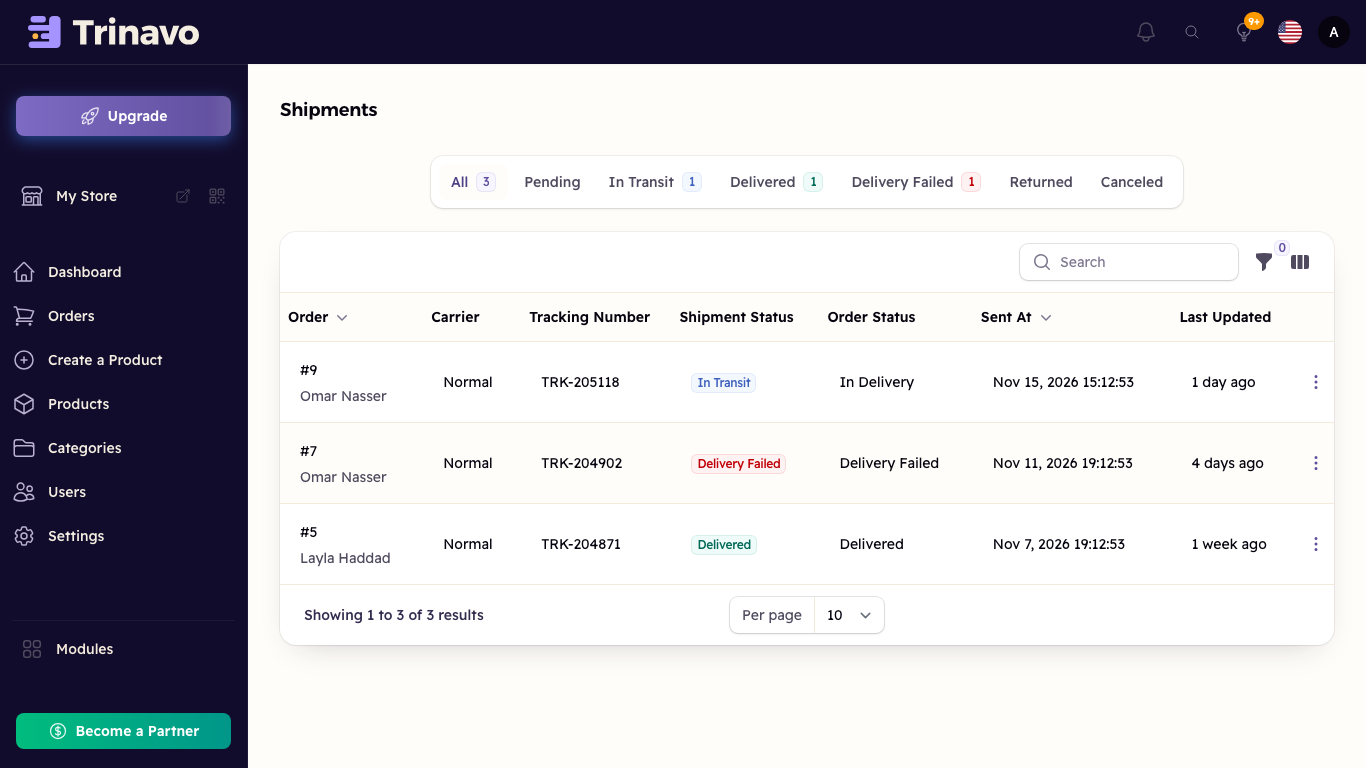
An order appears here once you send it with Dispatch on the Orders list using a delivery method connected to a delivery company. There is nothing to create on this screen.
Find a parcel
The tabs above the list count the shipments by what the delivery company last reported: All, Pending, In Transit, Delivered, Delivery Failed, Returned and Canceled. A tab with no shipments shows no number.
The search box finds a shipment by order number or tracking number, and the Carrier filter shows one delivery company's parcels.
| Column | What it shows |
|---|---|
| Order | The order number, with the customer's name under it. |
| Carrier | The delivery method the order was sent with. |
| Tracking Number | The delivery company's number for the parcel. Click it to copy it. |
| Shipment Status | What the delivery company last reported. |
| Carrier Status | The delivery company's own words, and its reason when a delivery failed. Hidden until you switch it on with the columns button. |
| Order Status | The order's status in your store. |
| Sent At | When the order was dispatched. |
| Last Updated | When the delivery company last reported a change. |
When the delivery company reports a parcel in transit, delivered, failed or returned, the order moves to In Delivery, Delivered or Delivery Failed by itself.
Act on a shipment
Click a row to open its order. The three-dots menu on a row offers:
- Tracking Info: the tracking number and where the parcel is, with Print Carrier Waybill when the delivery company provides one.
- Print Shipping Label: print the label again.
- Cancel Shipment: withdraw the parcel from the delivery company, for companies that allow it. The order is not cancelled. The shipment stays here as Canceled, with its tracking number, until you dispatch the order again.
Related
- Orders: dispatching orders and printing labels
- Delivery Methods: connecting a delivery company