Social Publishing Settings
Set how your products are written when they are posted to your social channels: which product details go into each post, and any text of your own around them.
Where to find it
Open Modules → Settings → Social Publishing. Related settings in the ⋮ menu (More) of the Social Publishing screen opens it too.
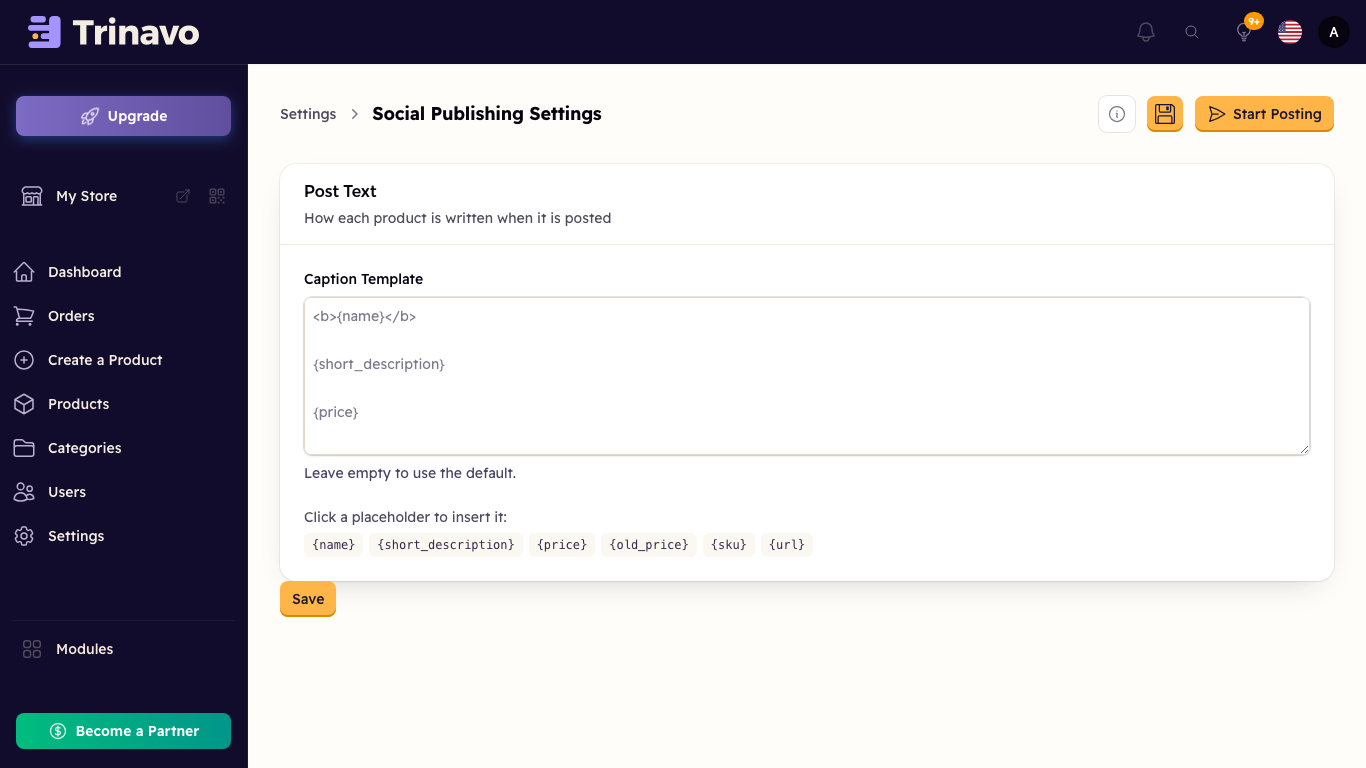
Write the post text
- Type your text in Caption Template.
- Where a product detail should go, click its placeholder under the box to insert it at the cursor.
- Click Save.
Leave the box empty to use the default: the product name in bold, its short description, its price and its link.
| Placeholder | What it becomes |
|---|---|
{name} |
The product name. |
{short_description} |
The short description, as plain text. |
{price} |
The price a visitor pays, with any category discount. |
{old_price} |
The price before the discount, when the product has one. Otherwise nothing. |
{sku} |
The product code. |
{url} |
The link to the product page. |
Each post is written in the language of the channel it goes to. Start Posting at the top of the page opens the Social Publishing screen once a channel is enabled.