Telegram Floating Button
A round Telegram button in a corner of every page of your store. A customer who taps it opens a Telegram chat with your account.
Where to find it
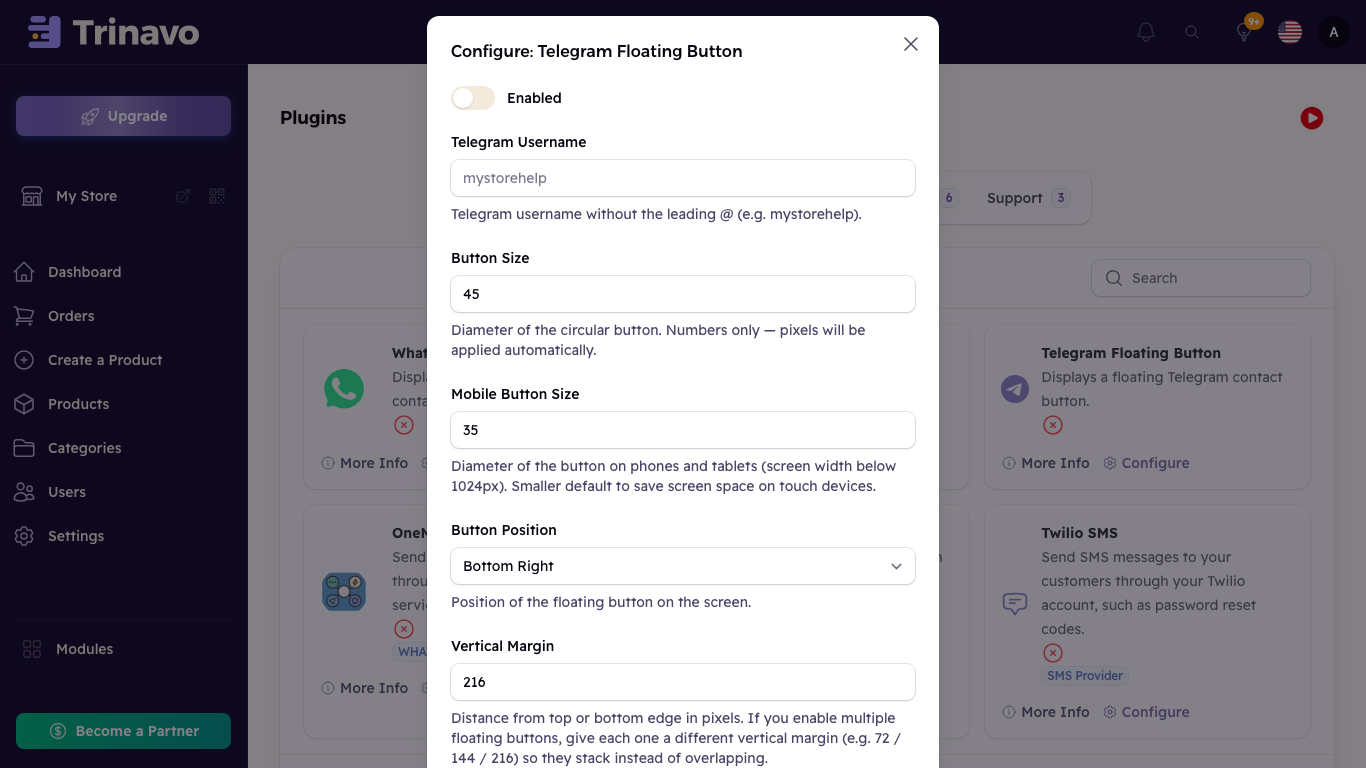
Open Modules → System Settings → Plugins, go to the Communication tab and click Configure on the Telegram Floating Button card.
Add the button to your store
- Switch on Enabled.
- Type your Telegram Username, without the @ at the start.
- Choose where it sits and how big it is.
- Click Save.
| Field | What it does |
|---|---|
| Button Size, Mobile Button Size | The button's width in pixels on computers, and on phones and tablets. |
| Button Position | The corner or side the button sits on. On pages in a right-to-left language such as Arabic, left and right swap. |
| Vertical Margin, Horizontal Margin | The distance from the top or bottom edge, and from the side, in pixels. It starts above the WhatsApp and phone buttons (216), so the three stack when all are on. |