Twilio SMS
Sends text messages to your customers through your own Twilio account. Today it sends password reset codes, for customers who sign in with their mobile number. Twilio bills the messages to your Twilio account.
Where to find it
Open Modules → System Settings → Plugins, go to the Communication tab and click Configure on the Twilio SMS card.
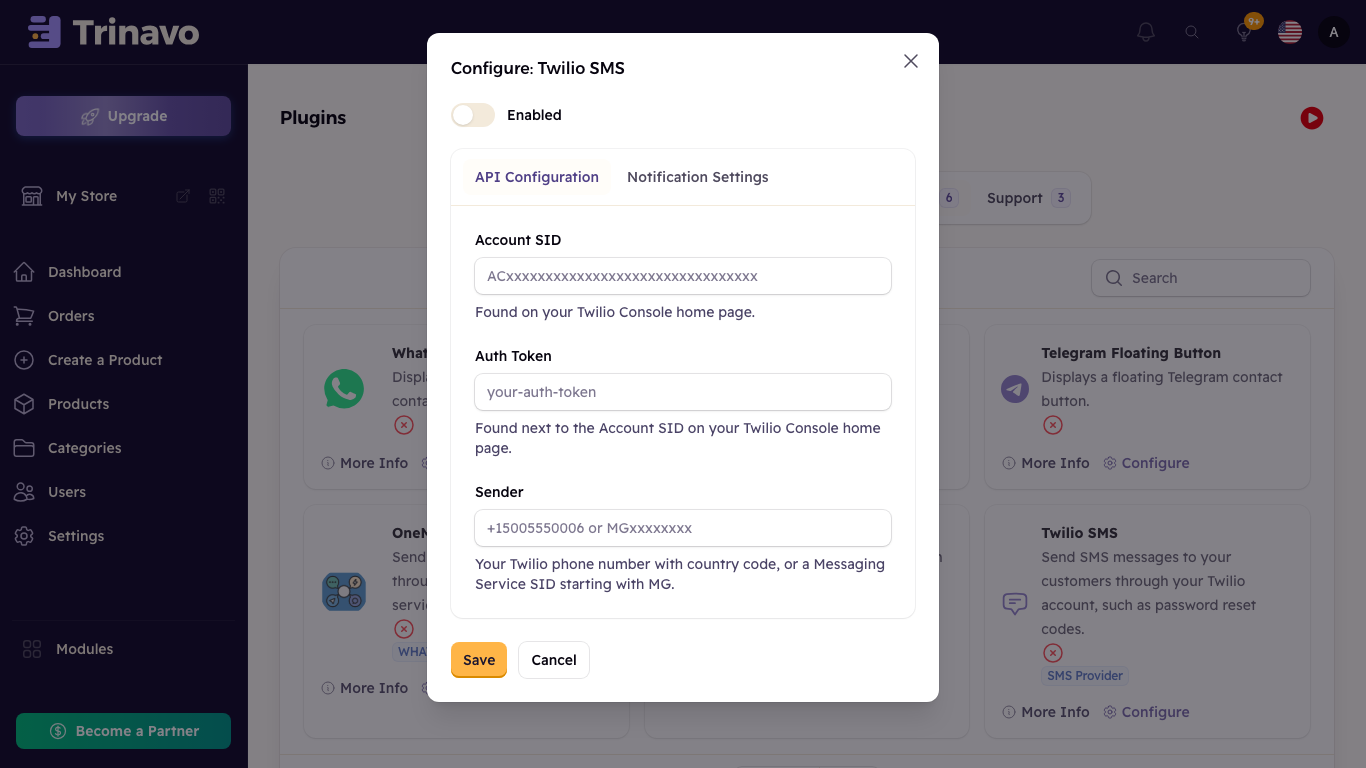
Connect your Twilio account
- In the Twilio Console, copy the Account SID and the Auth Token from the home page, and get a Twilio phone number that can send to your customers' country (or create a Messaging Service).
- In the plugin's settings, switch on Enabled and, on the API Configuration tab, paste the Account SID and Auth Token.
- In Sender, type your Twilio number with its country code, or the Messaging Service ID that starts with MG.
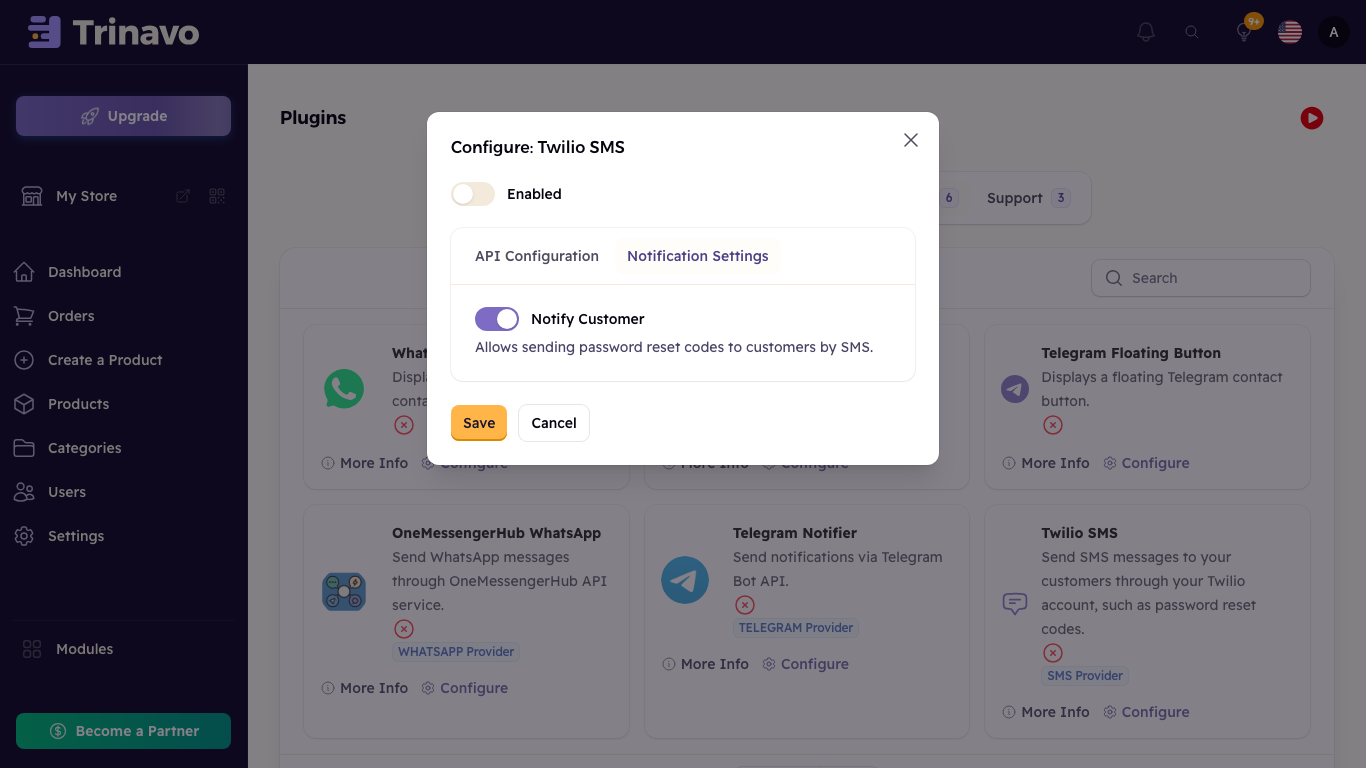
- On the Notification Settings tab, leave Notify Customer on. It is what lets the password reset codes go out by SMS: with it off, no message reaches customers.
- Click Save.
Send a test message
- Click Test on the plugin's card. It shows once the plugin is on.
- Type your own mobile number with its country code in Phone Number.
- Click Send Test Message. The result shows under the button.
Password reset codes by SMS
Switch on Code by SMS under Password Reset in Registration Settings. That switch can only be turned on while an SMS plugin is on.