Country Blocking
Overview
Country Block Settings let you restrict access to your storefront from specific countries. When a visitor connects from a blocked country, the storefront returns a maintenance-style page instead of the catalogue, while the admin panel remains available for staff.
Accessing Country Block Settings
Navigate to: Modules → Settings → Country Blocking.
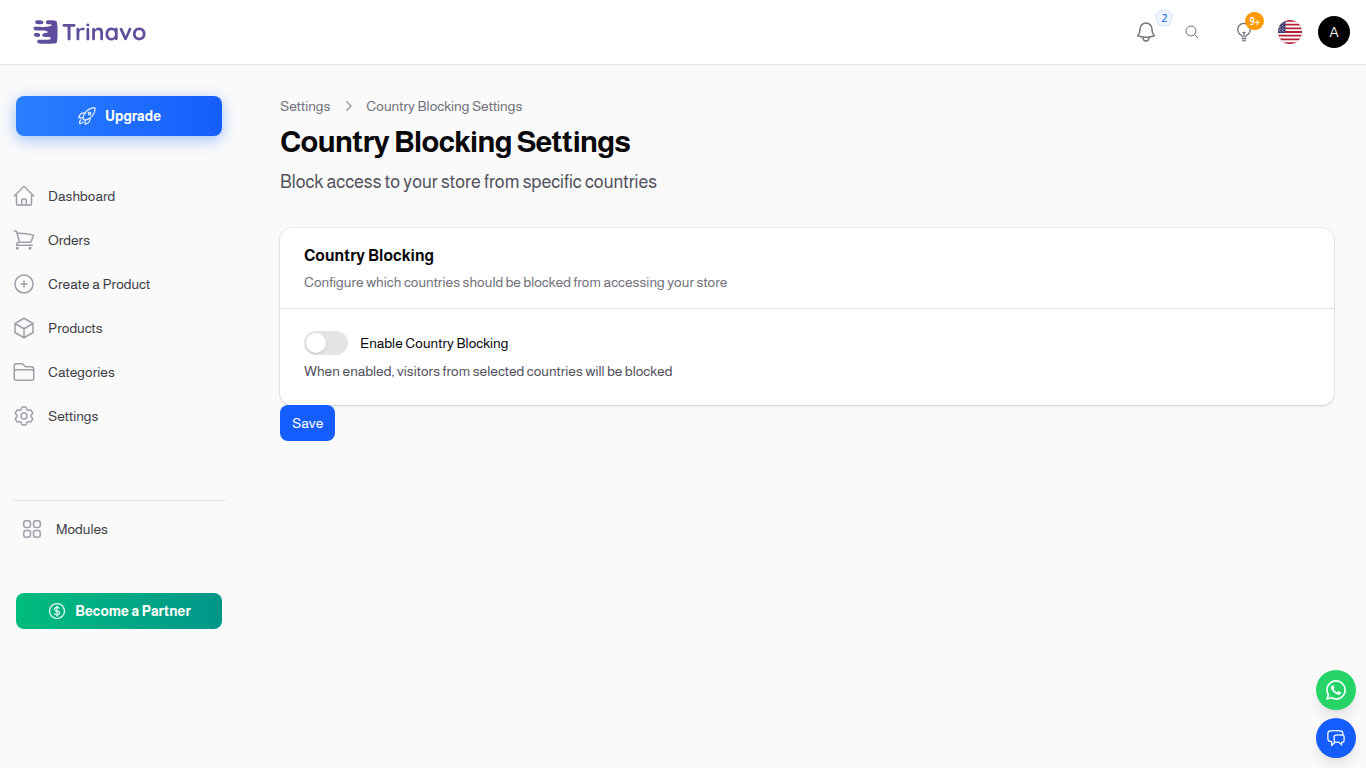
Settings
Enable Country Block
- Type: Toggle switch (On/Off)
- Default: Off
- Purpose: Master switch that activates the per-country block list. When this is off, visitors from any country can browse the storefront regardless of the list below.
Blocked Countries
- Type: Multi-select country picker
- Purpose: List of countries whose visitors will be blocked when the master toggle is on.
- Behaviour: Country is detected from the visitor's IP using the configured GeoIP database. If detection fails (private IPs, missing database), the visitor is treated as not blocked to avoid false positives during local development or behind misconfigured proxies.
Block Message
- Type: Translatable rich text
- Purpose: The message shown to a blocked visitor on the maintenance-style page. Provide it in every active locale so blocked customers see it in their language.
How It Works
- The visitor opens any storefront URL.
- The country-block middleware looks up the visitor's IP in the GeoIP database.
- If the resolved country is in the Blocked Countries list and the master toggle is on, the storefront responds with the configured block message and a
403status. - Admin URLs (
/admin/...) and API token-authenticated requests are not affected — staff can keep working from anywhere.
Best Practices
- Pair the toggle with a clear block message that explains why access is restricted and how the visitor can contact you (email, support number).
- Test the block from a VPN before relying on it.
- If you only need to restrict registration by country (not browsing), use Registration Settings instead.
Related Sections
- General Settings — set the default country code that powers phone-number formatting and timezone defaults.
- Registration Settings — restrict who can sign up by country.