User Identifier Settings
Overview
Every customer gets an identifier: a short code that stands for their account. It is what you quote in support, what appears on paperwork, and what staff read out over the phone.
These settings decide what that code looks like.
Accessing User Identifier Settings
Navigate to: Modules → Settings → User Identifier
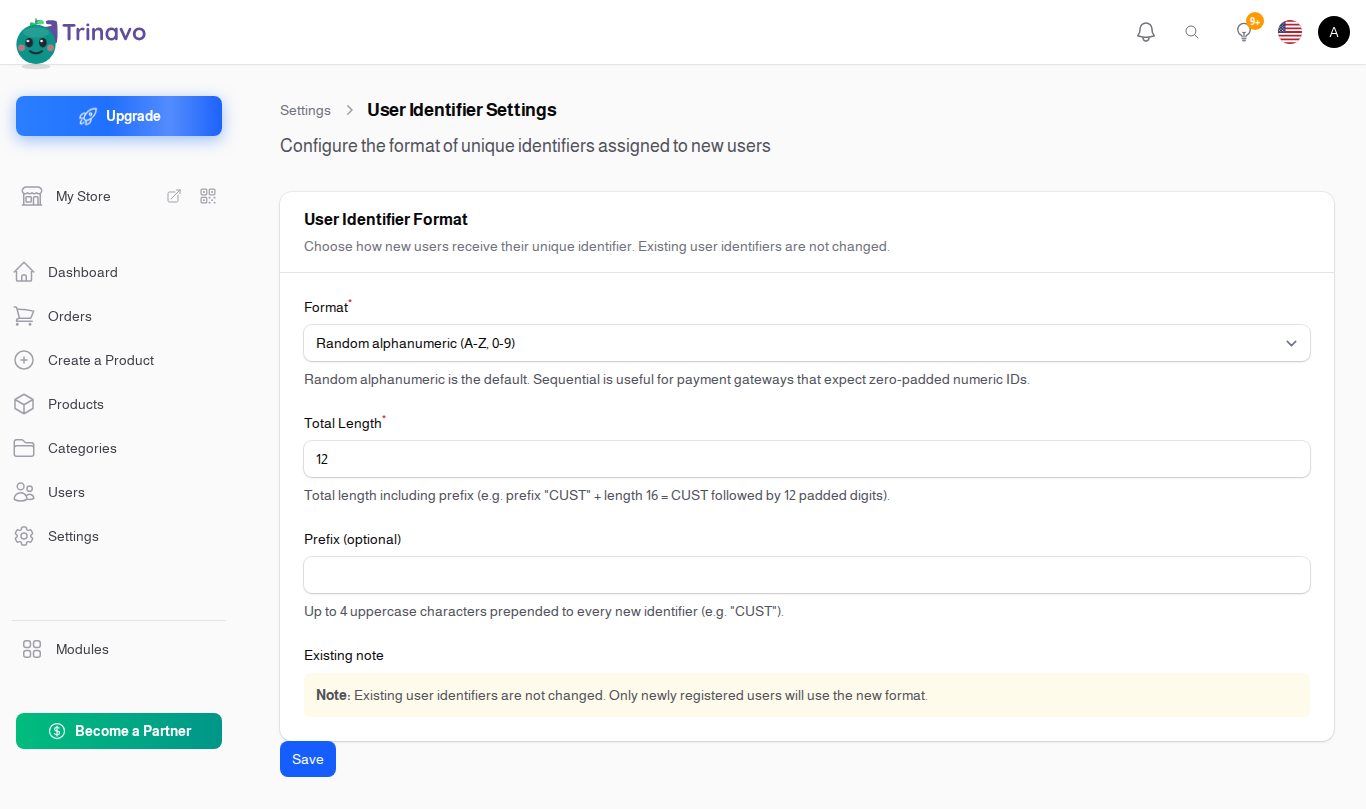
Settings
Format
- Type: Dropdown
- Options:
- Random alphanumeric (A-Z, 0-9) - short and hard to guess
- Random numeric (digits only) - easier to read out loud and to type on a phone keypad
- Sequential zero-padded - 000001, 000002, and so on
- UUID / GUID (36 characters) - globally unique, and far too long for a human to read out
Total Length
- Type: Number
- Purpose: How long the identifier is, for the formats where that is a choice
Short codes are easier to handle and more likely to collide. If you have a lot of customers, do not make this too small.
Prefix (optional)
- Type: Text
- Purpose: A fixed string in front of every identifier
Useful when identifiers from different systems end up in the same place and you need to tell at a glance which is which.
Changing the format later
Changing these settings affects identifiers issued from now on. Customers who already have one keep it.
That is deliberate: a customer's identifier appears on their past orders and in your support history, and rewriting it would break both. It does mean a store that changes format ends up with two shapes of identifier in circulation, so it is worth deciding early.
Related Sections
- Users - where a customer's identifier is shown
- SKU Generator - the same idea, for products
- User Registration - how customers get an account in the first place