Content Settings
The texts in your store's footer: a few words about your store, how to contact you, the copyright line and the line under it.
Where to find it
Click Settings in the sidebar, then the Content card. It is also under Modules → Settings → Content.
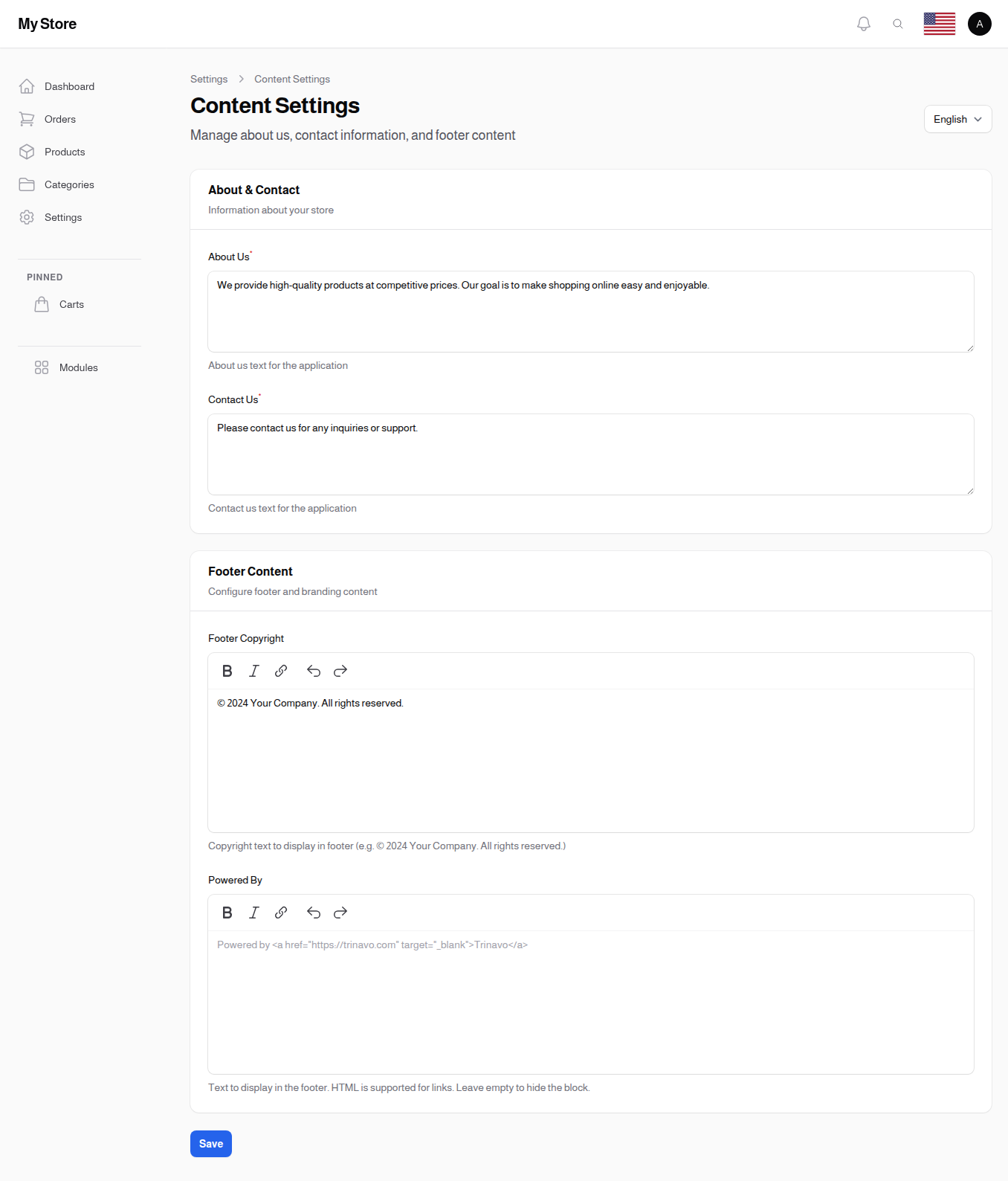
Write your About Us and Contact Us texts
- Under About & Contact, write About Us: a few lines on who you are and what you sell.
- Write Contact Us: your phone, email, address or opening hours, as you want customers to read them.
- Click Save.
Both show in their own column of your store's footer, and both are required.
The language switcher at the top changes which language you are typing in. Fill every text on this page in each language your store uses.
Change the footer's bottom line
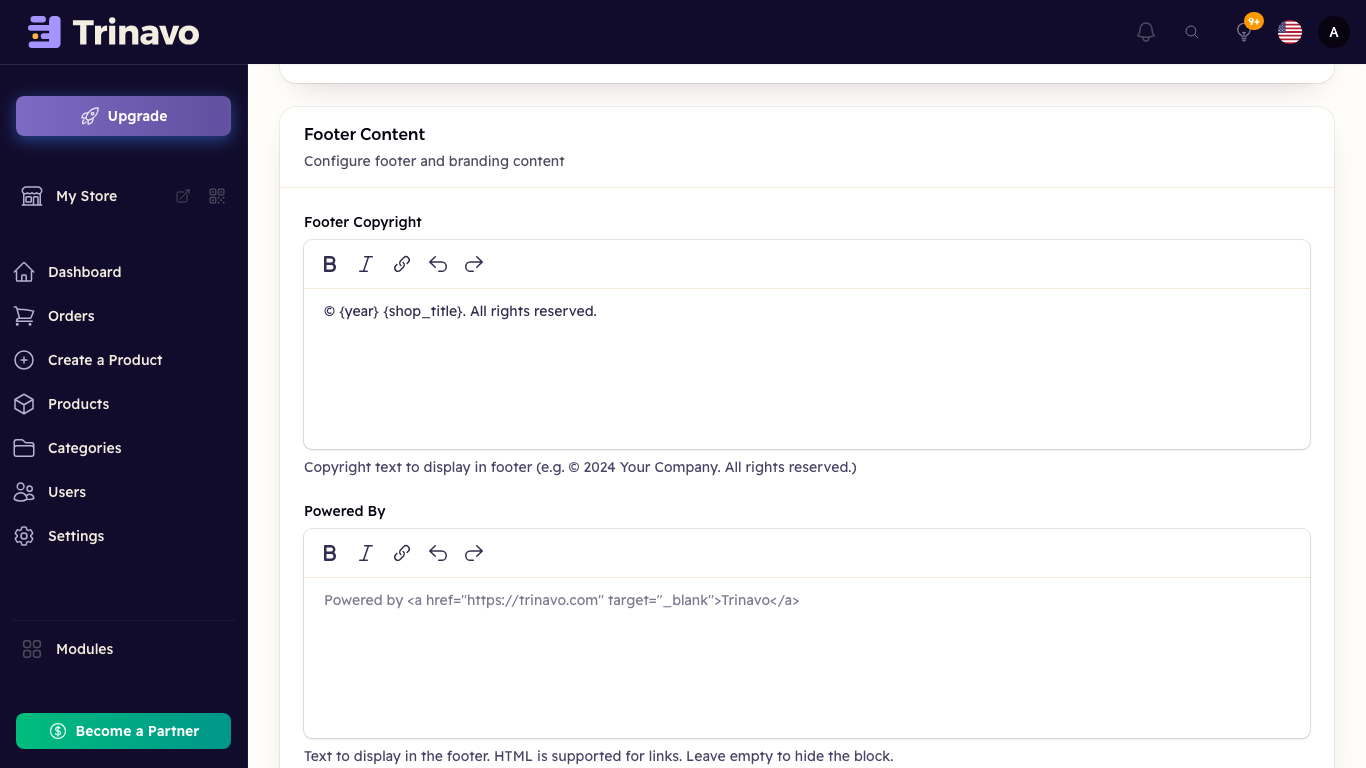
| Field | What it does |
|---|---|
| Footer Copyright | The copyright line at the very bottom of your store. You can make words bold or italic, and add a link. Type {year} for the current year and {shop_title} for your store's name: they update by themselves. |
| Powered By | A second line in the same bottom bar, for a credit or a link. Leave it empty to hide it. |
The "Online store designed and built by Trinavo" line is a separate setting: Show Trinavo Branding in Footer in General Settings.