Order Activity
Purpose
Order Activity is the log of everything that has happened to your orders: statuses moving, items added or removed, quantities and prices changed, payment states flipping.
It is the screen for "who changed this order, and when?" A customer says they ordered three, the order says two, and this tells you whether someone edited it, when, and whether it was a person or the system.
It is read-only. Nothing here can be edited or deleted, which is the point of a log.
Accessing Order Activity
Click Modules → Orders & Sales → Order Activity
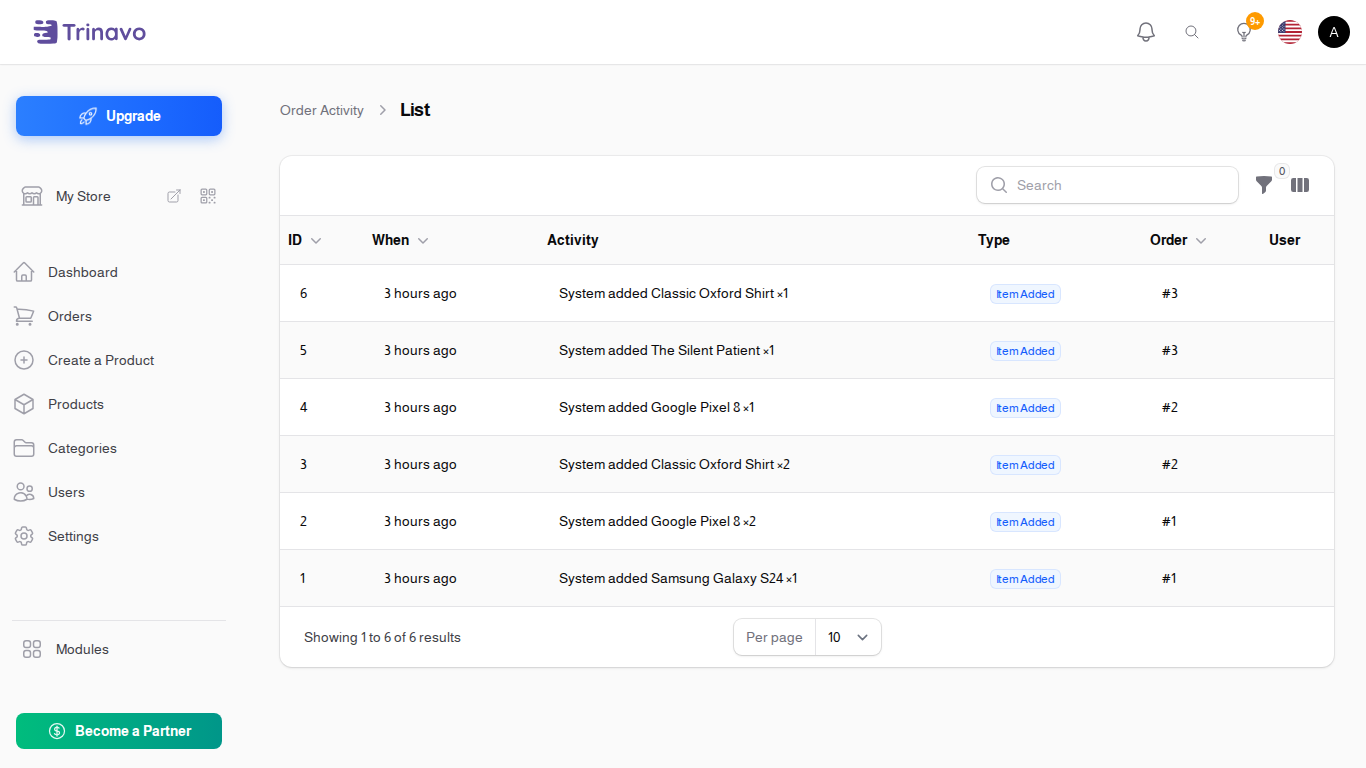
Reading the list
| Column | What it means |
|---|---|
| When | the moment it happened, newest first |
| Activity | what changed, in words |
| Type | which kind of change. See below |
| Order | the order it happened to |
| User | who did it, when it was a person |
| Source | User or System |
Source is the column that answers the awkward question. User means a person in the admin panel did it. System means the store did it on its own, for example a status moving because a payment was confirmed.
Types of activity
- Order Status - the order moved between statuses
- Payment Status - paid or unpaid changed
- Fulfillment - delivery progress
- Item Added, Item Removed - a line was added to or taken off the order
- Item Qty Changed, Item Price Changed - a line was edited
- Item Variation Changed - a size or colour was swapped
- Order Field Changed - something on the order itself, such as the address
Filtering
- Type and Source narrow to a kind of change
- Order takes an Order ID, which is the fastest route when you are chasing one order
- Date range, with From and To
- Last 24 hours as a one-click shortcut
How this differs from the other logs
Three screens look similar and answer different questions:
- Order Activity (this one) covers changes to orders
- Stock History covers changes to quantities
- Activity Log covers everything else an admin changes, such as products, categories and settings
Related Sections
- Orders - the orders being logged
- Payments - the payments behind the payment-status entries
- Activity Log - the wider admin audit trail