Adjustment Reasons
Adjustment reasons are the choices in the Reason list of a stock adjustment: why stock went up or down outside a sale. Add the ones your business needs, such as "Used in the workshop" or "Given as a sample", and switch off the ones you never use.
Where to find it
Open Modules → Inventory → Adjustment Reasons.
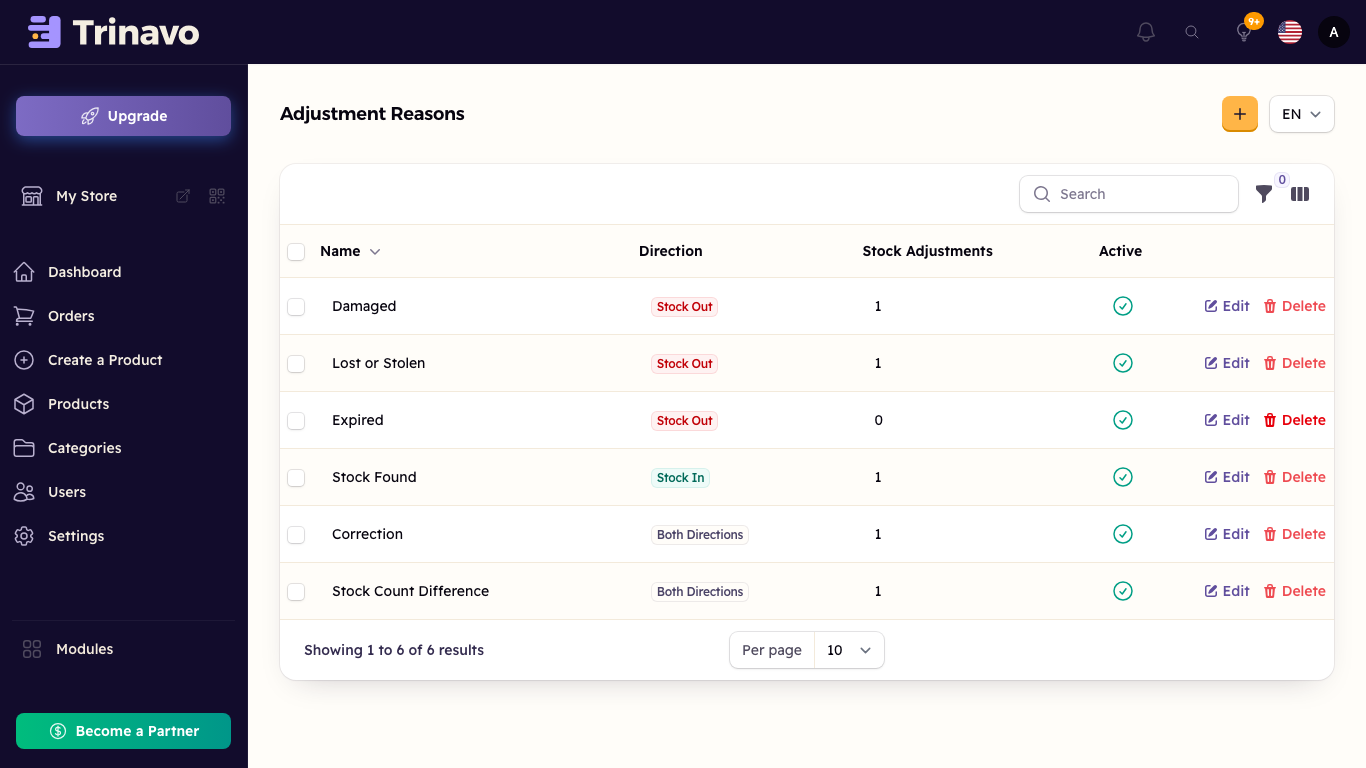
Every store starts with these reasons:
| Reason | Direction |
|---|---|
| Damaged | Stock Out |
| Lost or Stolen | Stock Out |
| Expired | Stock Out |
| Stock Found | Stock In |
| Correction | Both Directions |
| Stock Count Difference | Both Directions. Used when a stock count is applied. |
The Stock Adjustments column shows how many adjustments used each reason.
Add a reason
- Click + (New Reason).
- Type the Name.
- Choose the Direction.
- Click Create.
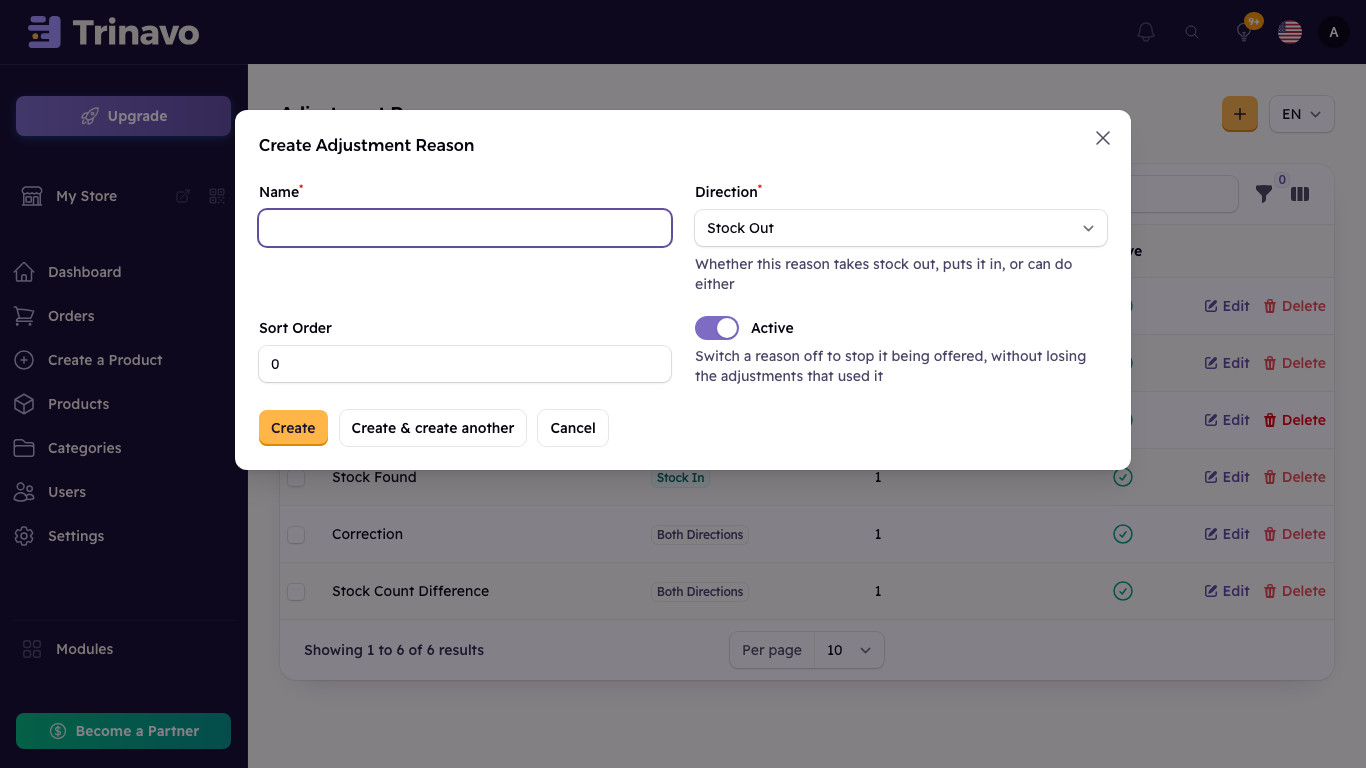
| Field | What it does |
|---|---|
| Direction | Stock Out reasons can only take stock out, Stock In reasons can only put it in, and Both Directions lets each line choose. A one-way reason cannot be used the wrong way round. |
| Sort Order | Where the reason appears in the Reason list. Lower numbers come first. |
| Active | Only active reasons are offered on new adjustments. |
Rename or change a reason
- Click Edit on the reason's row.
- Change what you need and click Save changes.
When your store has more than one language, the language switcher at the top of the list changes which language you see and type the name in. Fill the name in each language your store uses. Renaming a starting reason is safe, including Stock Count Difference: counts keep using it under its new name.
Stop using a reason
Switch off Active on the reason. It disappears from the Reason list, and the adjustments that used it keep it. The Active filter shows only active or only inactive reasons.
Delete works only for a reason no adjustment has used. For a used reason the button is greyed out, and pointing at it says to switch the reason off instead.