tawk.to Live Chat
Watch the video
tawk.to Live Chat
Watch the:
Free live chat from tawk.to on your store: a chat bubble on every page of your website, and a chat button in your store's mobile app. You answer from tawk.to, in the browser or from its phone and computer apps. When a signed-in customer writes, tawk.to shows you their name and email.
Where to find it
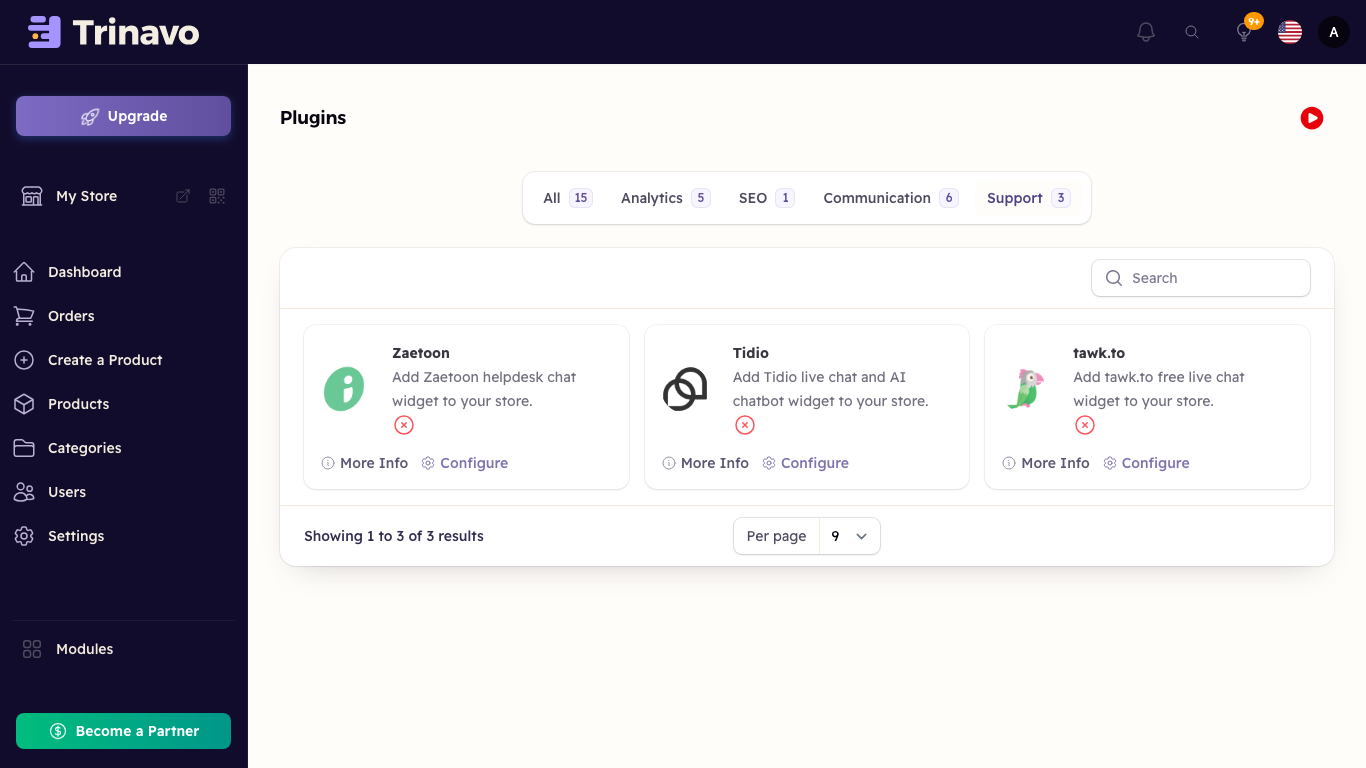
Open Modules → System Settings → Plugins and go to the Support tab. The plugin is the tawk.to card.
Turn on the chat
- On the tawk.to card, click More Info to open the tawk.to website, and sign up for free. When tawk.to asks, choose Live Chat and give your store's address and name. You can skip its steps for installing the widget: the plugin does that.
- In tawk.to, open Administration, then Chat Widget, and copy the Direct Chat Link. The Widget Code on the same page works too.
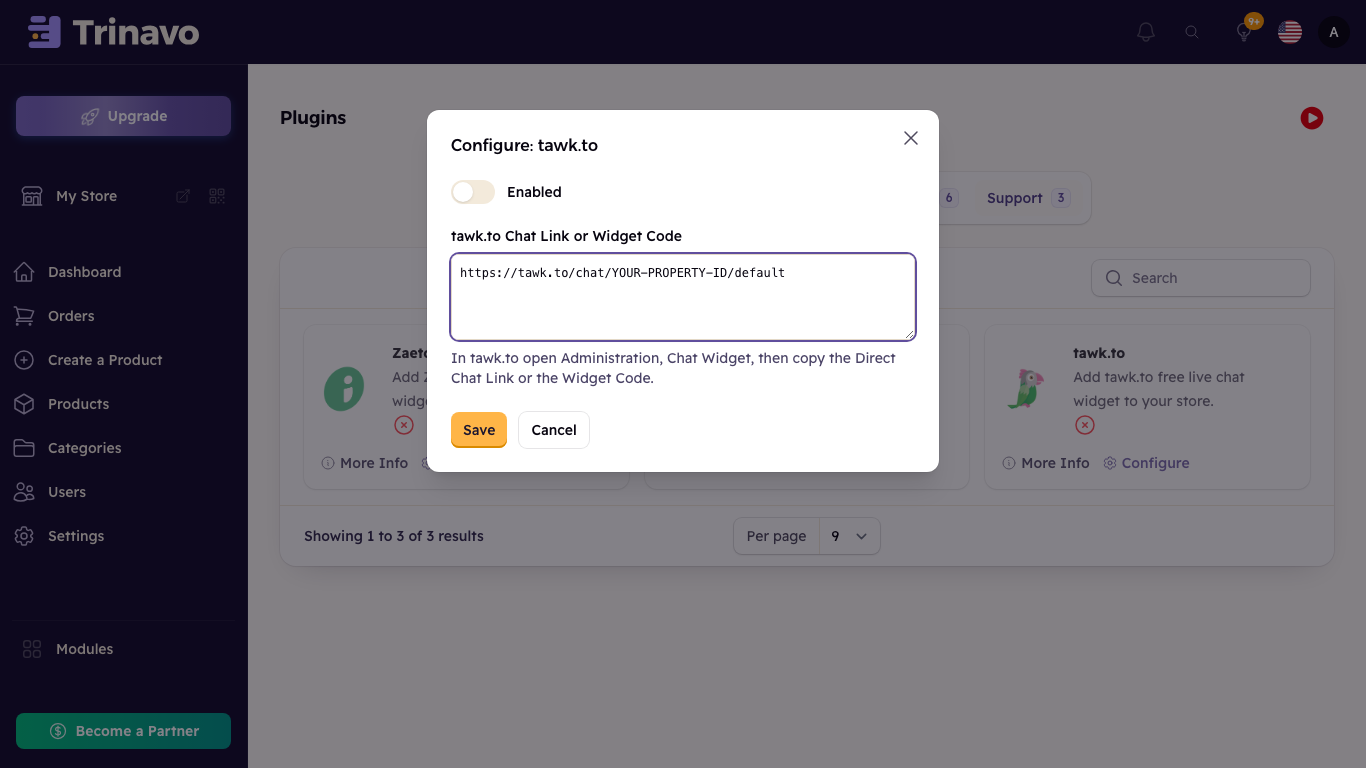
- Back in your store, click Configure on the tawk.to card.
- Switch on Enabled and paste the link in tawk.to Chat Link or Widget Code.
- Click Save.
Open your store: the chat bubble is in the bottom corner. In your store's app, a chat button appears by itself and opens the chat full screen.
Make the chat speak your customers' language
Everything in the chat window itself is set in tawk.to, and shows on your store and in your app right away:
- Administration → Chat Widget → Language changes tawk.to's own buttons, and turns the chat right to left for Arabic.
- Edit Content, next to Language, changes the chat's heading and texts.
- Administration → Settings → Triggers → Welcome message changes the greeting that pops up, the agent's name, and the quick questions customers can tap.